65.1.1.3 ETX and ETX-G resource
Configure ETX Resources
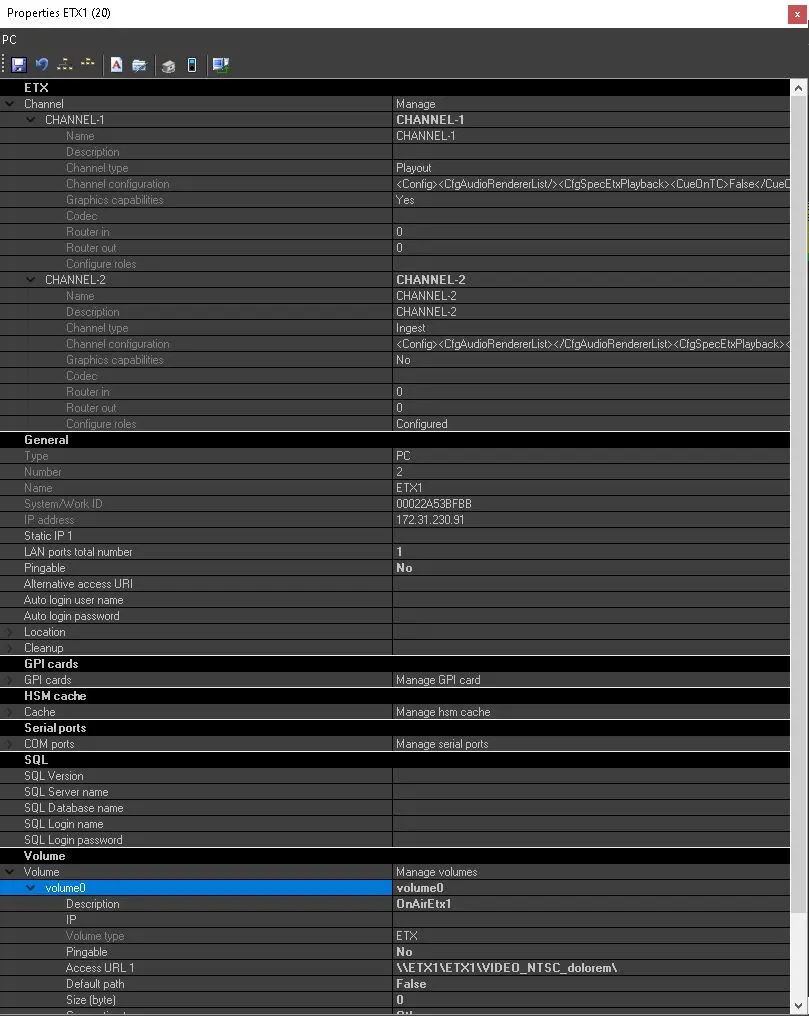
In order to access the Etere ETX resources listed in the Etere database, we need to launch the Etere Resources Editor module, then double-click on the proper ETX resource to display its properties.
4885_etx_obj_prop
4882_etx_channel_config
Once the Properties Form has been opened, is it possible to access and manage multiple parameters, such as the Channels Configuration, Disk Quota, GPI Cards and so on.
Considering the Channel Configuration as the crucial part of the Etere ETX management, we are going to have a deep look at it in the 65.1.2.0 Resource creation chapter.
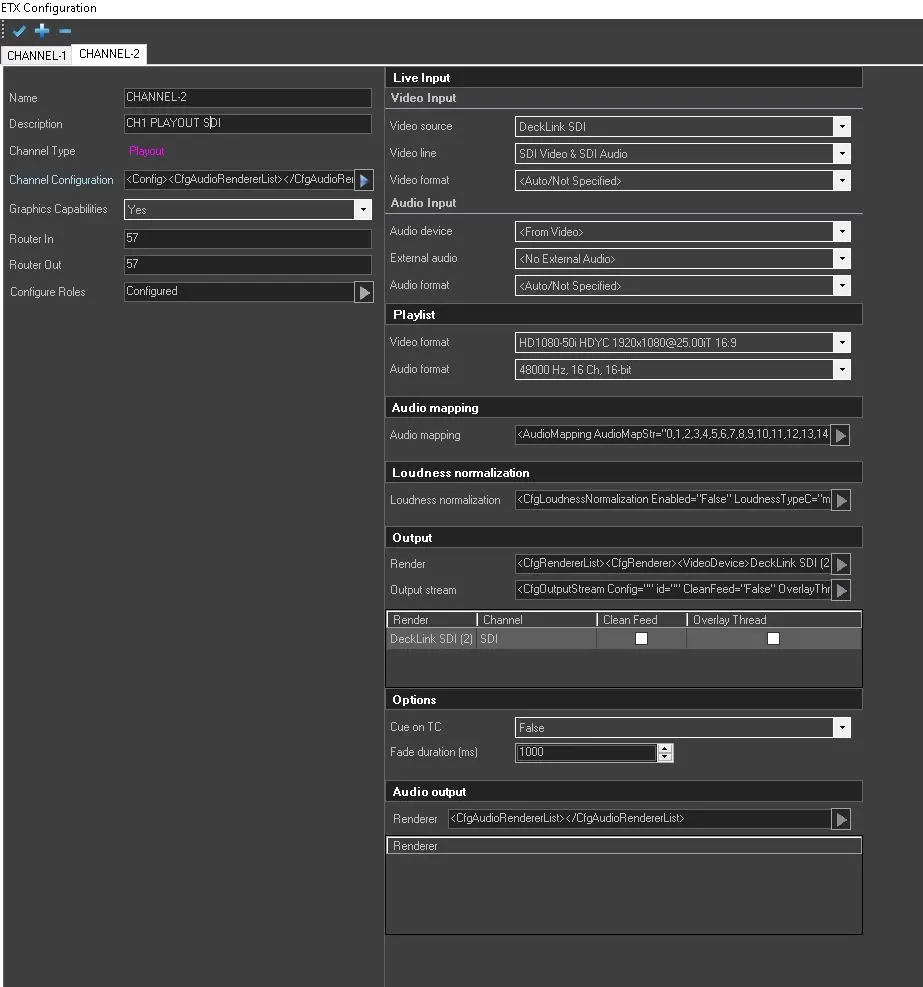
Once the Properties Form is displayed, we can press the [...] button in order to access the Channel Configuration Form.
From here, we have multiple channels, each one with his own role and resources.
Following the list of all the available parameters:
- Name: The name of the channel.
- Description: A brief description of the channel.
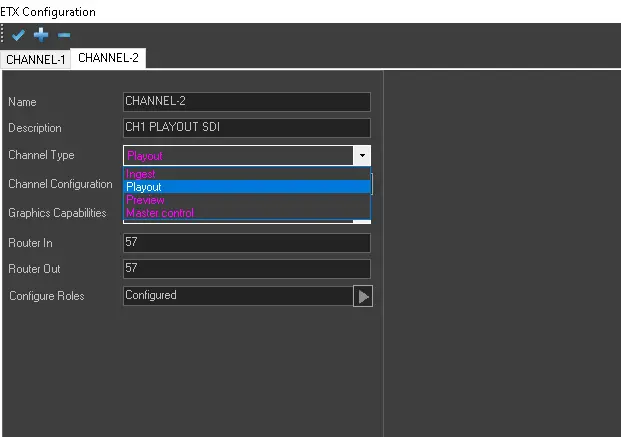
- Channel Type: Within Etere ETX is possible to configure different types of channels such as Ingest, Playout, Master Control or Preview channels.
- Channel Configuration: Expanding this section, it allows further configuration of the channel parameters.
- Graphic Capabilities: Allows the processing of GFX in the given channel.
- Router in: Specify the port number of input device.
- Router out: Specify the port number of output device.
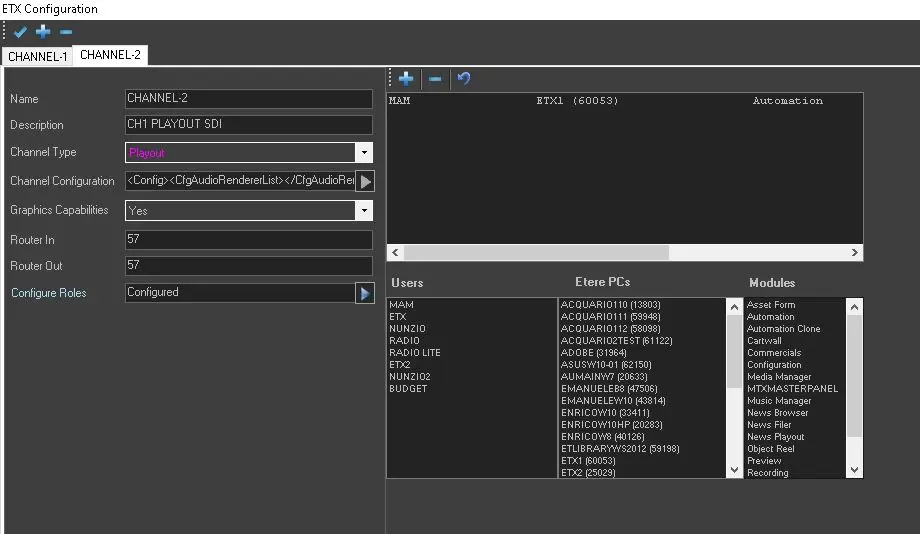
- Configure roles: Allows the assignment of multiple roles such as Automation, Recording, Cartwall and so on, to any workstation for any Station present in the Etere Ecosystem.
4880_etx_roles_config
4881_etx_mode_config
Configure ETX-G Resources
In order to access Etere ETX-G configuration, we need to launch the Etere Resources Editor module from where the ETX-G application is currently running.
From the Resources screen, we need to select Video Routers from the drop-down list and then select the specific device from the list. After that, the channel type will be displayed as Playout ETX-G.
Is even possible to configure the cloud devices to link to ETX-G resources. Cloud devices for ETX and ETX-G can co-exist in the same PC.
 etx_channel_config
 etx_mode_config
 etx_roles_config
 etx_obj_prop