Stories
79.4.8.12 Set different reading speed for Anchorman
This chapter define how you can set a different reading speed for each anchorman assigned to the stories.
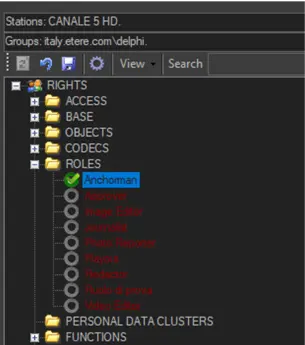
- In Configuration Editor, set the Anchorman user group to “Allowed” permission under the ROLES category.
4758_Anchorman_1
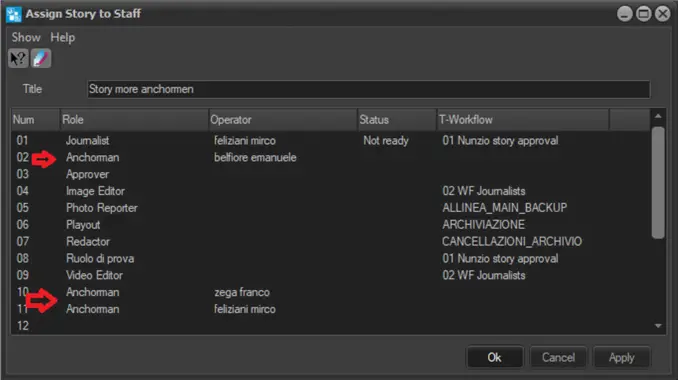
- When creating stories, you can assign the story to different anchorman in the Anchorman user group defined in the ROLES category.
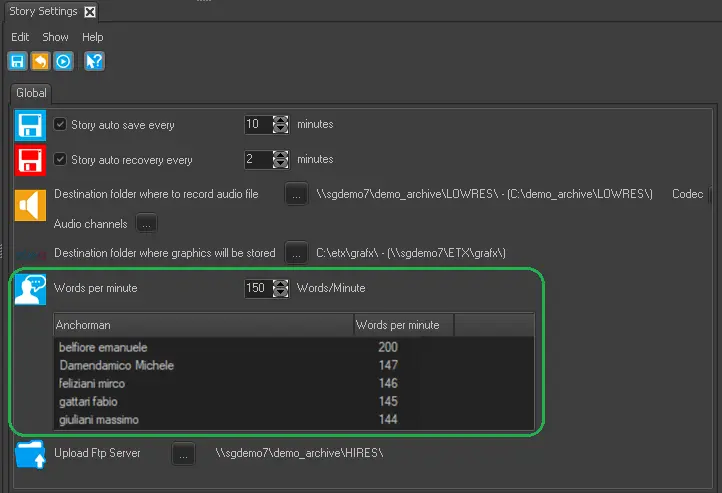
- In Stories Settings, you can define reading speed for each anchorman by setting a different value in the “Words per minute” column.
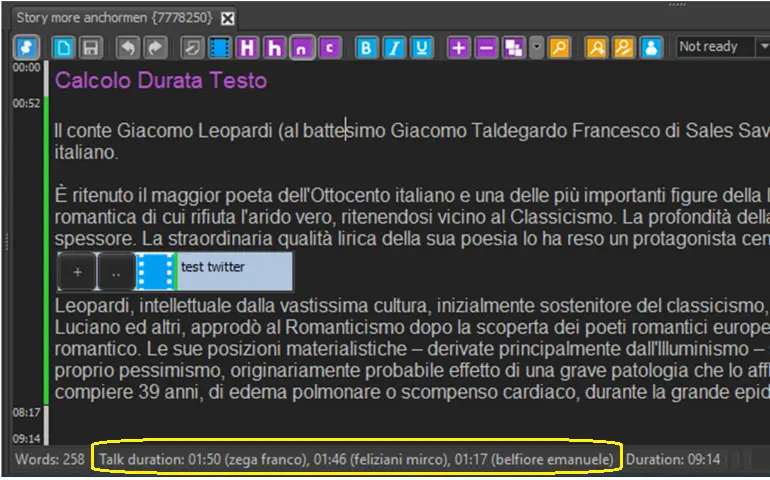
- In the Rundown, you can view the reading speed for (up to 3) different anchorman in the story.
4759_Anchorman_2
4760_Story_Settings
4757_Rundown
In view of the “Words per minute” settings for different anchorman, the duration of the story is calculated based on the reading speed of the anchorman.
 Story_Settings
 Anchorman_2
 Anchorman_1
 Rundown