91.5 Graphics and Scene Editor
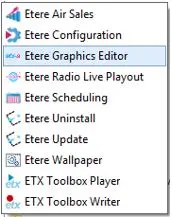
Etere Radio Live includes Etere Graphics Editor module with graphics and scenes editor, an all-in-one broadcast graphics solution optimized for live broadcast environment. With its 2D and 3D graphics creation tools, you can create a variety of graphics for your broadcast needs and playout high-quality graphics in real-time.
Etere Graphics Editor is an easy-to-use CG interface designed to streamline preparation time where first-time users can save their time adapting and put in more time into creating outstanding and sophisticated scenes for the audience.
Radio-live_playout_graphics_editor
Etere Graphic and Scene Editor, allow to create and modify graphic elements that are managed as media library assets.
When a graphic is created, the module creates also the related asset (with ETXG type, in case of graphics; with ETXS type in case of scenes) and project folder where text files, images and configuration files will be placed after the save.
Note: The module created project folders in the default graphics folder that is set in Etere Configuration > Settings > Schedule parameters > Global.
Note: In order to ensure the correct functioning when graphics are sent onair, the asset IDs of graphic and scene assets start always from 101, according to the last created asset ID.
 Radio-live_playout_graphics_editor