59.2.7.1 Automatic Updates Checking
Etere has provided services to check for updates daily (by default) automatically; each time the services find available updates on the network, the "Etere Update" application would be launched to notify the user.
etereupdate
To disable the automatic daily check, launch the Etere Configuration module and right-click on the 'select station' window and select the 'Disable Etere update checking' to disable the services.
disable_update_check
Please note that 'updates checking' will not be completely disabled; Etere would perform a weekly 'updates checking' and inform the user if 'updates are in progress. To completely disable automatic updates, the user has to navigate to the 'Start | Run' button and launch the "regedit" (edit registry) application, set the \\HKEY_LOCAL_MACHINE\Software\Etere\Etere Update\Active key to 0 (disable). After which, software upgrade would only perform when the 'Etere Update Workstation' module is launched or right-click on the "select station" window and selecting 'Etere Update'.
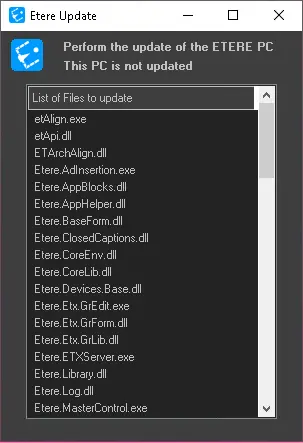 etereupdate
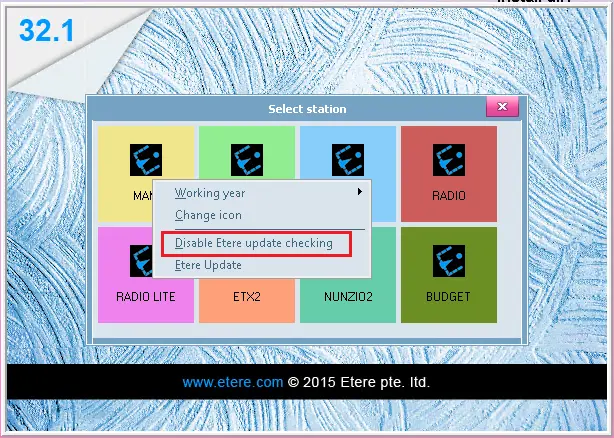 disable_update_check