ULife As Run Logs
85.2.23.1 Configuration
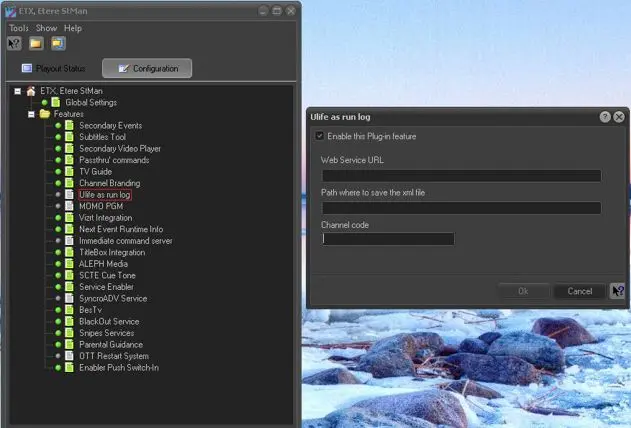
To enable the plugin feature, double-click on the “ULife As Run Log” feature under the Configuration tab and configure the settings.
Ulife_asrun_logs
Parameter - Enable the plug-in feature
Description : Enable this checkbox to use this feature in Etere STMan.
Parameter - Web Service URL
Description : Enter the URL address of the server receiving the ULife As Run log.
Parameter - Path where to save the xml file
Description : Specify the path where the XML file would be created.
Parameter - Channel code
Description : Enter the channel code (e.g. CH14) used by the Web server to identify the station.
 Ulife_asrun_logs