85.2.3.2 How to use it
Once this feature is enabled, Etere STMan will open the connection with the configured web server and start sending information on related events.
NB: For detailed information on the use of the BlackOut Service please refer to the related user guide.
Manual usage
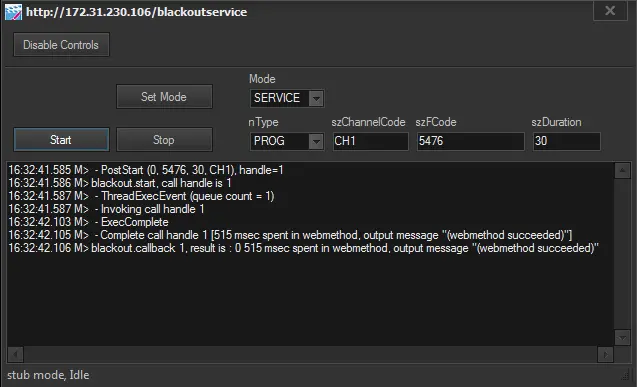
Press the [BlackOut Service] button available in the bottom part of the Playout Status window to manually send commands to the Blackout Server:
BlackOut service
Playout Status
1. Press the [Enable controls] button
2. Set the command parameters as required
3. Press the [Start] button
Command logs
It's worth mentioning that logs related to this plugin are stored in the Etere's Logs directory, with the following name format:
stman.eterestman.XXX.YYY.BOT-plugin.log
where:
XXX: Variable string, it's the station ID (e.g. 001)
YYY: Variable string, it's the computer name (e.g. aumainsrv)
BOT: Fixed string, it's the identification name of the plugin
 5150_BlackOut_service
 5151_Playout_Status