ETX Toolbox Player
65.2.3 Preview Toolbox
Open Etere ETX Toolbox Player; the preview window is on the right panel of the application.
This is where you can view and customize your playback parameters.
Preview Toolbox
WARNING: Using Remote Desktop
When a Remote Desktop session is active at the ETX station, the ETX preview function will be disabled. The windows will be closed if the Remote Desktop is activated after the live windows are started.
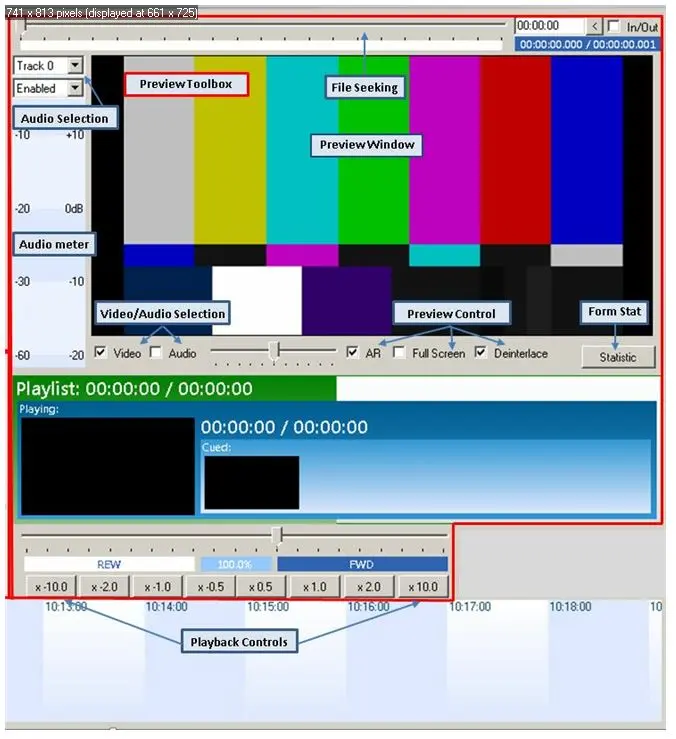 Preview_Toolbox