71.18.11 Channel Condition Monitoring
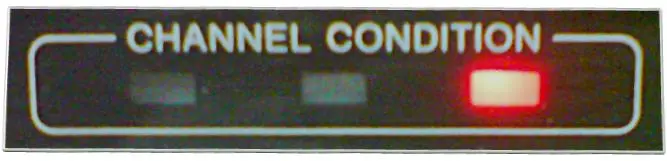
A channel condition display is an instrument to easily supervise any error rate encountered on either the ingest or playback stage, this tool permits to know the current state of the device through the use of three different lights, and, if the device supports it, also through a GPI interface:
•Green light: there is no problem with the channel condition, it is ready to use as it is,
•Yellow light: the channel condition has deteriorated to some degree,
•Red light: the channel condition has deteriorated (e.g.: defective video), there are no read errors, but the possible causes of the deterioration should be checked.
Channel Condition
Etere Ingest offers the possibility to manage GPI signals received from VTR's (e.g.: Digital Video Cassette Recorders, XDCAM Decks, etc) capable to follow up the channel condition and raise an alarm in case of error through a GPI interface (red channel condition). In order to do it, just set the relevant parameters on the Parameters section of the function you intend to use for performing the ingest (i.e.: Cart Ingest, Easy Ingest, or Multifunction Ingest):
•GPI: indicate here the number of the GPI linked to the VTR, that will be used to 'listen' red channel condition alarms,
•Tolerance: set the tolerance (in frames) to be taken into account before flagging the defective video.
VTR Source- frames
Each time a red channel condition alarm is received, an interruption point is created in the EDL list of the related asset. For example, if the frames value has been set to '20', all defects that last less than '20' frames will be ignored, while all those longer than '20' frames will be flagged in the EDL.
This Etere's feature eliminates the need of continuously watch the channel condition indicators while ingesting or playing back.
NB: For information regarding how to solve issues detected on the channel condition, please refer to the manual of the related device.
 VTR_Source-_frames
 Channel_Condition