81.1.1.2 Generic Promo
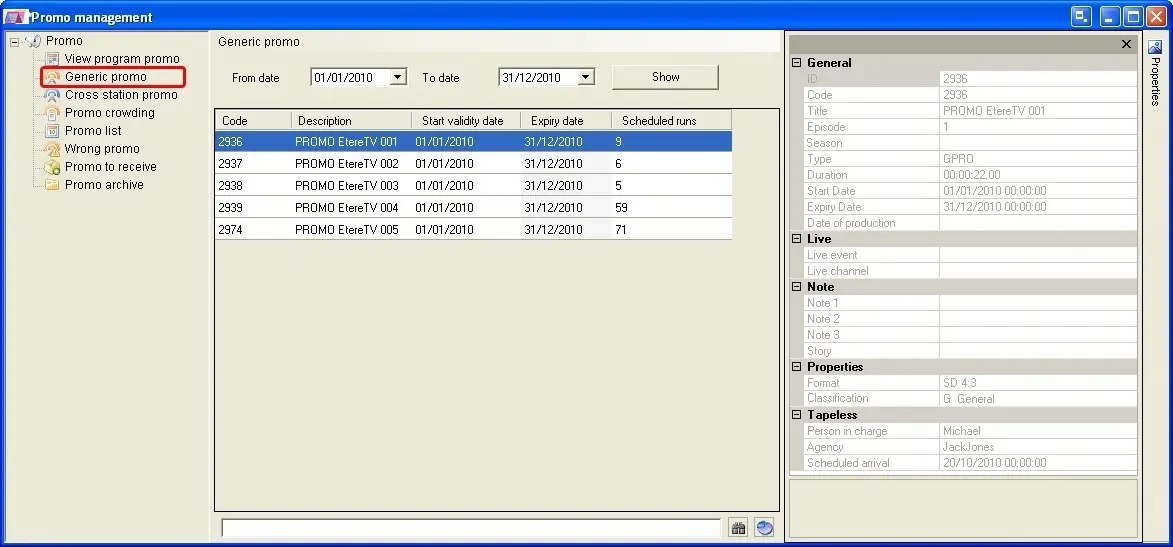
The Generic Promo section displays only generic promos which are valid for the scheduled day opened in Executive Editor.
Selecting a date range in the form, it will show also their related individual scheduled runs within the period.
4824_Generic_Promo
Inserting trailers in the schedule
It is possible to schedule trailers listed in this section, just make right-click on them and click the 'Insert' option or drag and drop them into the schedule. See the Placing Promos chapter for detailed information on this function.
When inserting trailer to schedule, there are 3 options for insertion:
-Insert: insert the trailer into the current opened schedule.
-Insert top: insert trailer to the top of the schedule.
-Insert bottom: insert trailer at the end of the schedule.
 Generic_Promo