52.2.3 AdInsertion ETX Channel Creation
To start using Etere Ad Insertion, either as Stand-Alone Mode or as Automation Mode, we must first create the ETX channels.
To start configuring the environment, follow this procedure.
Go to:
Etere Configuration > Resources Editor
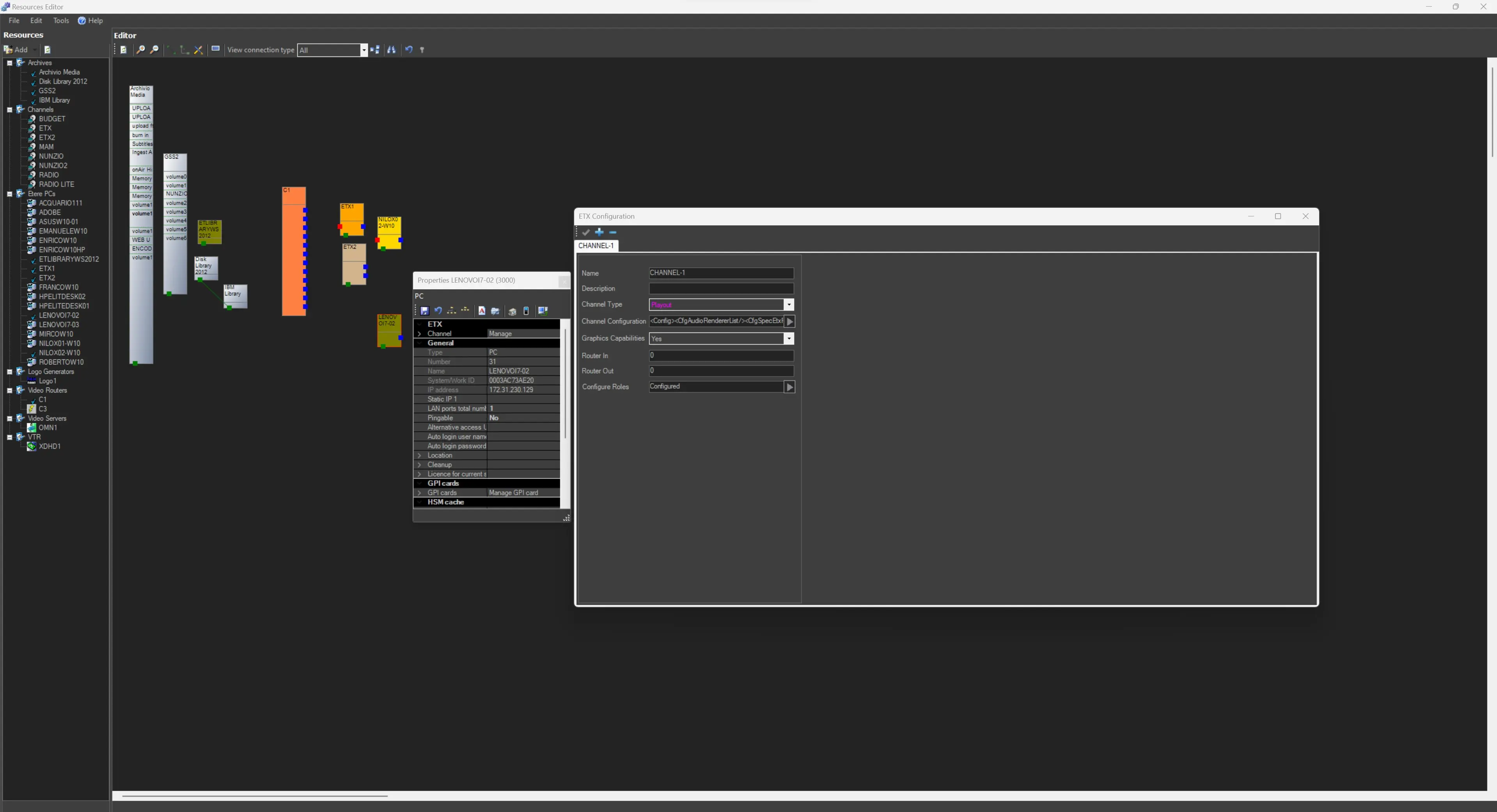
We can start by selecting the Server/PC which will host Etere Ad Insertion:
Server/Workstation > Properties > Channels
stand_alone_channel
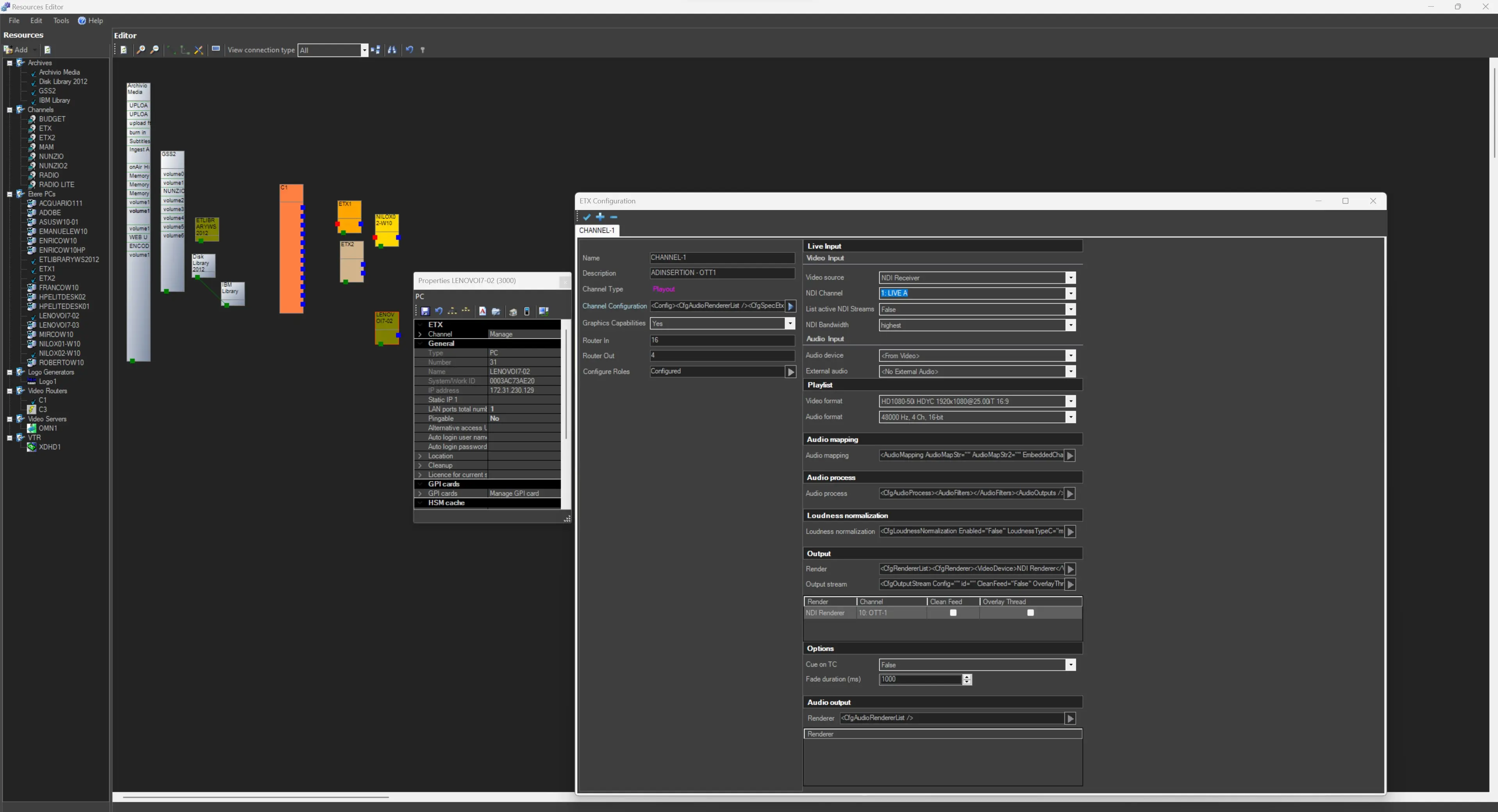
Here, we need to create a PLAYOUT channel. In the Channel configuration section, we need to assign all the resources we want to use in our system, such as INPUTS, OUTPUTS, Video Format, Video Router information, etc.
ad_insertion_ch_details
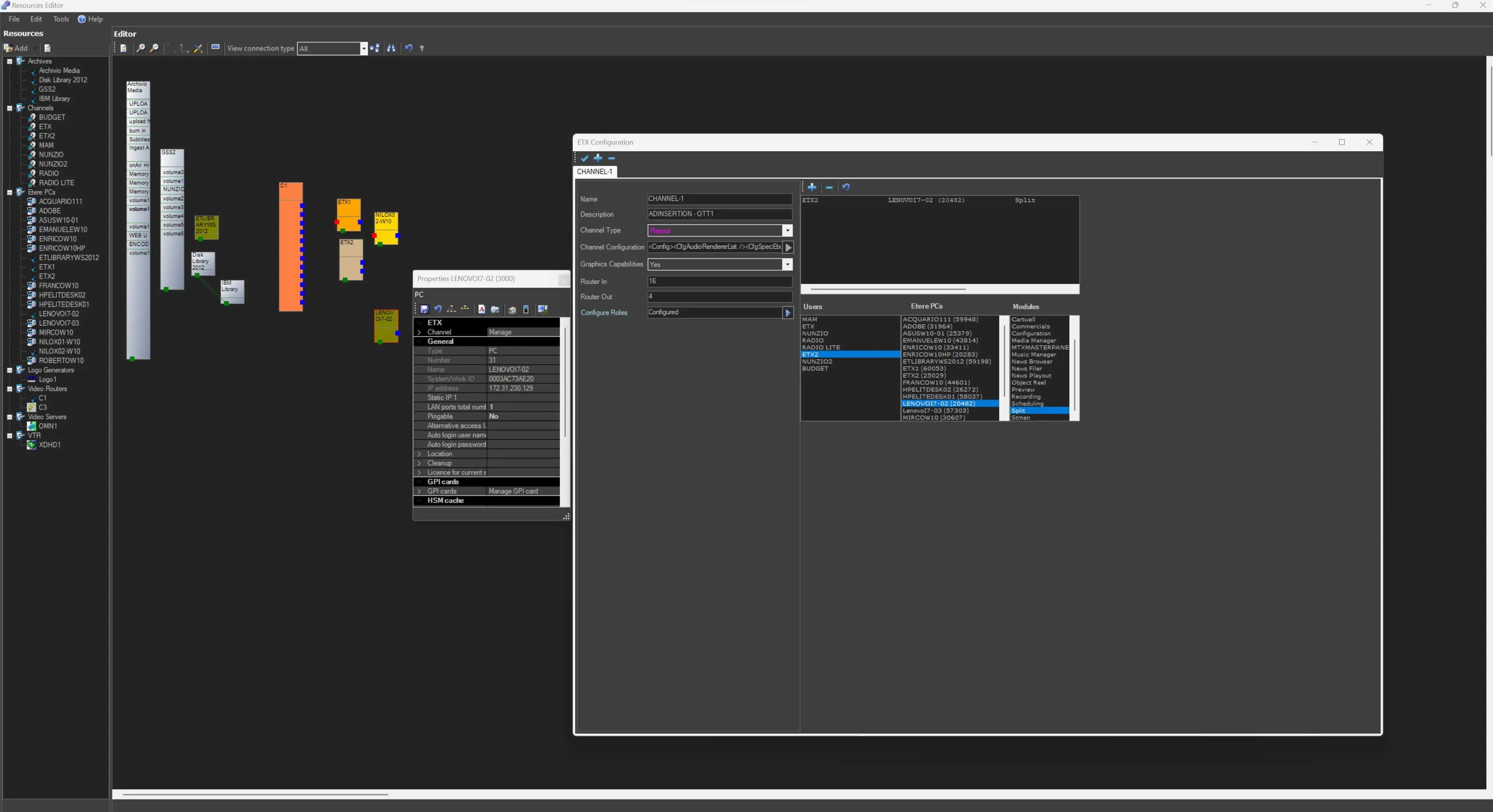
In the section Configure roles, we must assign the role SPLIT to the station which AdInsertion is configured for and to the workstation\server where it will run (corresponding to the resource which properties we're editing).
ad_insertion_standlone_roles
Save the modifications once the Channels have been configured and the Roles have been assigned. The channel just created will be available in Ad Insertion's Resource configuration tab, in the droplist labelled "Resource to use".
See the chapter Resource Configuration for more information.
 stand_alone_channel
 ad_insertion_ch_details
 ad_insertion_standlone_roles