59.3.10.16 Action List
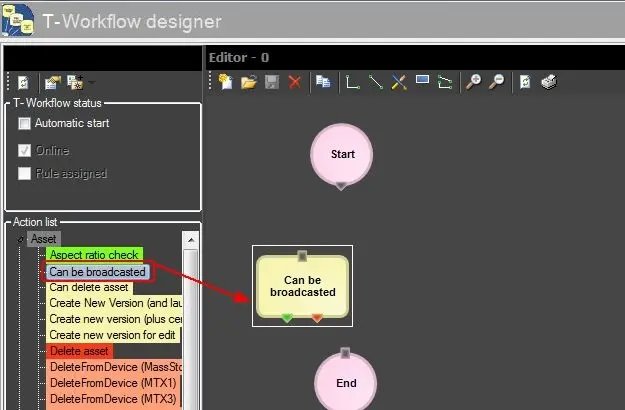
An "Action Block" represents a T-workflow action inside the T-workflow designer; all T-workflow actions are listed here to be inserted as action blocks independently of the method used for creating them (i.e. template based, DataMover, content management).
Action blocks are displayed as small boxes coloured according to their assigned colours. These blocks have a unique input but could have one or more outputs. Action blocks are ready to use just by dragging and dropping from the "Action List" in the "Editor "section in the T-Workflow.
Action_List_in_the_Editor
Making right-click on a specific action from the Action list allows to:
Function- Expand all
Description: Expand all action categories.
Function- Collapse
Description: Collapse all expanded categories.
Function- Create test T-workflow
Description: Create a testing T-workflow containing only the selected asset.
Function- Search action
Description: Quickly select the first action matching a keyword entered by the user.
Function- Replace action
Description: Use the selected action to replace an action already included in the opened T-workflow.
Function- Open containing T-workflow
Description: Show all T-workflows in which the selected action is used, allowing you to open them.
Actions categories
Action blocks are divided into six main categories, which will be explained in this chapter:
Topics in this chapter:
Asset
MediaManager
Recording
System
T-Workflow
Worksheets
 Action_List_in_the_Editor