83 Etere Sarvaji
Etere Sarvaji is an Etere software which works as an interface between the software to control the devices (Automation & Ingest) and the devices themselves. It receives commands via UDP and transmits them to the devices through a serial connection. It can stay on the same PC as AUTOMATION and INGEST or on a different PC as long as it is LAN-connected. It is useful when you have a centralised device that has to be used from other workstations (for example, a video router).
This software allows Etere modules to use a serial port, which a maximum of 32 users can share.
Users can work on other PCs different from the one the software runs on and communicate with it through UDP (User Datagram Protocol).
The software will be launched with an alphanumeric parameter, which must be different for each copy of the software launched on the PC.
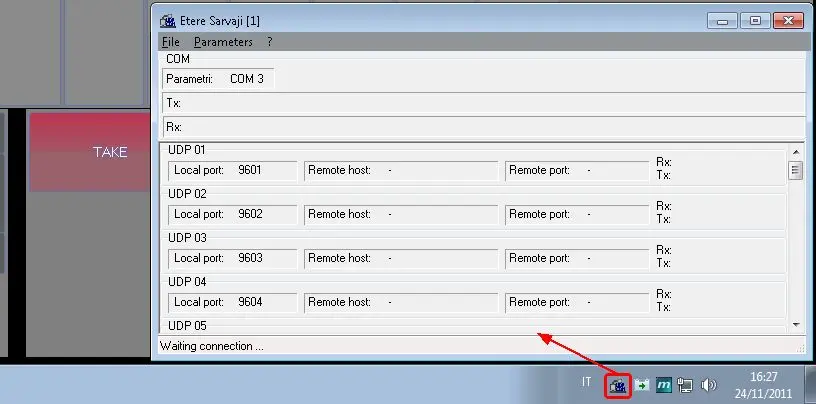
When it starts, the software loads the settings previously chosen by the user, and after about a second, it is automatically reduced to an icon at the right-hand side of the Windows Start bar.
Etere_Sarvaji
To view the main software window, activate the PopUp menu with the right mouse button and select "Open".
To definitively close the software, activate the PopUp menu with the right mouse button and select "Close".
The first time the program is run, the windows with the parameters to be set (selection of serial port and UDP ports) appear automatically.
In case of an error regarding the opening of the com, the re-attempt opening action is done every 15 seconds for a maximum of 10 attempts, after which an error message indicates you to control the parameters and restart the application.
 Etere_Sarvaji