72.2.2.24 Annotations - Media Multi-File Import
The Media file multi-import function is the ideal solution for news and production operators which needs to quickly and easily import an extensive series of files (e.g. derived from a shooting session) for producing a final product, this function enables them to import all file-based clips with just few clicks.
The Media file multi-import is the best solution for a file-based ingest, it allows importing multiple files and their related medatada in a single operation, supporting also the automatic execution of T-workflows (e.g. deliver files, generate proxies, send notifications, etc). This function supports a wide range of media formats including Sony XDCAM, EX1, Panasonic P2, Hard drives and any other.
The Media file multi-import generates the linked assets and import/duplicate metadata; allowing also to create a worksheet for every imported file.
NB: In Multiple File Import, the files would be imported based on the code of 1st asset with progressive numbering, asset code longer than 29 characters would be truncated, and no extension would be added to the asset title.
Suggestion
Use this function to quickly import a bunch of files creating a separate asset for every file, so each one of them will be independent (e.g. have its own proxy).
Importing files
The Media File Multi-Import consist of a single form showing the progress bar that clearly indicates the status of the import operation. In order to start importing multiple files into an asset, just follow the procedure detailed below:
1. Browse for the digital files (e.g. from a P2 device) and select them,
2. Select the cloud-device on which all selected files will be stored,
Note: In case the "perform 2 copies on import operations" option is enabled in "Etere Configuration > Settings > Basic > Media Library", it will be possible to select a 2nd destination where to import the file.
3. Specify the codec with which all selected files are encoded,
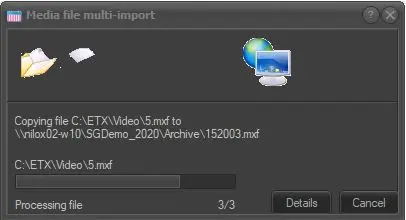
4. Selected files will be automatically copied to the metadevice (if the file already exists in the metadevice a message will be displayed):
Media Multi-File Import
5. Once copied, a new asset form will be created for each file and the following actions will be performed for each new asset form:
- The "description" of the new asset form will be the name of the imported file.
- The imported file will be added to the technical data of the new asset form.
- The new asset form will be added -as a child asset- to the Relationships tab of the current asset form.
- The default T-workflow (i.e. "after media file import") will be automatically launched for the new asset form.
P2 files multi-import
The multi-import function also allows to quickly ingest into an Etere system files stored on a P2 storage server by associating them to either new or existing assets; it permits you selecting the source files, destination metadevice and codec for either some or all the importing clips. Imported files can be either linked (if the source and destination are the same), copied or moved.
The multi-file import allows, in case the selected codec has the "P2" property enabled, to select an xml file containing the filesystem structure of the directory from which all files will be imported. In case a proxy file is present, it will be imported using the codec which has both the "P2" and "Proxy" properties enabled.
Depending on if the selected codec is either a "P2 codec" or not, the following actions will be performed:
P2 codec:
In case the selected codec has the "P2 codec" property enabled, files will be imported respecting the file structure specified in the XML file, all imported files will be linked to the same asset.
In case a proxy file is present, it will be also imported with a codec enabled as "P2 codec" and "Proxy preview".
Other codec:
Each selected file will be physically copied to the chosen destination and linked (with the specified cloud-device and codec) to a new asset form for which a default media file import T-workflow will be launched.
 Media_File_Multi-Import