84.4.5.62 CUSTOM > INDELT > ASRUN LOGS
Import scope
During the broadcast of Etere exported schedules, Indelt generates an As Run file containing real broadcasted time and information (this data may differ from the exported schedule due to last minute changes or a delay in timings). Using the Etere Import Indelt As Run Logs, this file can be imported to Etere.
Import parameters
This import module requires the following parameters to be set in order to be correctly used:
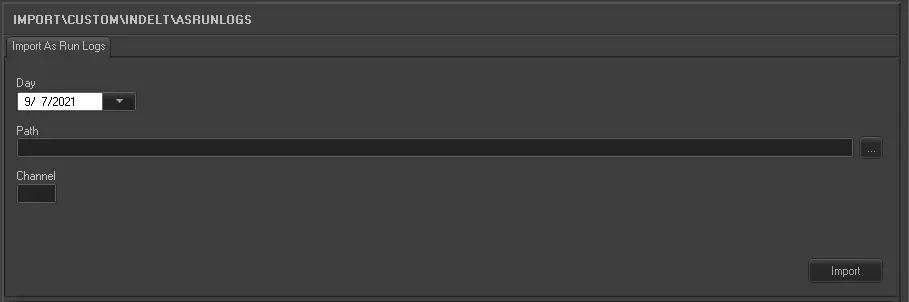
Import_custom_indelt_asrun_logs
Day: Select the schedule date to import the file.
Path: Enter the location path of the text file to be imported, or use the browse button to locate the file.
Channel: Select the channel which the schedule is associated to.
The import file should have a name with the following format: Cn2_yymmdd.TXT where n2 is the channel (station) number and yymmdd is the date the schedule was broadcast. For example the file name for station 2's schedule of the 24th July 2008 would be C2_080724.TXT.
Every line is an event and 130 characters in length.
Launch the import
Once the import has been configured, it can be started just by pressing the <Import> button, once the import has finished, it will be possible to display the schedule of the related day to verify and/or approve the import operation.
 5273_Import_custom_indelt_asrun_logs