72.2.3.7 Acquire Thumbnail from Proxy File
Use the 'Acquire Thumbnail from Proxy File' tool to automatically retrieve the thumbnail from the proxy file associated to the asset (it must exist and be online).
This function will retrieve the thumbnail in two different ways depending on if the proxy file is being previewed or not:
•If the proxy file is NOT being previewed: The thumbnail will be automatically generated using the first frame of the proxy file.
•If the proxy file is being previewed: The thumbnail will be generated using the current previewed frame displayed in the media section.
Acquire Thumbnail from Proxy File
Once launched, it will be required to [Save] the asset form to update it.
NB: In case the asset doesn't count with a proxy file or its linked proxy file is not online, the system will be unable to automatically generate a thumbnail.
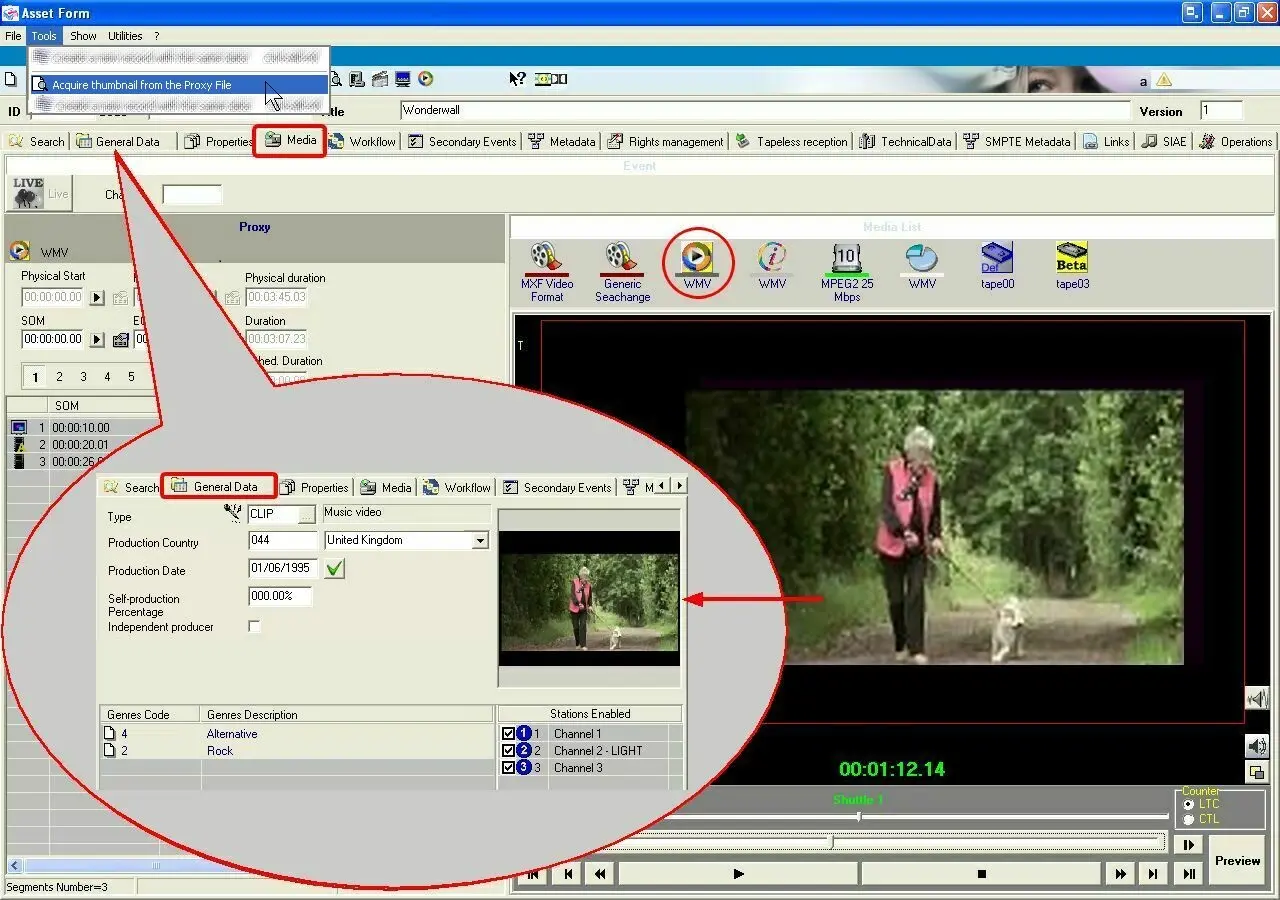 Acquire_Thumbnail_from_Proxy_File