69.2.1.2 AVID SUNDANCE
Import Scope
The F90 Import Standard AVID SUNDANCE import a text file containing one day schedule into Etere system.
In Etere system, the asset types must exist:
• COM
• J
• PROG
This is to combine with the programs namely Commercial, Trailer, Program, respectively.
During import, the text file would be checked to ensure there is no reconcile key already used in previous import. Importing of past date data is prohibited.
After import, all Live events would be set as "Manual".
Import Parameters
Provide the required parameters to fulfill the import process:
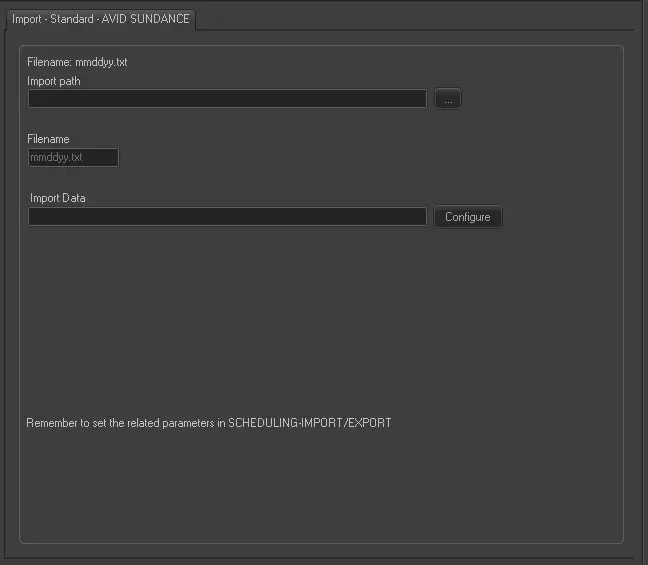
Import - Standard - AVID SUNDANCE
Import path: Specify the path location of the text file. You can use the browse button to locate the path in the network drive.
Filename: Specify the file name of the file to import. The file name format is “mmddyy.txt”, where the date is current date.
• If import is successful, the file would be renamed to “mmddyy.old0001”.
• If import fails, the file would be renamed to “mmddyy.err”.
Import data: Opens the Configure Import window to specify the days and the frequency to be imported.
Scheduling related import
Set the same parameters in the Etere Scheduling > Import/Export > IMPORT\STANDARD\AVIDSUNDANCEPLAYLISTTXT and click <APPLY> to confirm the changes.
 Import_-_Standard_-_AVID_SUNDANCE