69.2.1.5 EVS Playlist XML
Import Scope
The F90 – Import EVS Playlist XML import XML files containing one day playlist.
Import Parameters
The parameters required are listed below:
Import path - Specify the path and directory where the XML file is located.
Filename - F90 looks for a file that starts with the schedule day to import and ends with ".xml", so the filename format must be yyyy_mm_dd*.xml.
Import Data - Opens the Configure Import window to specify the days and the frequency to be imported.
The process checks the file name and file structure during import, the import fails if the requirements does not met.
Scheduling related import
Set the same parameters in the Etere Scheduling > Import/Export module, and APPLY the changes once you have finished configured this function.
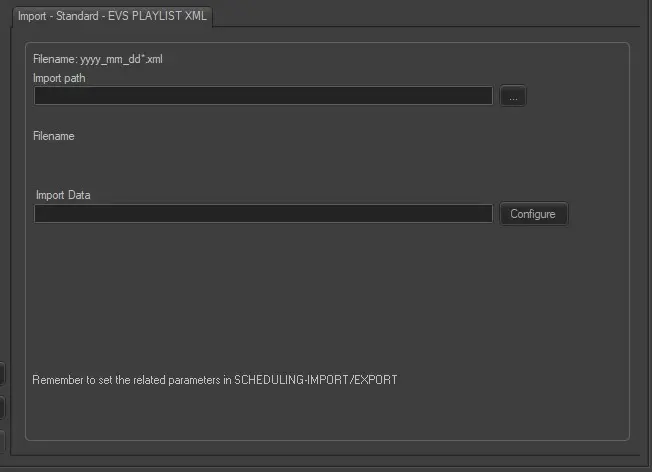 Import_-_Standard_-_EVS_Playlist_XML