Etere BMS
6.3 VOD
The VOD, module available in EtereWeb, allows you to insert, manage and run workflows on VOD contracts.
Before creating VOD contracts, the basic elements must be in place.
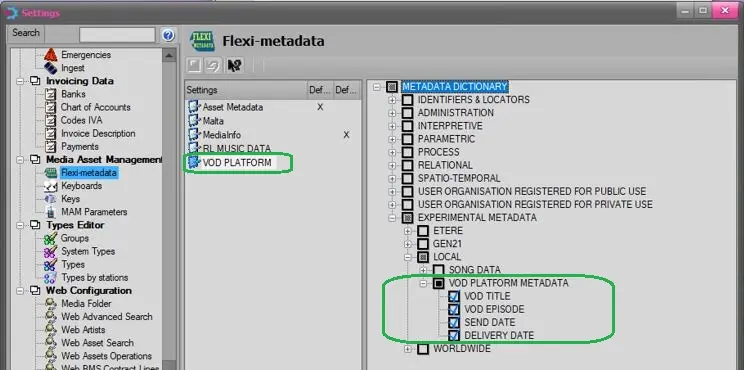
First, the relative flexi-metadata must be inserted in Flexi-metadata list.
vod_prerequisites
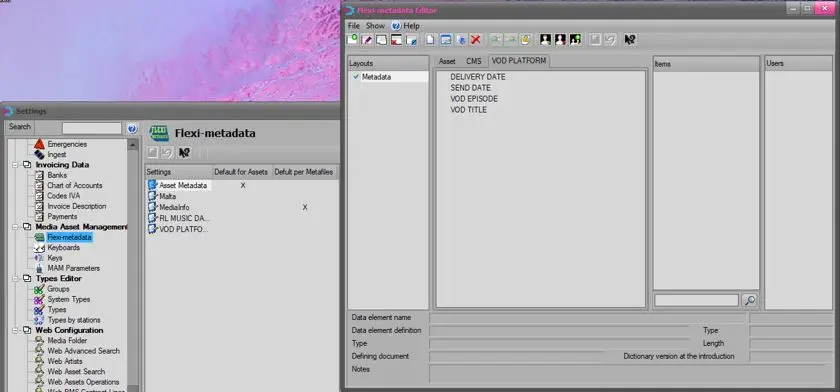
Next, link the flexi-metadata list as the "Default for assets" in Flexi-metadata settings.
Default_for_assets
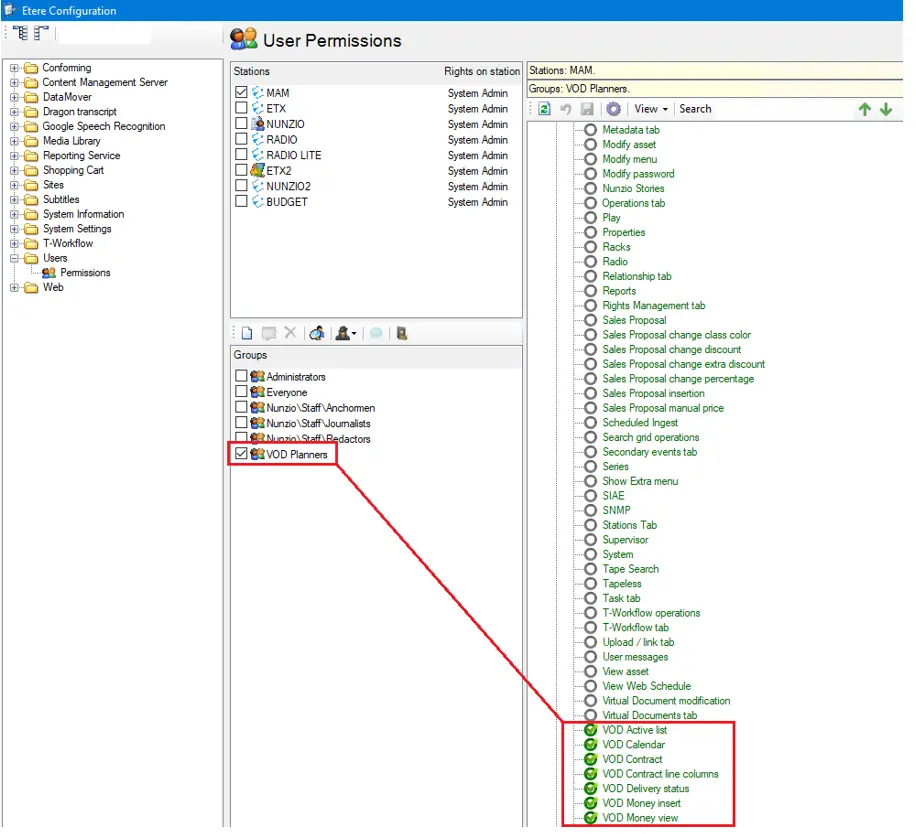
Moreover, In Etere Configuration > Configuration Editor > Users > User Permissions, the specific rights must be assigned to specific VOD group to manage the VOD contracts.
User Permissions
With the above elements in place, you can start creating Platform Template in EtereWeb.
 vod_prerequisites
 Default_for_assets
 User_Permissions