74.5.2.3 ANNOVA - How to create a RunDown
1. Launch the OpenMedia application, perform the login using the editor account, which doesn't require any password
2. Make click in the New | Rundown to create a new RunDown
3. Once the rundown is created, to create the story, make click on the 'story below highlighted line' icon
4. Make double-click on the story icon to modify it
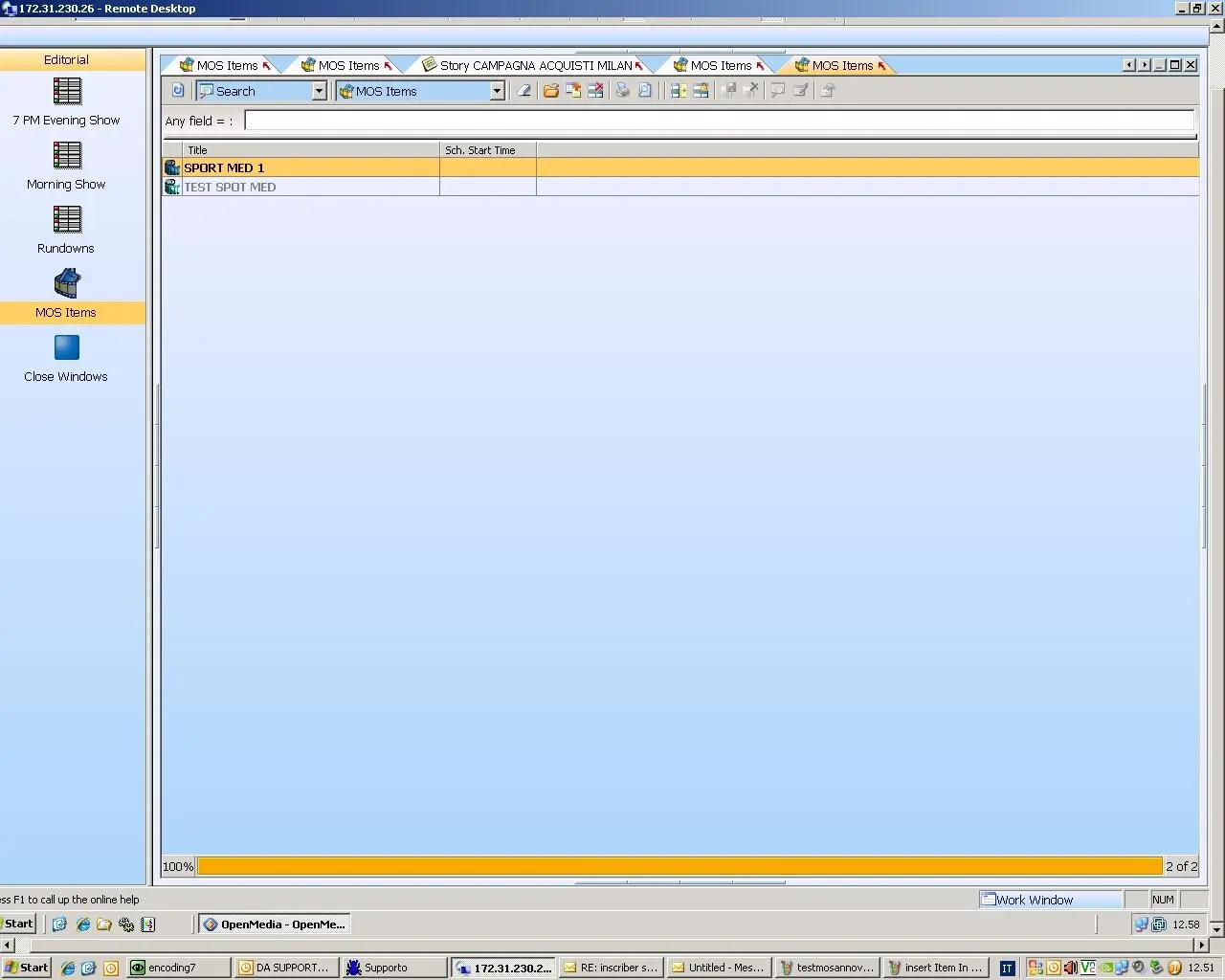
5. A new tab will be opened, and there will be possible to insert the items. On the left, under the 'MOS Items' tab, there will be listed the objects coming from Etere
6. To insert a new object into the story, under the 'MOS Items' tab, select the asset and, holding the right (→,) key, drag & drop it into the story's tab
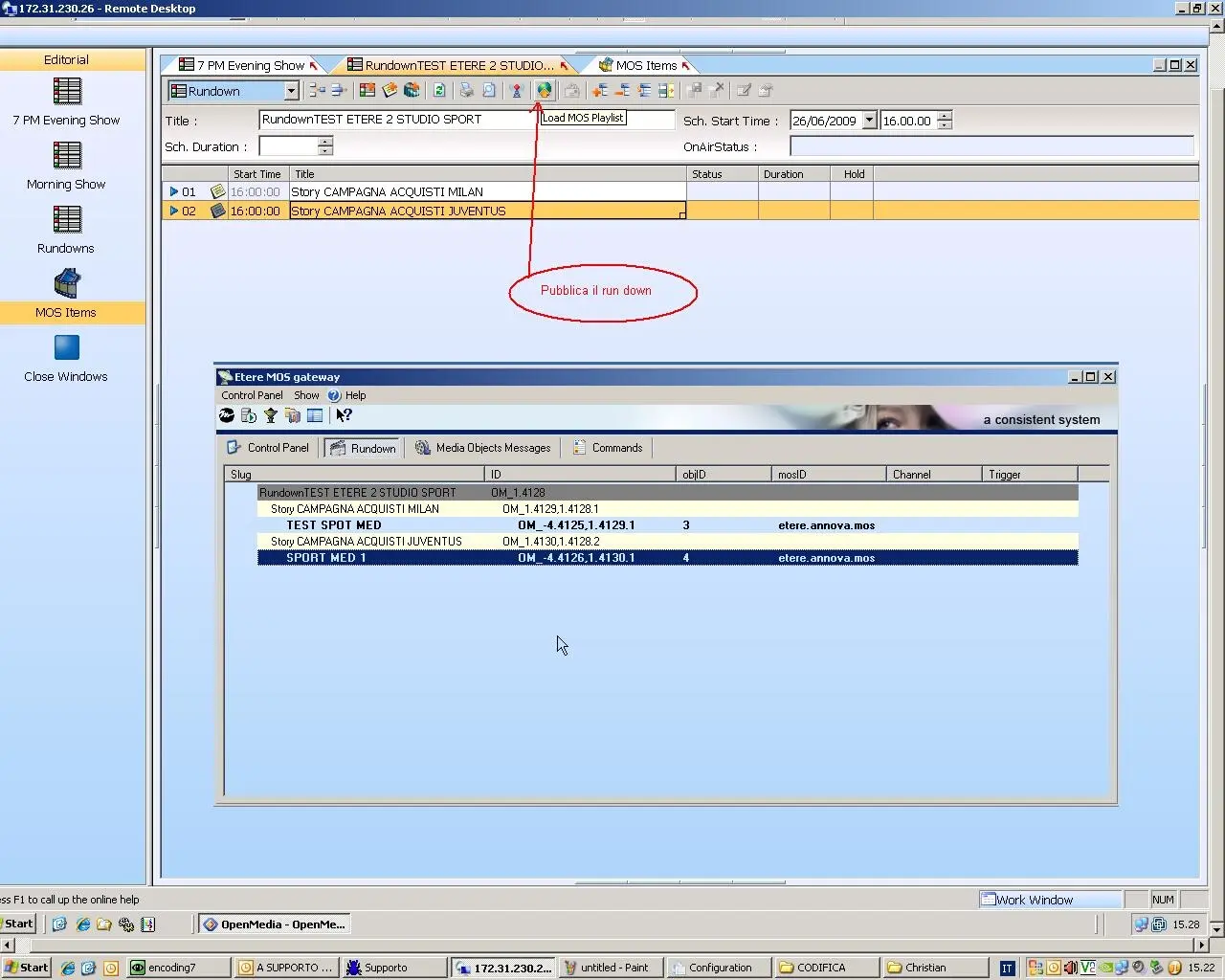
7. Once the rundown is completed, it can be published to Etere MOS Gateway by activating the 'Load MO Playlist' option
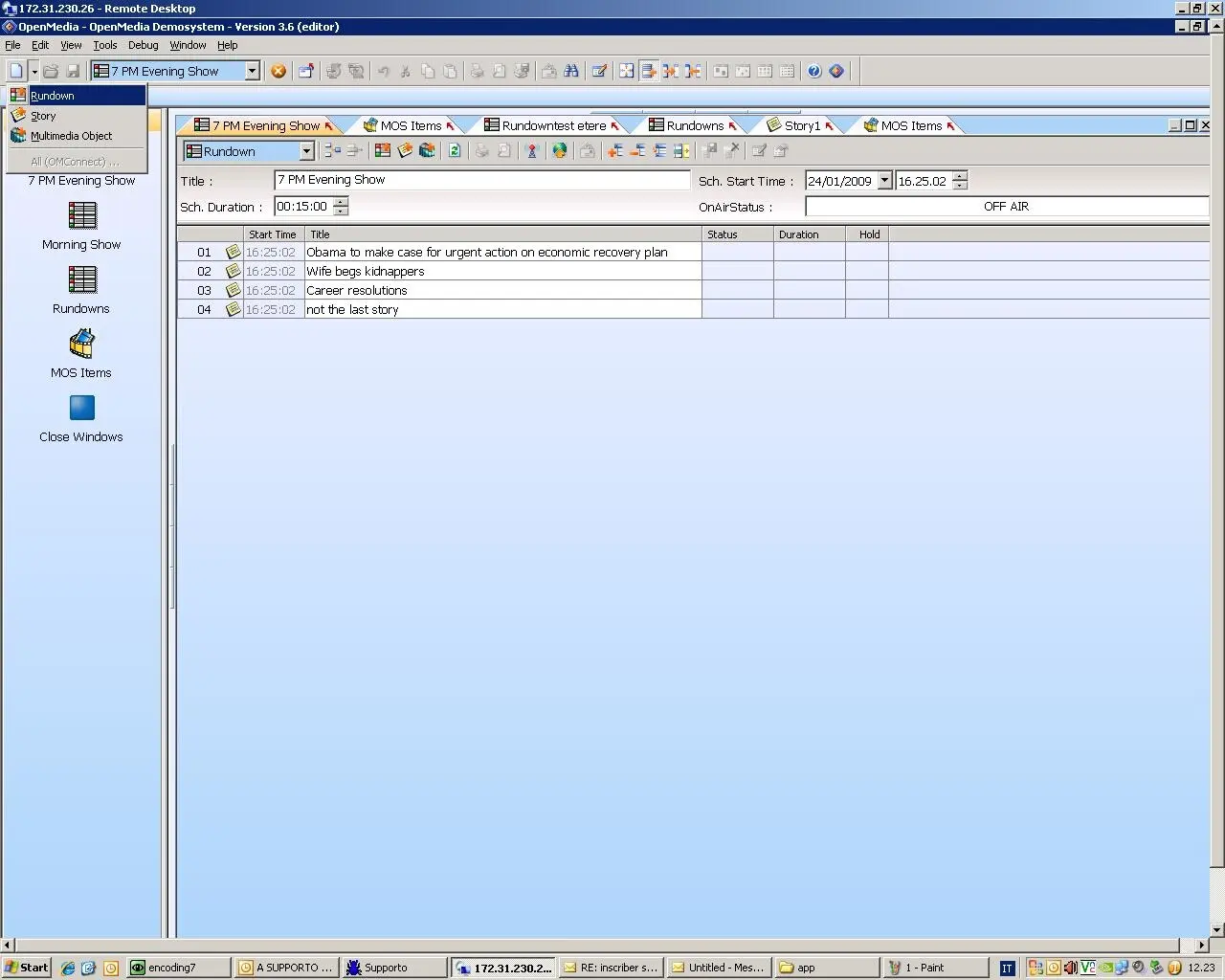 Annova_howto_rundown_01
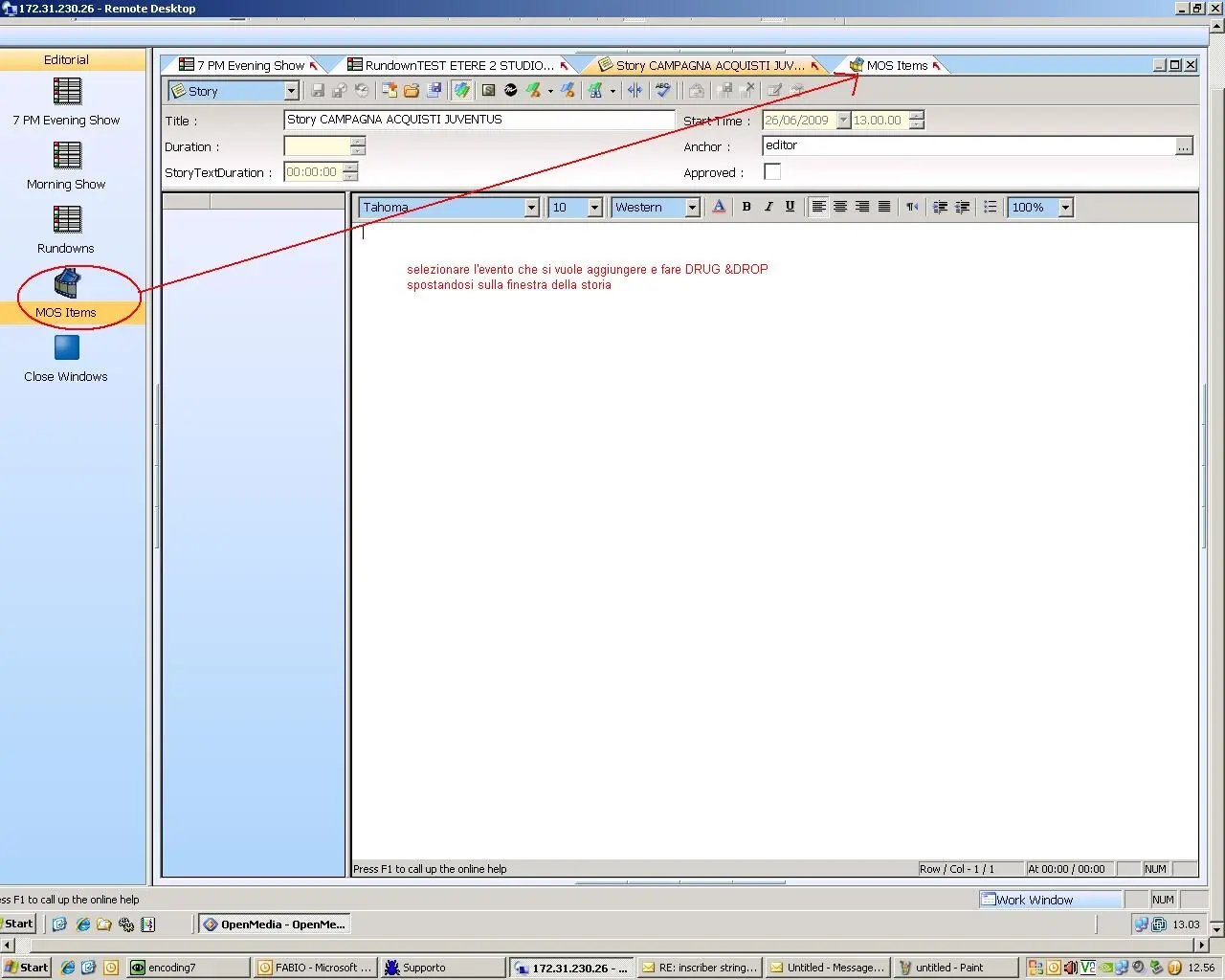 Annova_howto_rundown_05
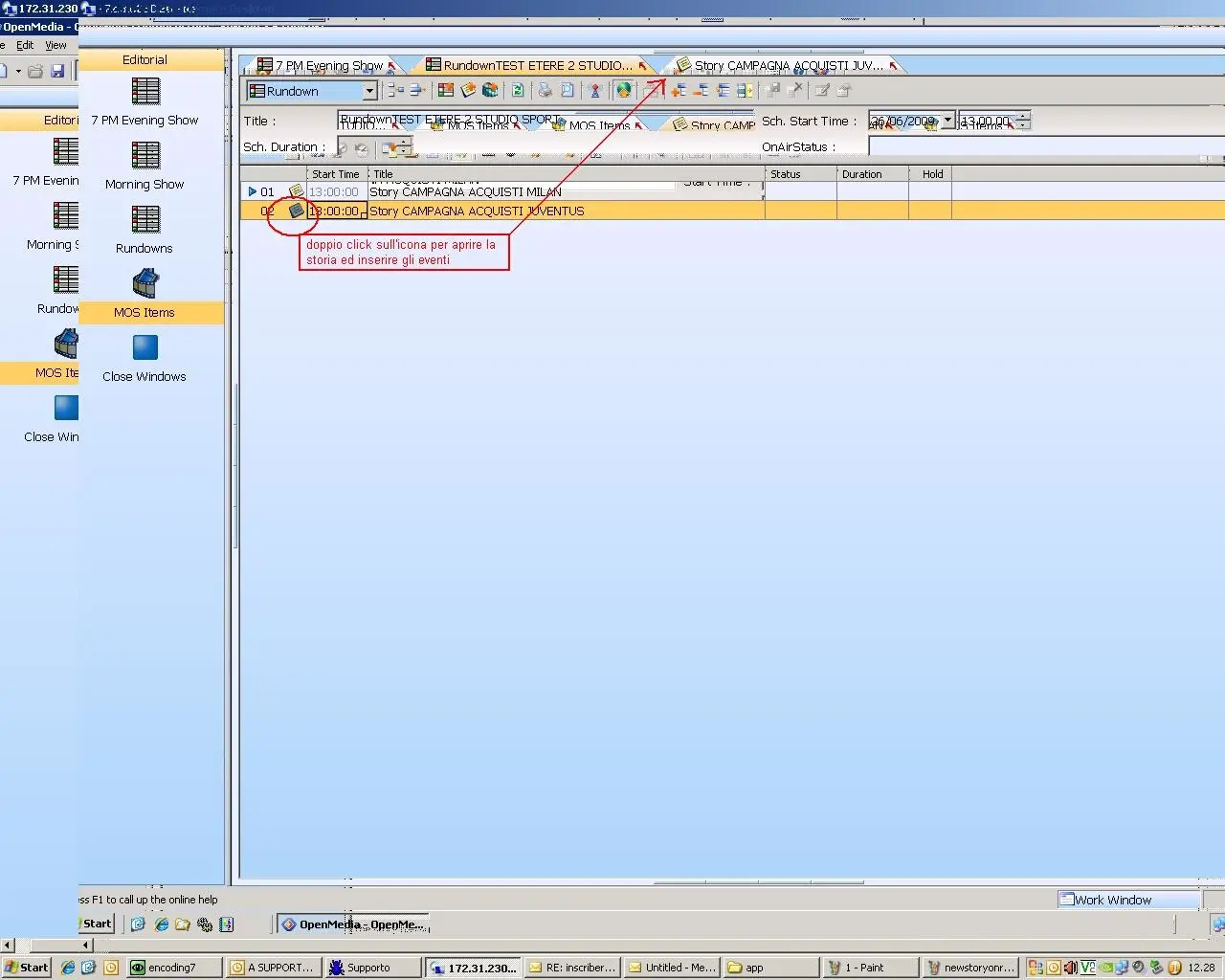 Annova_howto_rundown_03
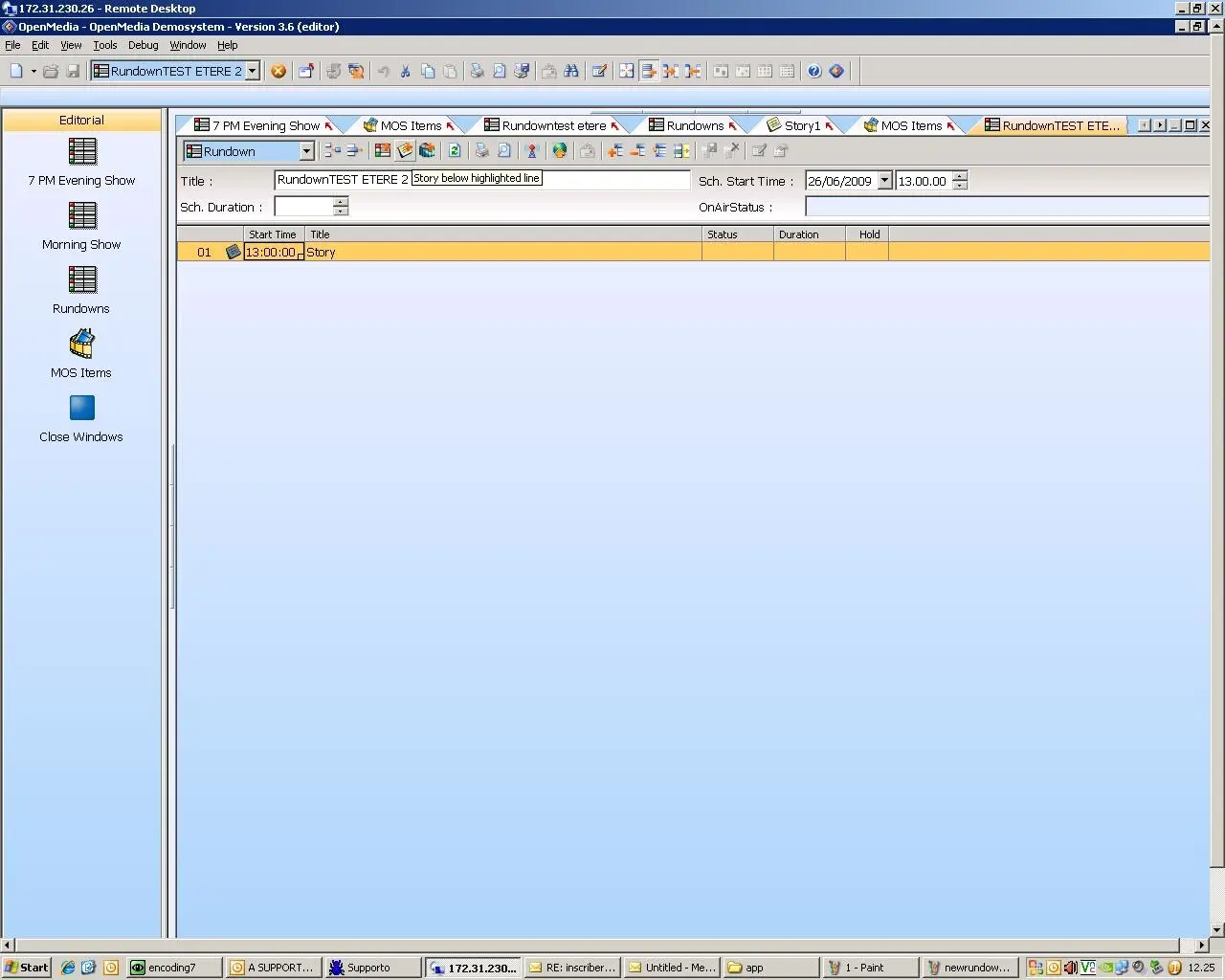 Annova_howto_rundown_02
 Annova_howto_rundown_04
 Annova_howto_rundown_06