How to...
71.18.9 Quickly Format XDCAM Discs
In order to format an XDCAM Disk using the "quick format" function it is enough to follow the next simple procedure:
1. Press the "Menu" and "Shift" buttons contemporaneously to enter the disc menu:
Disc menu 1
2. Use the "Up" and "Down" buttons to select the "Format" option:
Disc menu 2
3. Hit the "Right" arrow button to choose the "quick format" option:
Disc menu 3
4. Hit once again the "Right" arrow button to confirm the "quick format" operation:
Disc menu 4
5. Once the quick formatting is completed, press the "menu" button to leave the disc menu:
Disc menu 5
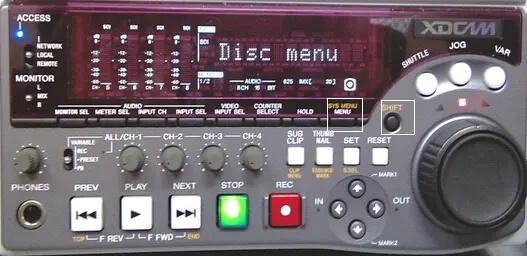 Disc_menu_1
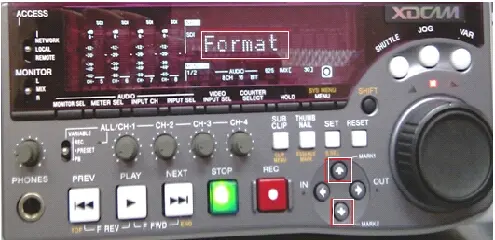 Disc_menu_2
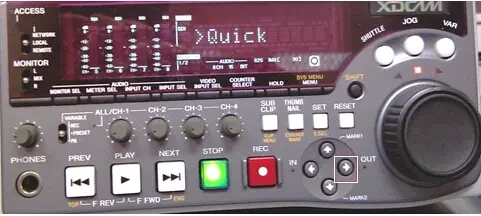 Disc_menu_3
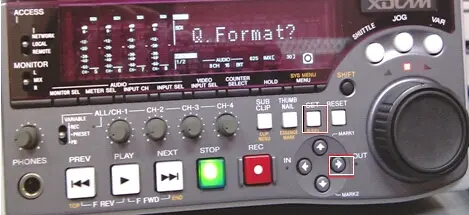 Disc_menu_4
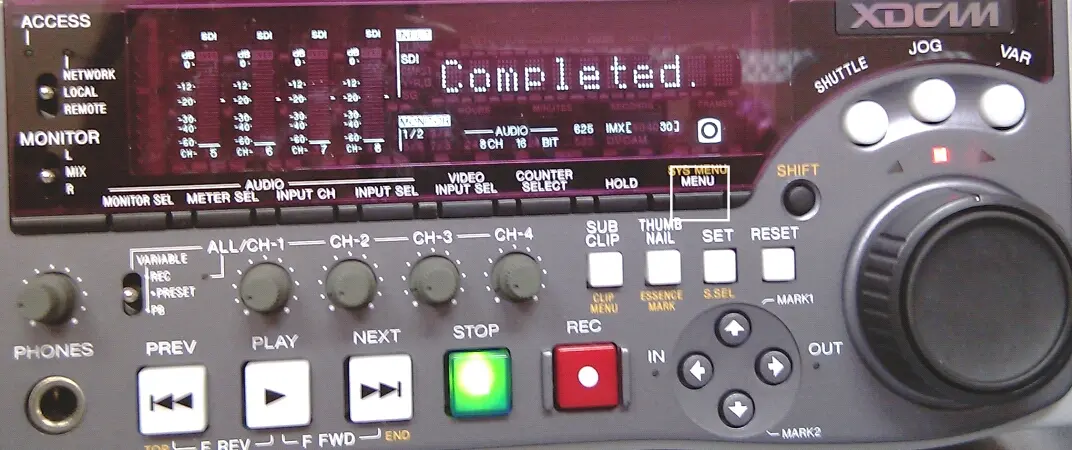 Disc_menu_5