59.2.20 Personal Data
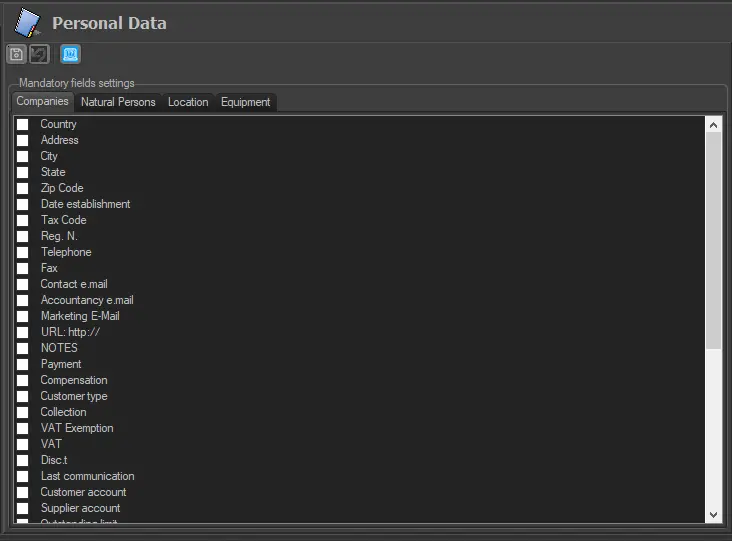
The "Personal Data" section allows setting the fields compiled during the insertion of companies and persons on the Personal Data module. Select the areas intended as compulsory fields and press the [Save] button:
Personal_Data
It is important to note that Etere supports up to five different types of contacts within its database, categorised according to their specific functions, as shown below:
Company: Juristic persons (e.g. agencies, customers, suppliers, etc.) form part of the contacts database.
Creation: manual
Natural Person: Staff members (e.g. executives, account executives, etc.) form part of the contacts database. Creation: manual
Location: Places (e.g. studios, cities, buildings, etc.) where specific tasks are performed.
Creation: manual
Equipment: Material (e.g. cameras, cars, tapes, etc.) managed by the station to carry out specific tasks.
Creation: manual
Users: Entries are automatically created the first time an operator (e.g. Scheduling17, AirSales03, Ingest05, etc.) accesses Etere. The created code will depend on the authentication method used for accessing Etere; it can be either the MS Windows Active Directory username or the MS SQL Server username.
Creation: automatic
 Personal_Data