Media Features
72.2.2.27 Annotations - Device List
The Device List area allows to perform certain operations (depending on the type of device) on the devices that holds the media files associated to the asset. This section is made available (below the Media List section) by making double-click on any media that is currently held in a particular device.
Available operations are divided in two categories, described in the next chapters, one regarding High-Resolution media and the other one for the Proxy-Resolution:
Device List
HiRes Functions
Proxy Functions
Note:
In case of using an XDCAM device, it will be required to configure the XDCAM device before downloading/uploading media from the Media Library.
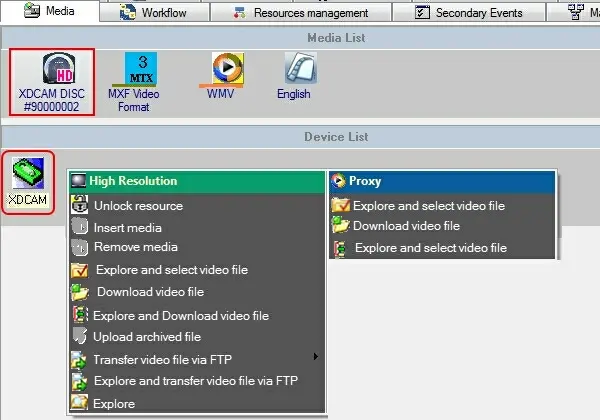 Device_List