84.4.4.79 CUSTOM > PLUTO ASSET XML
Export Scope
The Export Custom PLUTO Asset XML enable you to export one or more TV program assets into an XML file. The exported events include episode and non-episode events.
If the export is launched by Data Mover, the export would create the file name based on the file name passed by Data Mover, without changing the file name.
Export parameters
The following parameters must be set to fulfill the export process:
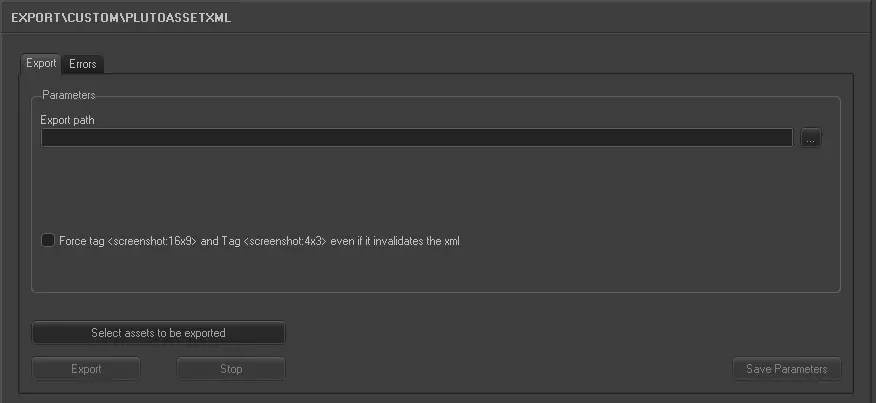
Export_custom_pluto_asset_xml
Parameters
•Export path: Indicate the path where the exported XML file would be placed.
•Select assets to be exported: Open the asset search form to select asset(s) for which their linked files data will be exported. Multiple assets can be selected by holding the “Ctrl” key or “Shift” key while marking assets.
❑Force tag <screenshot:16x9> and tag <screenshot:4x3> even if it invalidates the xml:
When this option is enabled, if there are invalid characters (e.g. numbers) detected in the <screenshot:16x9> and <screenshot:4x3> tags during validation of XML file in export process, the errors would be ignored.
Upon completion, click the <Save Parameters> to save the parameter settings.
Launch the export
Once the parameters are correctly set, press the <Export> button to launch the export operation.
 5188_Export_custom_pluto_asset_xml