59.2.32.4 Video Routers - Connecting Routing Channels
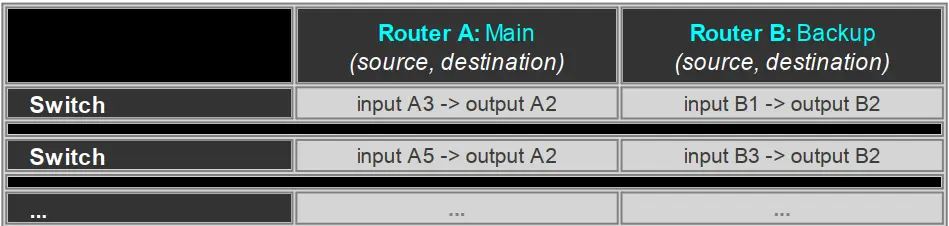
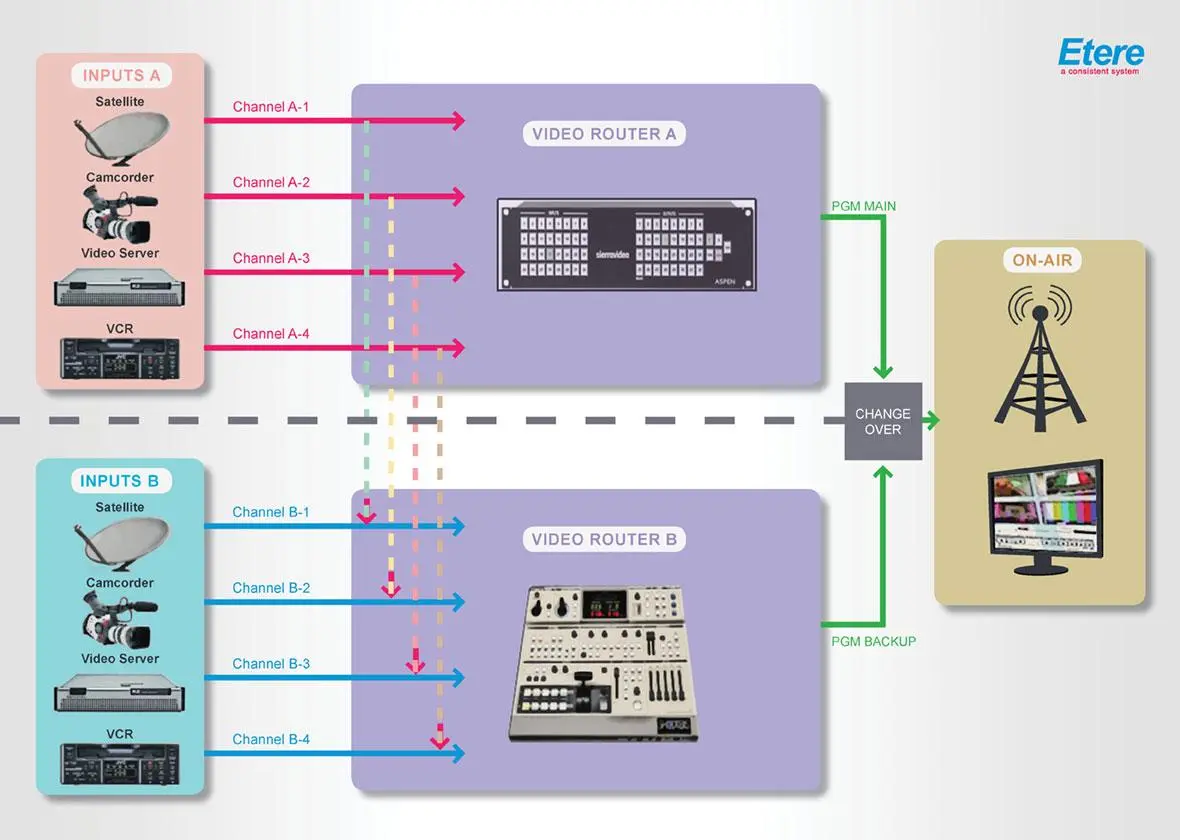
Etere allows improving fault-tolerance by binding a second routing device (e.g. backup router) to the main routing device (e.g. main router) to achieve redundancy. Connecting an input channel from one router to another would trigger when the input channel is switched in the first router the second connected router is also automatically switched.
Connecting channels is needed when an automation needs to switch two routers at the same time to increase the playout reliability, configuring the main automation and repeating this setup on the backup automation would ensure a cross redundancy in both main and backup operations:
Connection procedure
Connections between main and backup channels are stored into a table within the database, follow the steps described below to create a routing table:
1. Navigate to the Etere Configuration > Settings > Executive Editor > On-Air section and type the Automation Main and Backup Path.
2. Under the Etere Configuration > Resources module, add and configure the video routers to be used, then assign them to the related Main and Backup automations.
3. Launch Etere Automation from both the Main and Backup automation computers, this action will update the automation configuration file (i.e. auremote.ini).
4. In Etere Configuration > Settings > Devices Configuration > Video Routers section, all switcher devices (e.g. video routers, master controls) will be listed by pressing the [Update routers table] button:
5. Choose the device for the Main Automation (e.g. C-01) and start naming in/out channels . It is possible to connect them to the switcher device for the Backup Automation:
6. Select the device for the Backup Automation (e.g. C-02) and connect the channels. In order to connect input channels right-click on their "connected" column, select the "Link to..." option and specify the main router channel to be linked to the backup router:
7. Once all channels are linked, press the [ Generate the routing table] button:
8. At this point, each time a switch is performed on the main router, it is also performed in the backup router.
Note: Changes performed to a router (e.g. C-03) used w ithin virtual routers (e.g. C-01) w ill be extended to its sub-router instances (e.g. C-03 w ithin C-01).
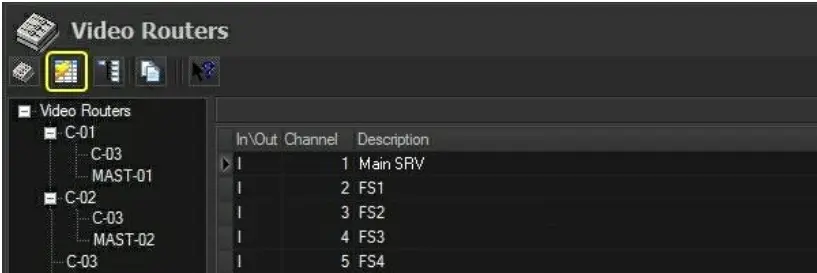 generate_routers_table
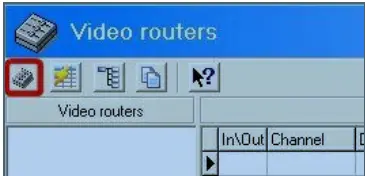 Update_Routers_Table
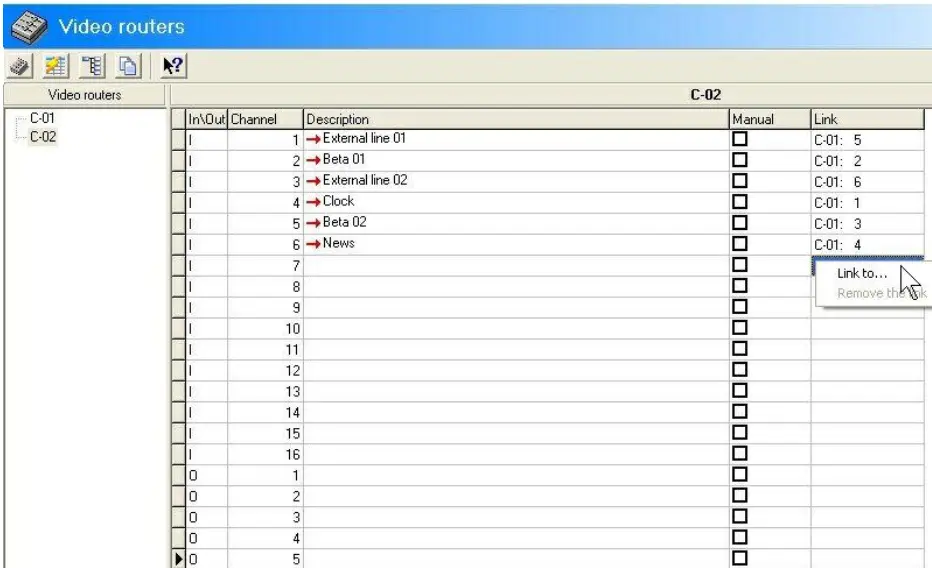 link_to
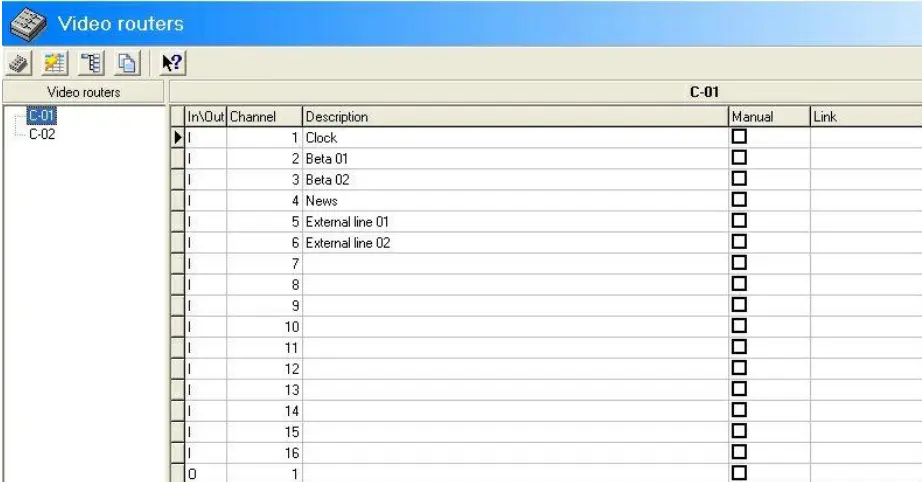 naming_channels
 switch
 Diagram