79.7.5 Device Controller functionality
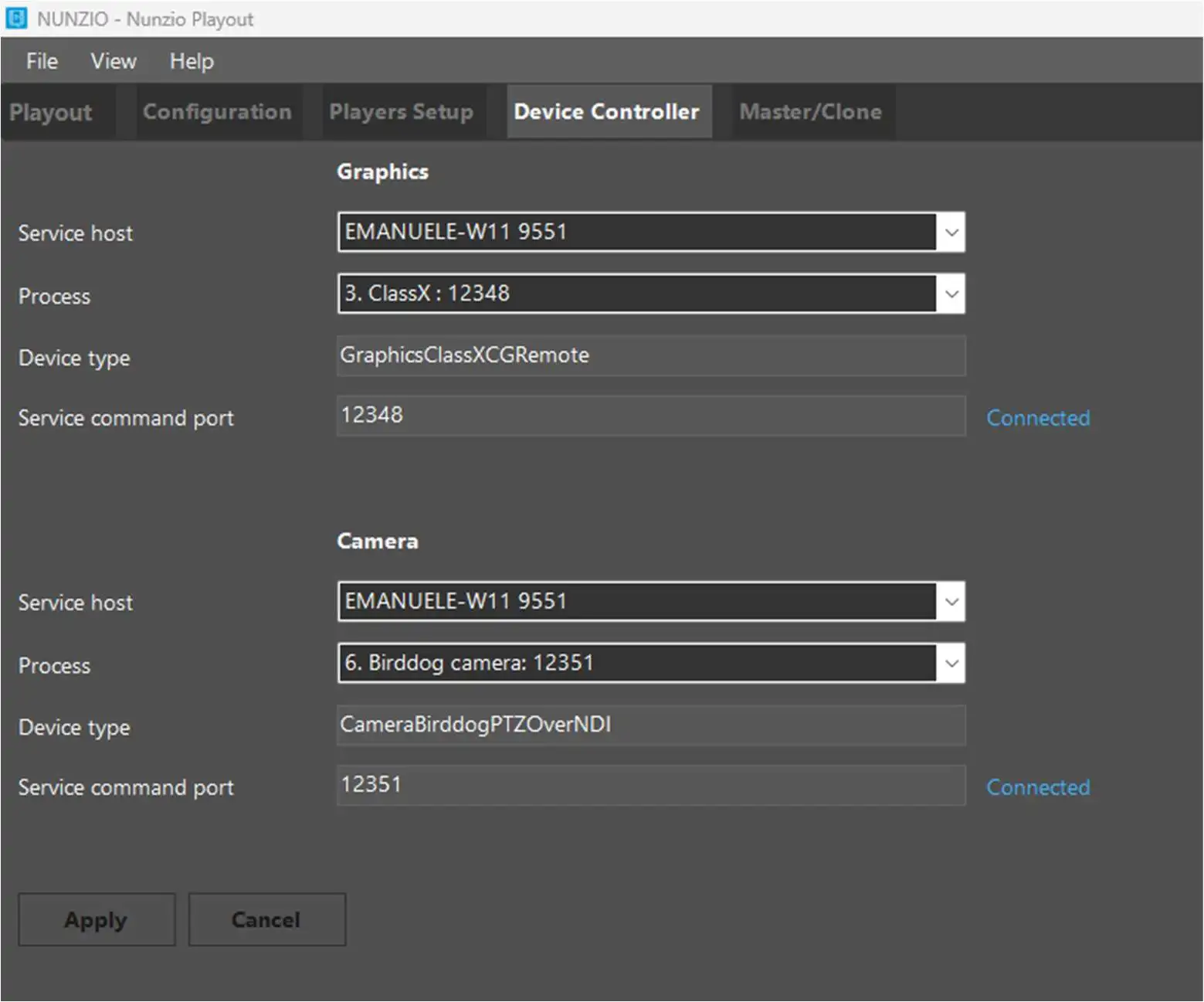
In the Device Controller tab, it's possible to configure Etere Nunzio Playout to communicate with a graphic device and a camera. Commands will be forwarded to the Etere Device Controller service first (see chapter 18.4.7.0 Device Controller for more information), then the service will send them to the physical device to control, through its dedicated IP address and port.
This tab is split in two sections, Graphics and Camera, and each of them contains the same parameters, required to set up properly the communication with the device.
Service host: Select the server where the Device Controller Service is running.
Process: Choose the process within the service that controls the graphics physical device or the camera.
Device: This field can't be edited, it only displays the device type defined in the configuration of the chosen process, made in EtereWeb.
Service command port: This field can't be edited, it only shows the port, defined in Etere Device Controller Service's configuration in Etereweb, to communicate with the chosen process.
devicecontroller_tab_parameters
Mos Objects and Camera Controls in Etere Nunzio Player rundown
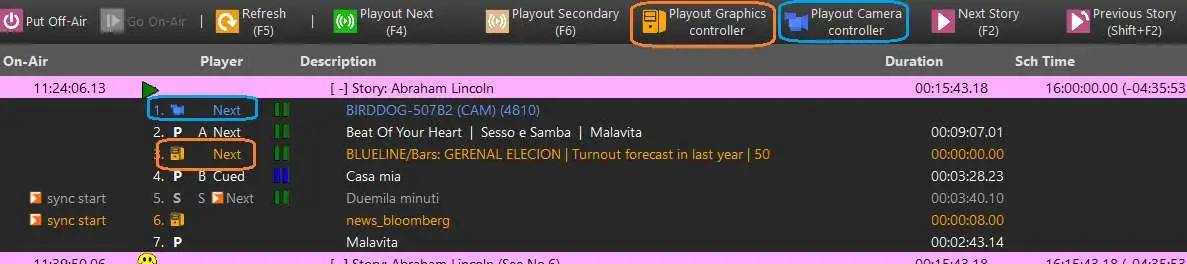
In order to define when a device have to be controlled, Mos objects and Camera controls have to be inserted in the stories, hence, be part of the loaded rundown.
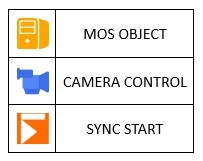
The Mos Objects managed by Device Controllers can be identified by an orange font. Instead, the Camera Controls managed by Device Controllers, have a blue font.
Each of them can also be recognized by the related icon, as shown in the image below:
icons
Mos Objects and Camera Controls can be started in sync with the previous Primary elements, setting it in Etere Nunzio's rundown editor (right-click on the object > Start type > Sync). In Nunzio Playout rundown it will have the sync start icon and label.
Alternatively it's possible to start the cued (Next) Mos Object or Camera Controls manually, respectively with the Playout Graphics controller and Playout Camera controller buttons.
mosobjects_cameracontrols
 devicecontroller_tab_parameters
 icons
icons
 mosobjects_cameracontrols