74.5.1.1 ENPS - Configuring
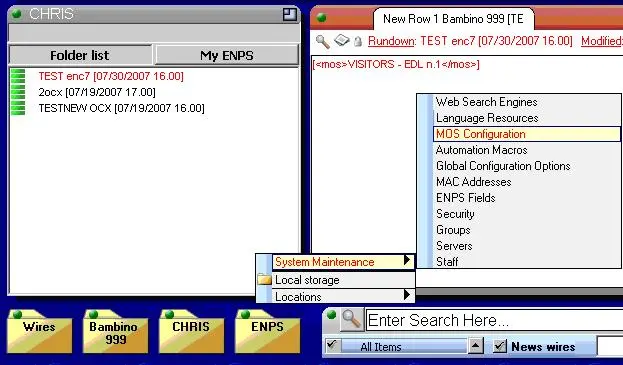
1. Start the ENPS client, select the ENPS logic unit, and choose "System Maintenance > MOS Configuration":
2. Create a new entry for the use of Etere NCRS OCX (select "New"). The following information is required to use the component:
ID - Insert a name for the OCX component, e.g., "OCX."
DESCRIPTION - Component description; for instance, insert "Etere OCX."
Use Detached - If you flag it on ENPS 5, the OCX will be open in another window. If it's unflagged, it will display in modal mode inside ENPS.
ActiveX - EtEnpsOCX.Browser
Program - Choose the logic sharing configured in ENPS as an object container.
MOS Protocol - 2.8
Modal UI ActiveX - A81D5988-2F97-46DE-832E-500C981AFE0C only for ENPS 4.5
Modal UI Default - A81D5988-2F97-46DE-832E-500C981AFE0C only for ENPS 4.5
Local DragDrop - On
Object Type - Video
 Mosgate_enpslogicunit
 Mosgate_mosdescription