Nunzio Android Application
79.6.2 Install Etere Nunzio App
In order to start using Etere Nunzio App on an Android device, we must install it first by relying on the given APK which is present within the Etere Installation package.
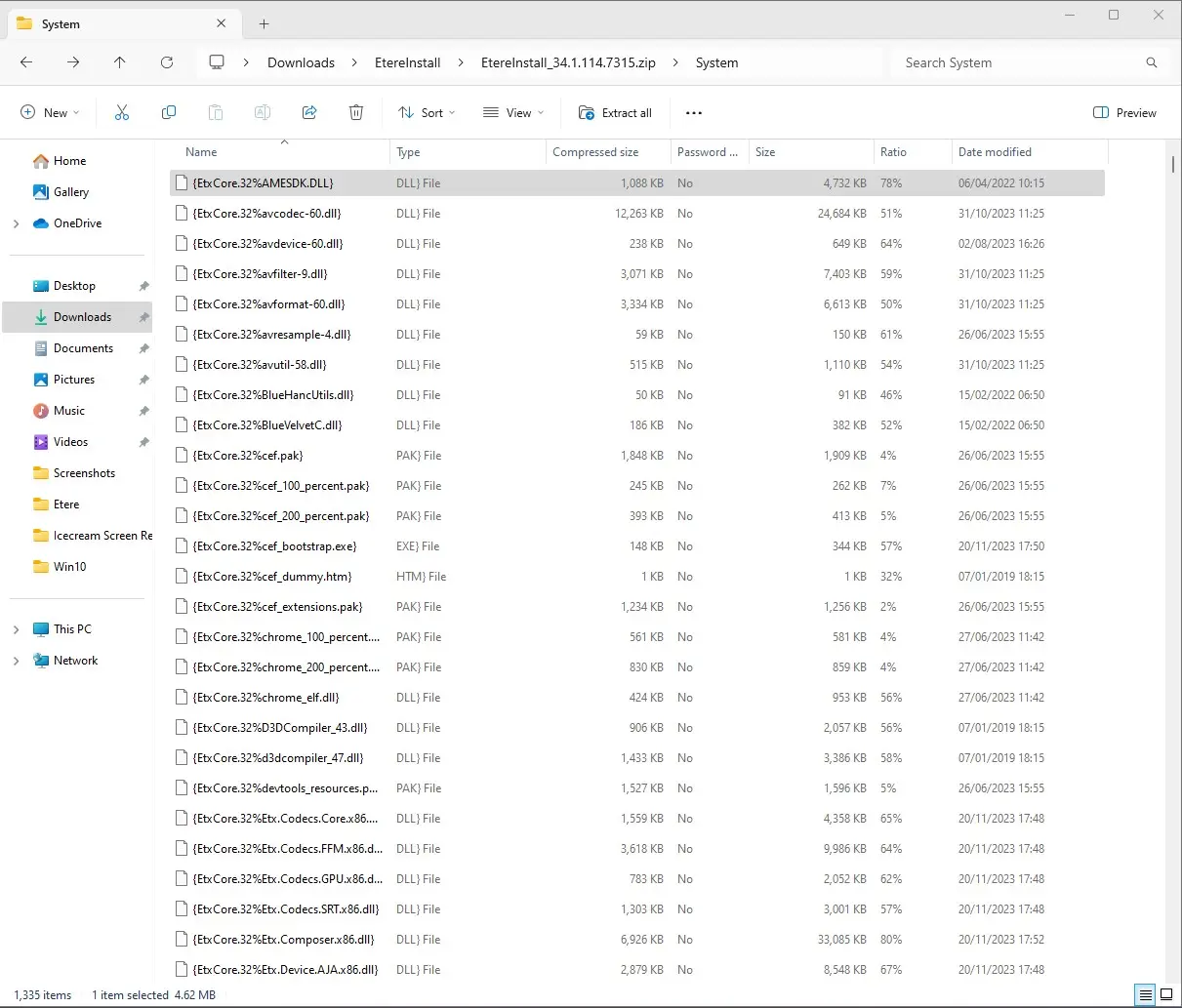
1. open or unzip the latest Etere package;
path_unfiltered
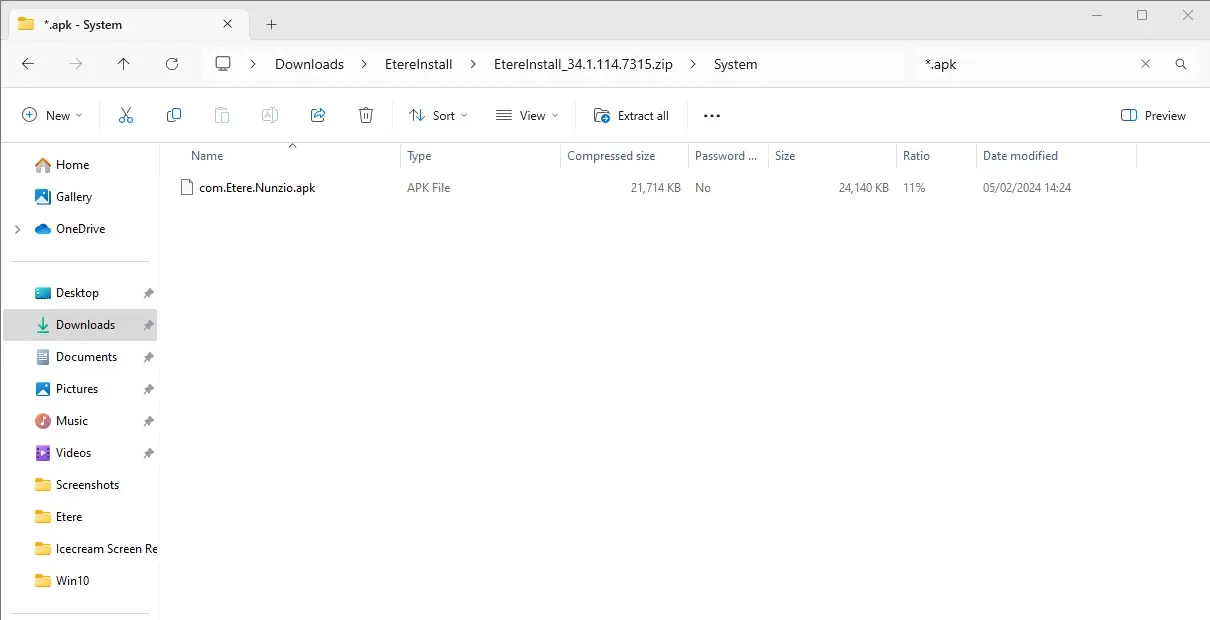
2. search for *.apk in order to have it retrieved by the search;
path_filtered
3. copy the com.Etere.Nunzio.apk to a wanted shared folder;
4. install it like any other Android Application which is not in the Google App Store.
Once the APK has been installed, is possible to start using Etere Nunzio Android Application.
Etere Nunzio App is available also for iOS and can be dowloaded from the App Store.
 path_filtered
 path_unfiltered