203.2.1 Schedule and Run Etere Backup automatically using Windows 2000
If you are using Microsoft Windows 2000, you can use the 'Scheduled Tasks' function to perform scheduled backups of your database based on the configuration set on Etere Backup, to program a scheduled backup action, just follow the following procedures:
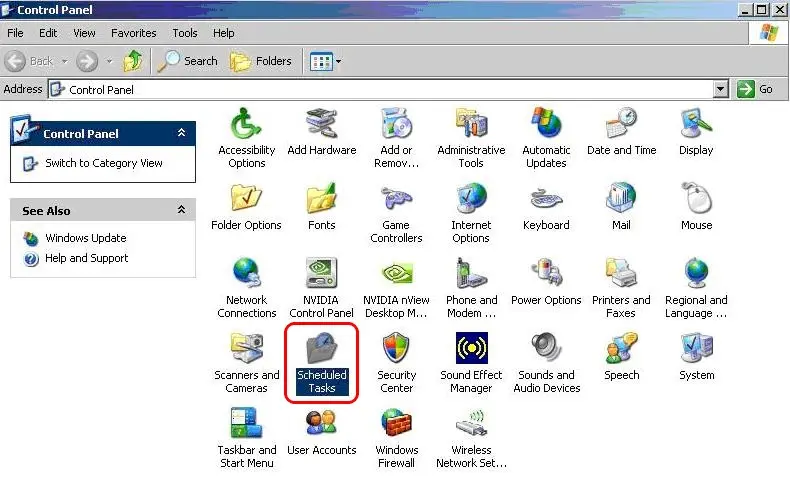
1. Open Control Panel and select "Scheduled Tasks":
Control_Panel
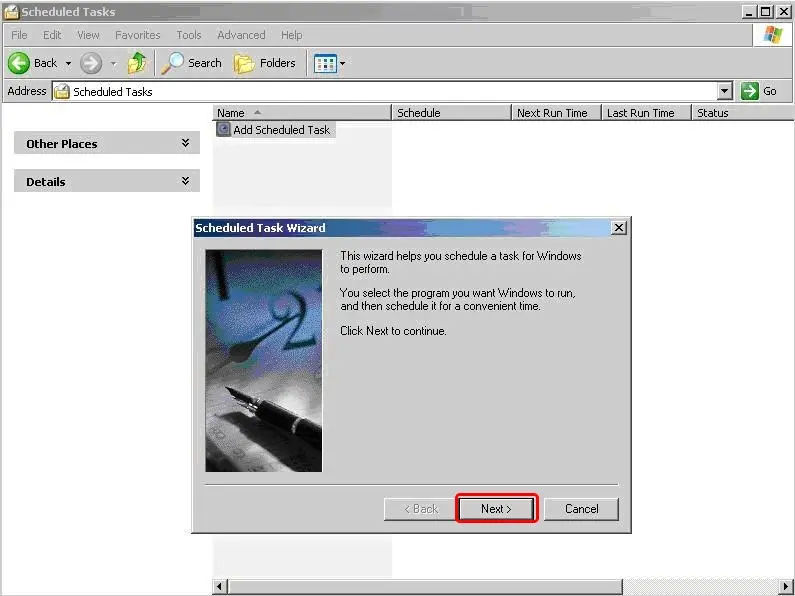
2.Oen the wizard and click on 'Browse', navigate to the Etere Backup installation path (e.g. 'C:\Program Files (X86)\ETERE\EtereBackup.exe') and click 'Next':
Scheduled_Tasks
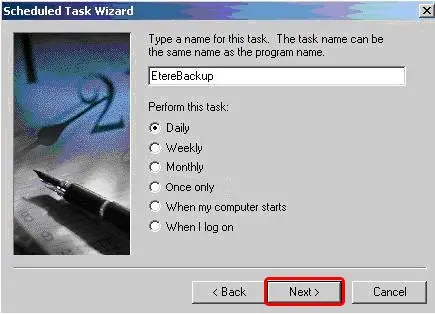
3.Give a name to the task and select when you want to run the task:
Run_the_task
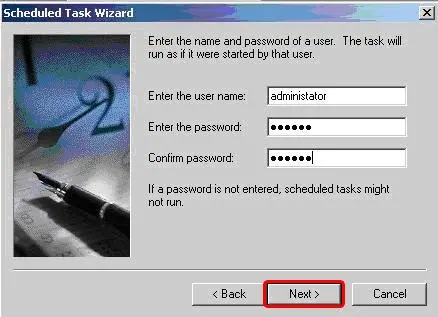
After which provide the username and password and click <Next> to exist the wizard.
provide_username_and_password
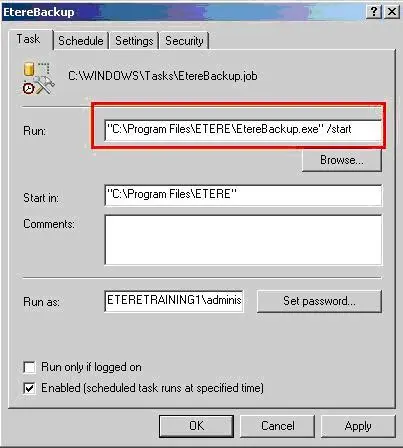
4.Check the 'Open advanced properties' and click <Finish>, a small window will appear, add here the parameter /start (as in picture below) in the advanced options of the task:
parameter_-start
(the run path must be enclosed within quotes)
5. At this point Etere Backup is ready to start at the scheduled times.
 Control_Panel
 Scheduled_Tasks
 provide_username_and_password
 parameter_-start
 Run_the_task