69.2.1.13 RCS
Import Scope
The F90 - RCS import allows to import a broadcast schedule exported from a DVB-RCS system into a plain-text (.txt) file.
Import Parameters
This import needs the following parameters to be configured:
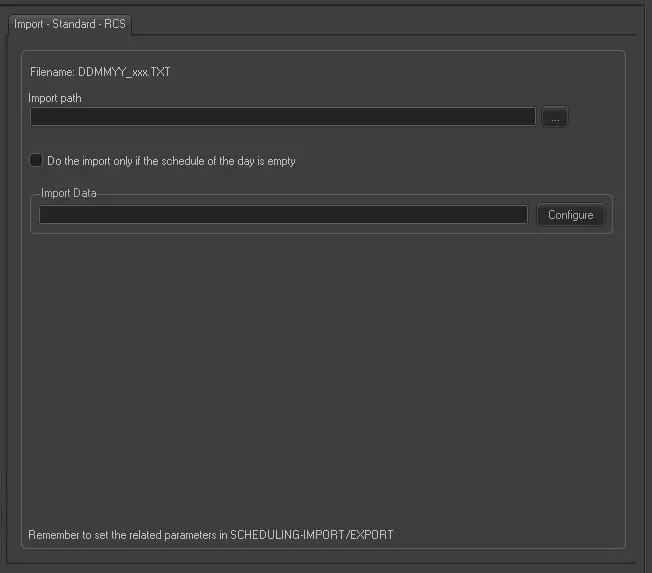
Import - Standard - RCS
Filename - The name of the imported file would comply with the format DDMMYY_xxx.TXT, where 'xxx' is a progressive number that starts from 001.
Import Path (leave it blank to not export it) - To be filled only if you intend to import a file located on a PC in your network.
Do the import only if the schedule of the day is empty - Allow you to import the file only one time.
NB: Before carrying out the import, if that day is blocked by some user, it is skipped and retry in the next import. The file imported is renamed in DDMMYY.old001, DDMMYY.old002, respectively.
Scheduling related import
Remember to set the same parameters in the Etere Scheduling > Import/Export > IMPORT\STANDARD\RCS and APPLY the changes once done.
 Import_-_Standard_-_RCS