84.12.11 Preview a proxy video file with subtitles
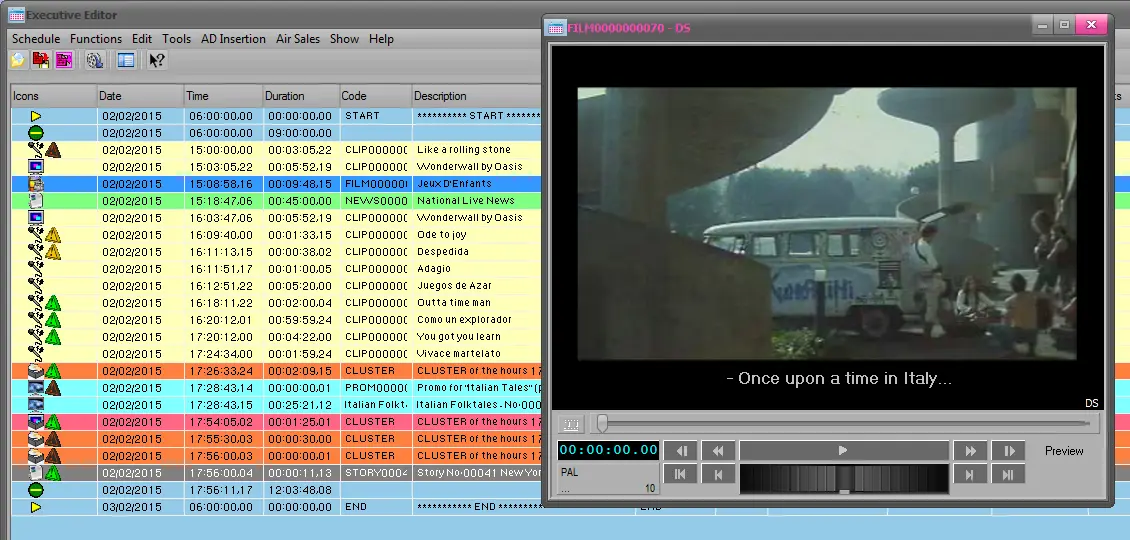
Etere allows previewing assets alongside to their subtitles (only the default one) through its preview window, which is available from the following modules:
Preview_subtitles
Media Library - Go to the Media tab and double-click on the Low-resolution version of the asset to open the Proxy player.
Executive Editor - Select an event to preview, from its right-click menu choose the "Preview > Proxy" contextual option.
Please notice that in order to be shown, the default subtitle must be named exactly as the asset's code (e.g. 'asset007.smi').
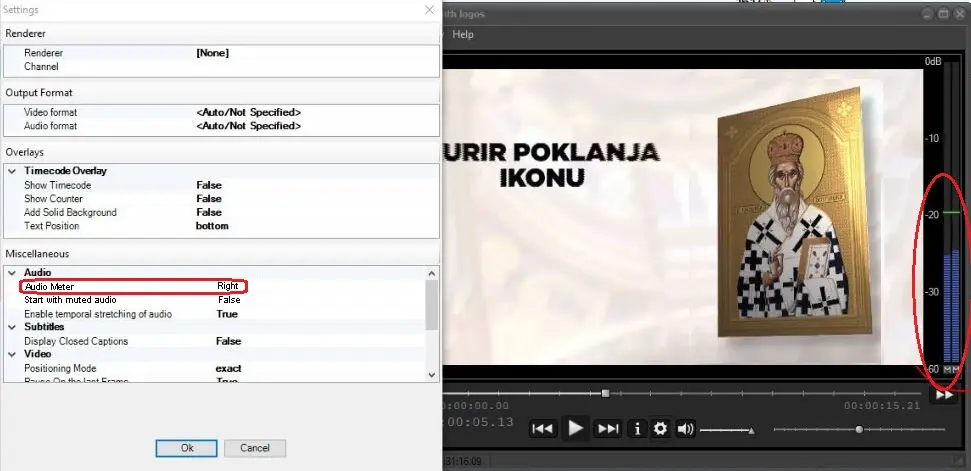
Moreover, if you enable the “Audio meter” parameter and set the position to be displayed in Audio setting, the VU meter would be displayed during the proxy preview.
Scheduling_ee_vu_meter_in_preview
NB: For detailed information about how to handle subtitles in Etere (create, assign, display, align, etc), please refer to the dedicated chapter: How to Use Subtitles from the Etere STMan user-guide.
 5407_Preview_subtitles
 5406_Scheduling_ee_vu_meter_in_preview