91.1.2 Main - Backup configuration
Etere Radio Live can run in a main/backup configuration, in order to add an additional layer of security by using two workstations, one for the main playout and the other one for the backup, to let the user to switch the onair traffic in one of the two workstations involved in case of issues on the other, or simply for maintenance purposes.
To set the main/backup configuration you will need:
Radio Live Playout: For main/backup monitoring.
Radio Live Engine: Main/backup execution.
Schedule Publisher service: Responsible for the schedule comunication between main and clone, including main/clone workstations IP addresses and ports.
Radio Live Engine Desktop (EOL)
The following procedure describes how to set up a main/backup environment and it is related to the desktop version of Radio Live Engine, which is end-of-life since the release of Etere Radiolive Engine Service.
1. Create a shortcut of Etere.RadioLive.Engine.exe. Open the shortcut's properties and edit the "target" field adding X MAIN or X BACKUP, where "X" is the station number
engine_properties image
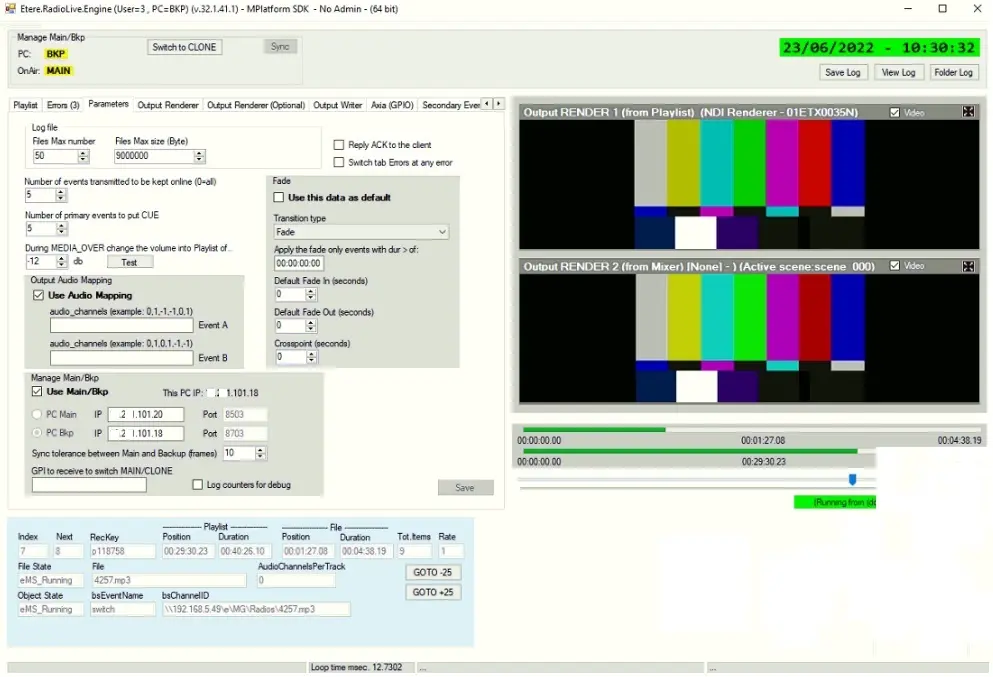
2. Run Etere.RadioLive.Engine.exe and enable the flag Use Main/Bkp.
3. Select the server role (main or backup) and set the related workstation IP, leave the default port.
Radio_Engine-_VM3-MAIN-U3-parameters
Radio_Engine-_VM1-BK-U3-parameters
4. Select the maximum tolerance duration in frames in which the main won't switch to clone until the frame range will be reached.
5. Save the configuration and restart the Etere.Schedule.Publisher service, including Etere Radio Live Playout, if it was previously opened.
6. Perform the same operations on Radio Live workstation used for the remaining role (so, select "PC Bkp" if you selected main on first workstation).
Tips and Tricks:
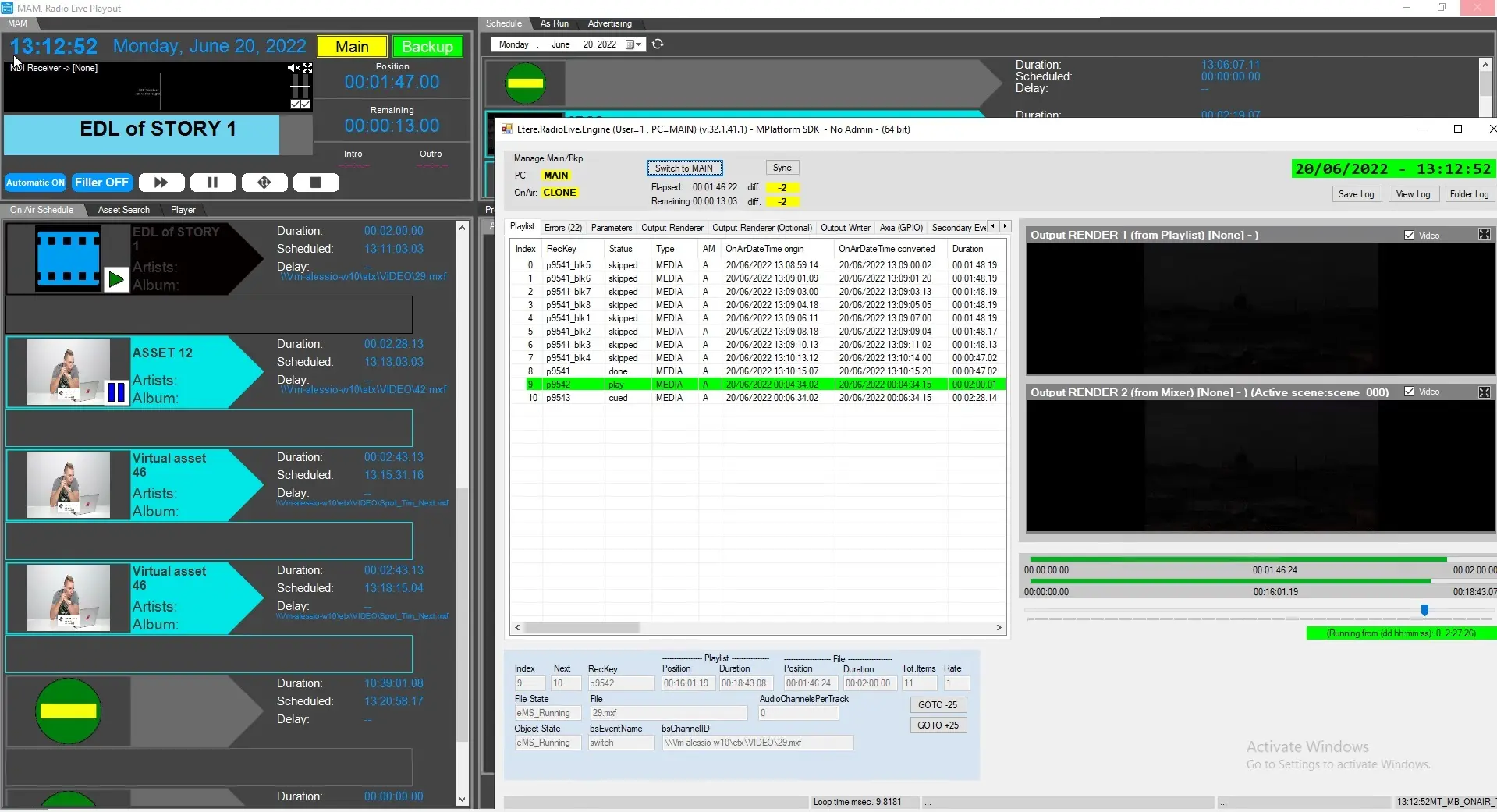
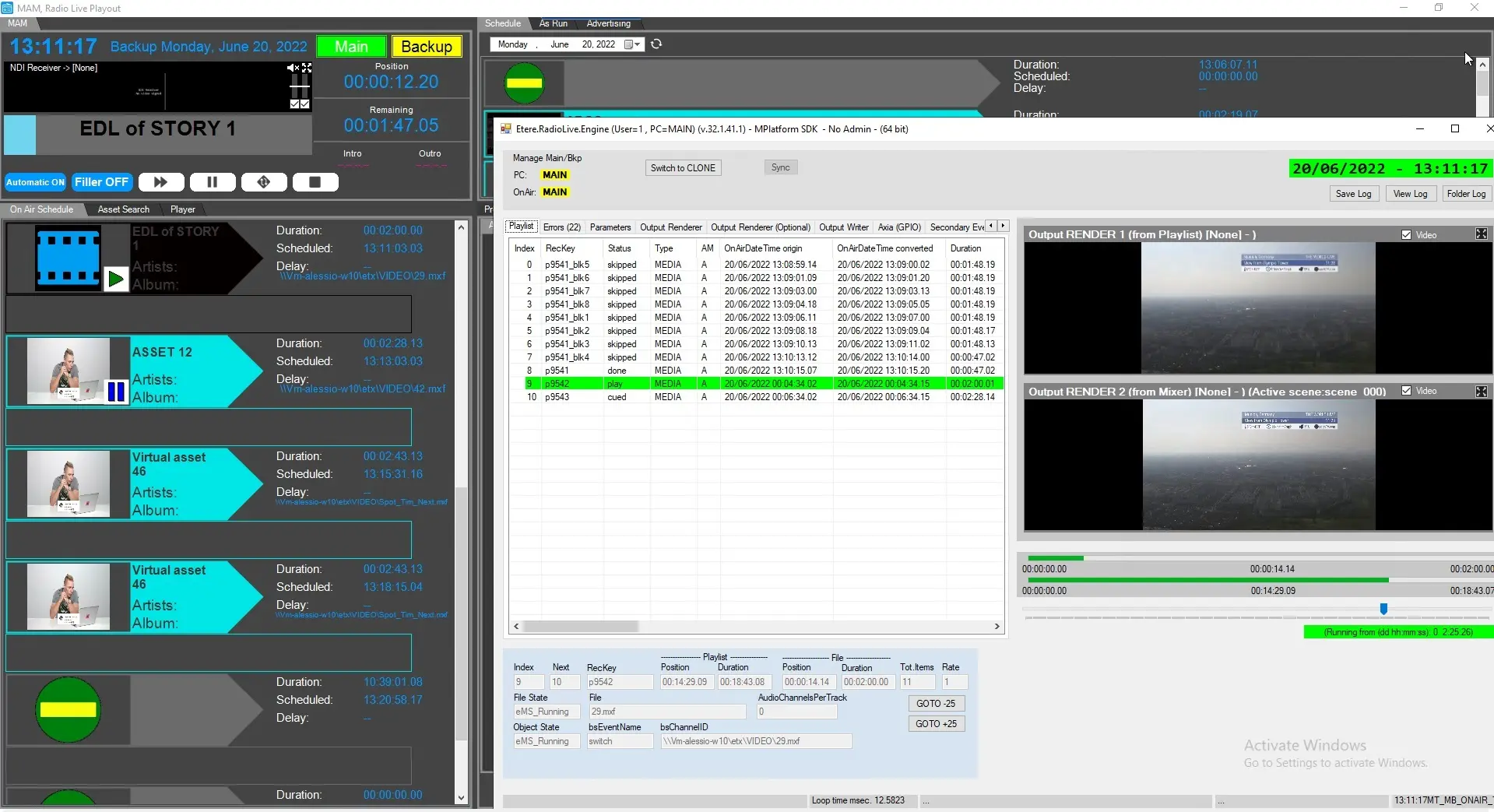
- you can check the status of main / backup on the top left section of Etere Radio Live, including a switch button if you need to switch the main onair.
main_bkp_button
- Etere.Schedule.Publisher is responsible also of delivering the IP of the two workstations. In case of miscomunication between them or wrong IPs set (you can check them on Radio Live > Configuration tab > Automation tab) close everything on backup workstation, run Etere Radio Live Engine, check that the main or backup settings are correct, restart Schedule Publisher service, go to backup workstation, switch and repeat the same process.
Radio Live Engine Service
In this case, the main/backup configuration on the Engine side must be done on Etereweb. See chapter 18.4.3.1 Parameters for details.
Every service in each workstation generates its own configuration xml file at the startup, in C:\ProgramData\Etere\Radiolive.engine.service. When the button Apply and restart is clicked, all the settings are written into the related xml and the service is restarted, allowing it to load the new configuration.
Etere Schedule Publisher Service is still responsible of the main and backup ip addresses detection. The schedule synchronization and the communication between main and backup will happen through these ip addresses and the default ports.
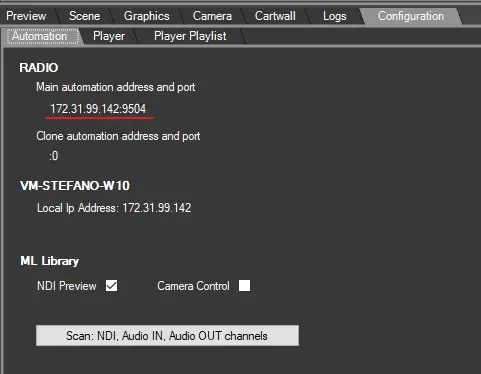 IP_main
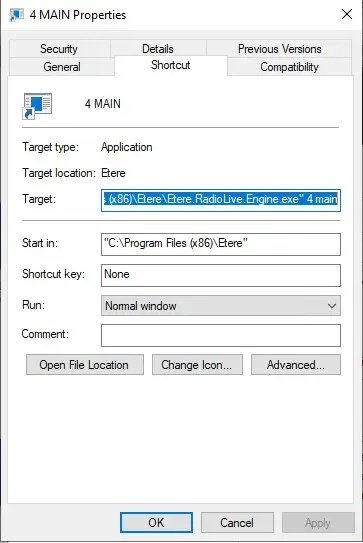 engine_properties
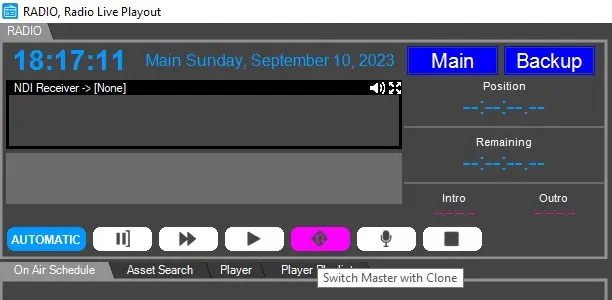 main_bkp_button
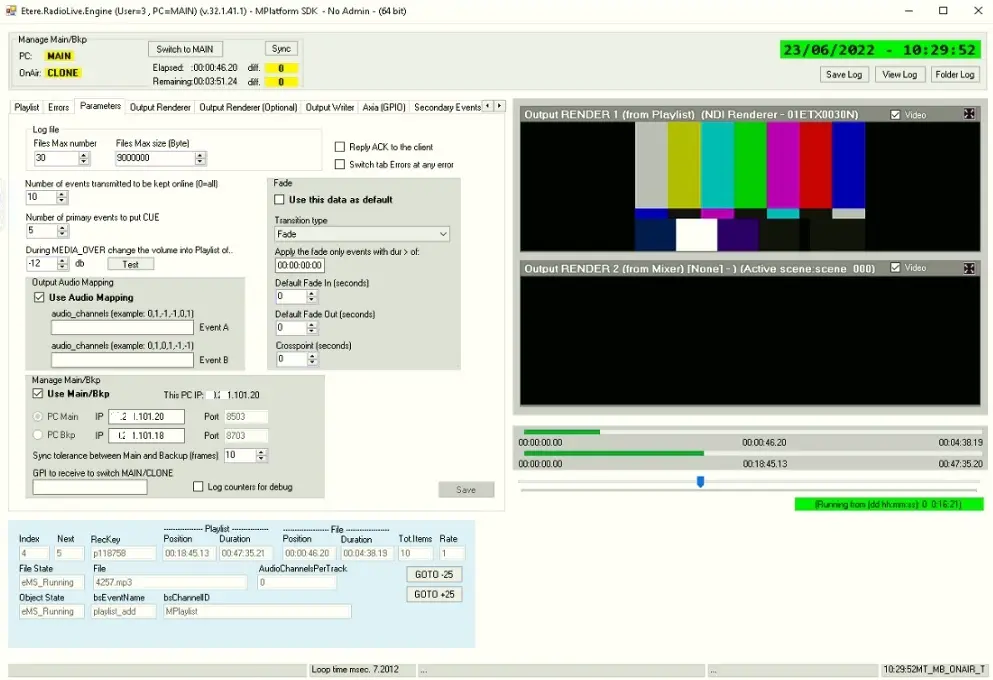 Radio_Engine-_VM3-MAIN-U3-parameters
 Radio_Engine-_VM1-BK-U3-parameters
 Radio_Main-Backup_colour_Backup
 Radio_Main-Backup_colour_Main