54.3.1 How to use Commercials Scheduling?
What is Commercial Scheduling?
The Commercial Scheduling module allows operators to easily create, modify and delete the programming of assets in commercial orders. Users can perform the tasks that manage the scheduling of contractual assets.
Select the Asset
Press the [Search] button and select the commercial asset to be scheduled; only the assets currently assigned to a commercial order will be retrieved:
Tralit_asset
Please note that scheduling rules (e.g. daily runs, time range, dates, weekdays, etc) will be automatically retrieved from the related commercial order.
Choose an Operation
To execute an operation, navigate to the relevant tab and set the related parameters; available operations includes:
Tralit_tabs
Programming
Adjustment
Fixed Times
Rotation Table
Filling
Copies
Adjustment
Connected Commercials
Move Scheduling
Replacement
Delete
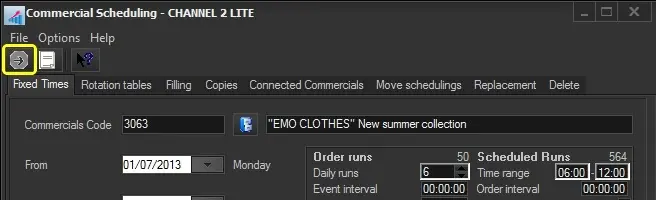
Start the Process
Once all the parameters of the selected operation have been set, press the [TraLit_eventSchedule_RUN RUN] button to start the process:
Tralit_launched
After the scheduling starts, you can launch the graphic control for daily Commercial Crowding from Executive Editor. Commercial Crowding defines the crowding limits to be managed for commercials during their scheduling process; for example, you can set the percentage for hourly crowding and daily crowding.
 Tralit_asset
 Tralit_tabs
 Tralit_launched