85.2.6.2 How to use it
In order to access and activate the plugin feature, simply launch STMan. If the customer code matches the mediaset data, the feature “Enabler Service” would be available under the STMan Configuration tree. To activate the plugin feature, simply double click “Enabler Service” under the Configuration tree and provide the required parameters as described in previous chapter.
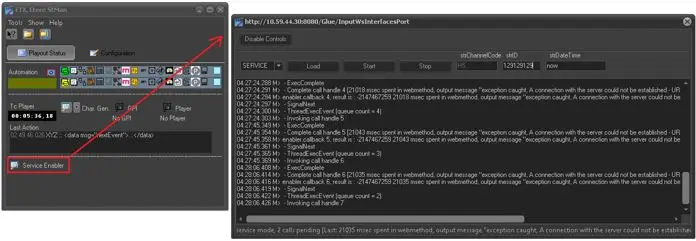
At the STMan main interface, there is an option to monitor and control the Web Service. Click on the “Enabler Service” icon to launch the monitoring and control session as shown below.
Service Enabler
During monitoring, you can enable or disable the control of the Web service and manually send commands to the Web service. The commands available are “Stop”, “Start” and “Load”.
Plugin Log File
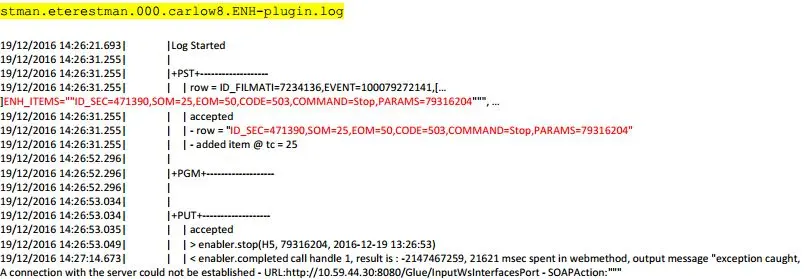
When the plugin feature is activated, a log file is created captured all the plugin log messages for audit and investigation purposes. The screenshot below is the plugin log messages extract from the log file for documentation purposes.
Log File
 5174_Service_Enabler
 5175_Log_File