Etere Multiviewer 64-bit
68.2 Layouts management
Adding and removing layouts to the layout area
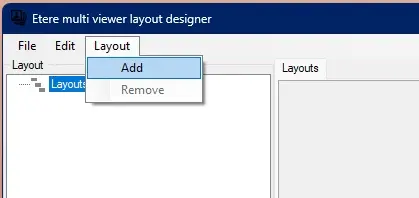
New preview windows layout can be added through the main menu Layout\Add. Existing layouts can be removed through the main menu Layout\Remove after selecting its tab or node.
add_remove_layout
Selecting the Layouts node, the sidebar on the left will show the position and size settings of the layouts area and all the already existing layouts.
Users can change layout size and position using layout properties or using drag and drop on the layout view.
 add_remove_layout