9.3.1 Series
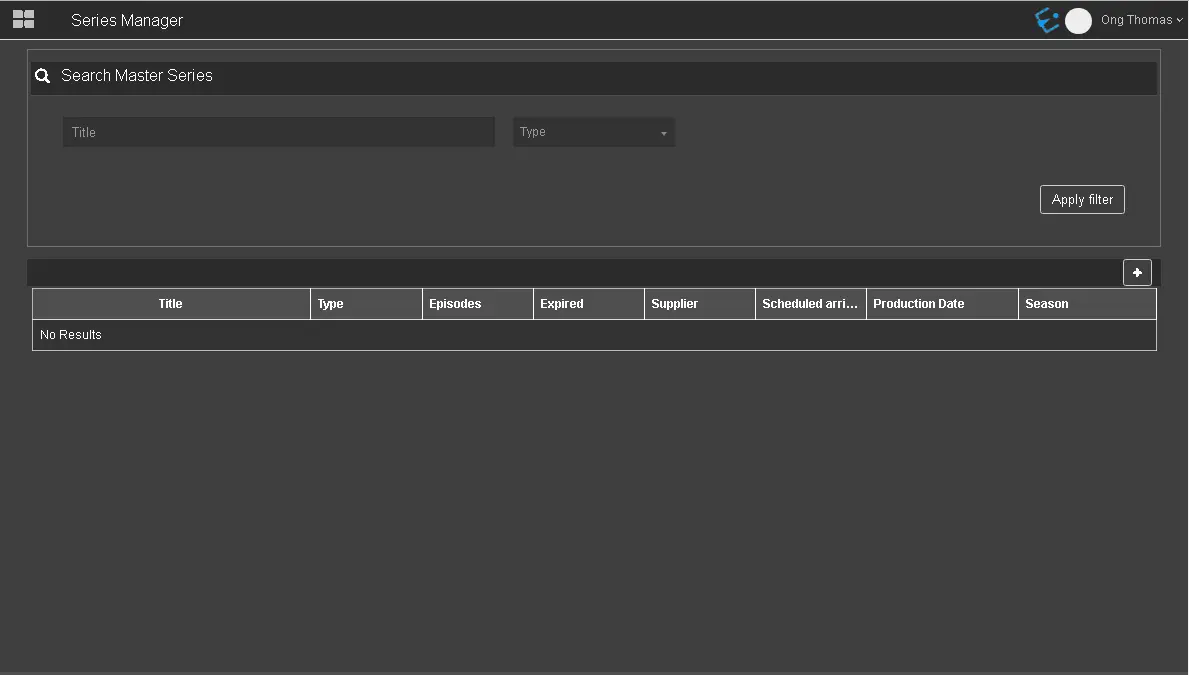
In Series, you can search for existing Seasons or create a new season.
Search_Master_Series
- Title: Searchseason by filtering the season's title;
- Type: Indicate the specific type of Season to be filtered, e.g. COM, ETXG, NEWS, PGM, etc.;
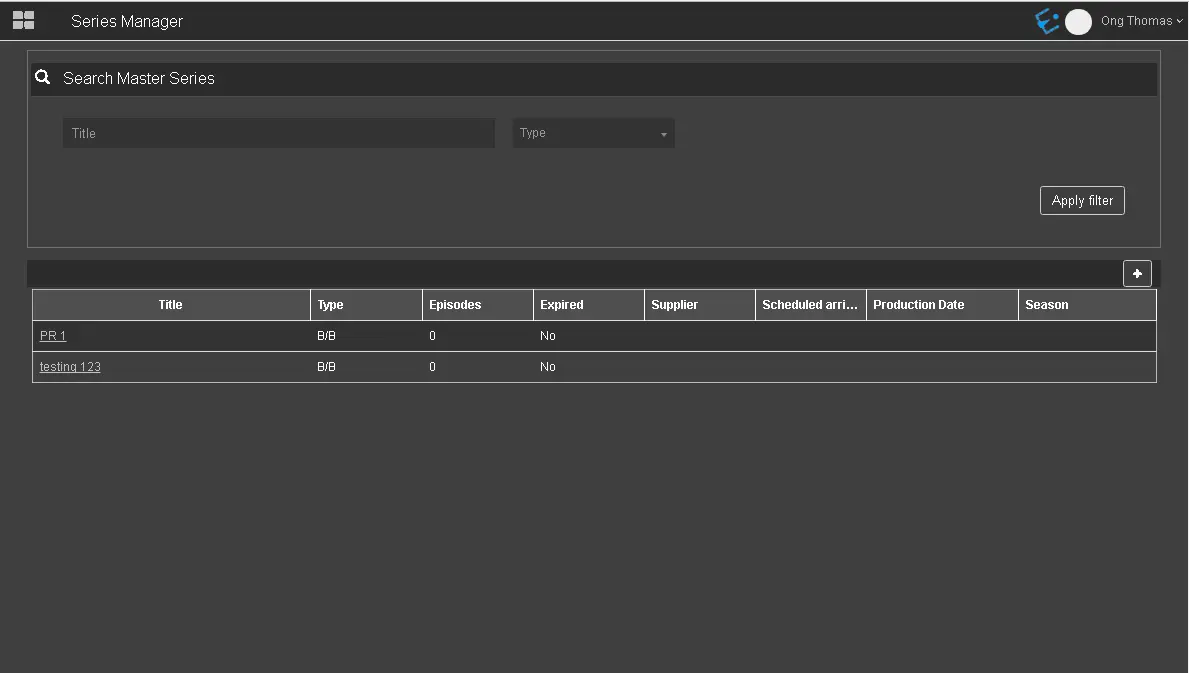
When all parameters are fulfilled, click the <Apply filter> button to retrieve the Season that matches the search criteria.
Apply_filter
ADD SEASON
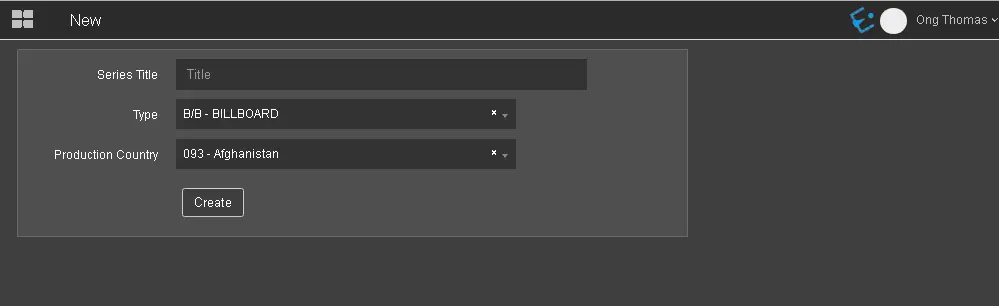
To add a new season to the list, click theAddicon to launch theNewSeason dialogue.
Add_season
- Seasons Title: Provide a name for the new Season;
- Type: Select a season type from the list, e.g. COM, NEWS, FILM, etc.
- Production Country: Select a country from the list where the Season would be produced;
LINK SEASON WITH SERIES
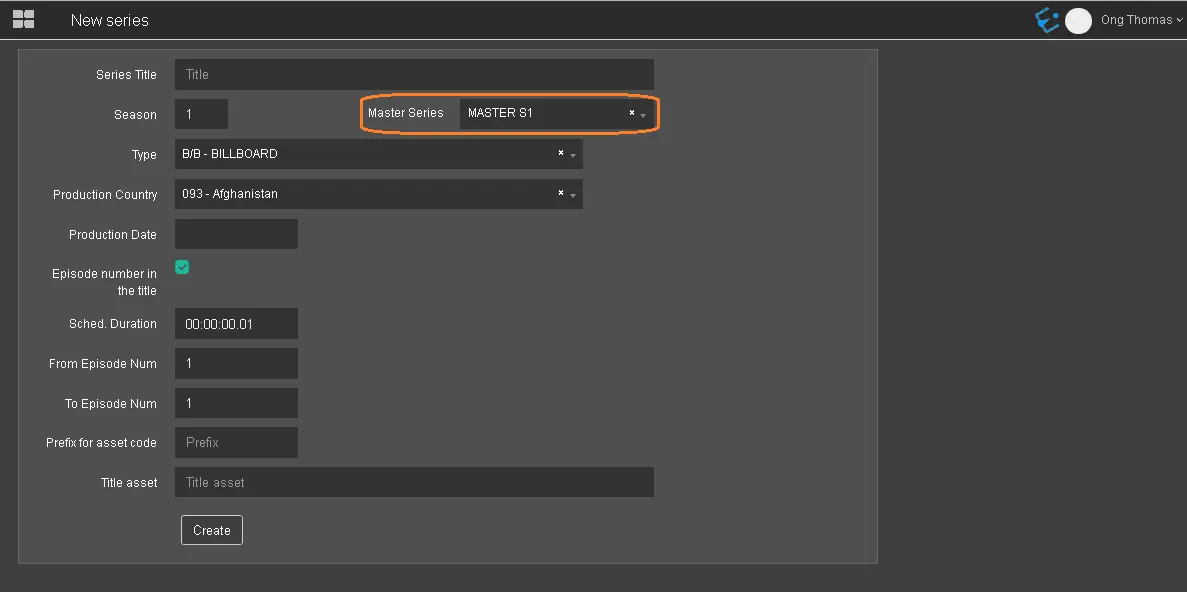
The link between Season and the Series can be performed when creating a new Season or modifying an existing one.
Link_Season_with_Series
In the Series parameter, select the name of the Series from the drop-down list, as indicated above.
To unlink from Series, this parameter should be left blank.
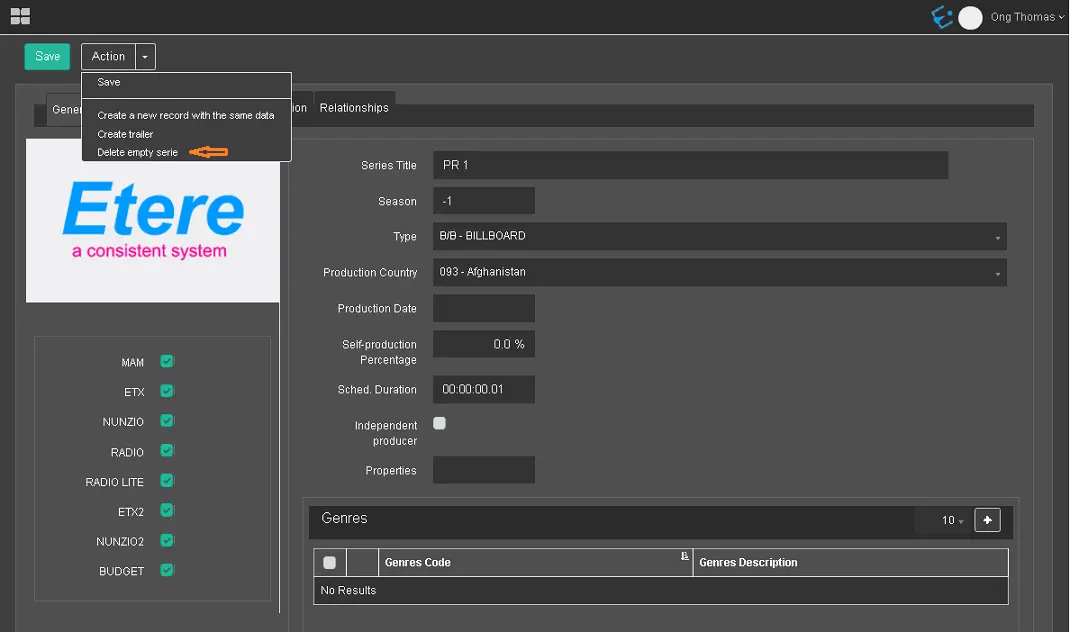
DELETE SEASON
Select the Delete empty Season function within the Action Menu to delete the Season.
Delete_empty_Season
Any Season presently linked to the Season would also be removed when deleting the Season.
 Search_Master_Series
 Apply_filter
 Add_season
 Link_Season_with_Series
 Delete_empty_Season