Playlist Toolbox
65.2.1.3 Add Live
In Etere ETX Toolbox Player, signals can be acquired from External Devices, such as SDI cards, or External Sources, such as NDI stream instances.
Right after pressing the Add Live button, a new record in the Playlist Panel will be created:
5341_etere_toolbox_add_live_btn
At this point, just double-click on my_live in the File/Command column, and a brand new form will eventually appear:
5342_etere_toolbox_add_live_form
From here is possible to select from any given devices/sources, either SDI or NDI:
5343_etere_toolbox_add_live_form_sources
Once the given source has been selected:
5344_etere_toolbox_add_live_ndi
just close the MLive Config form, and press the Play button on Etere ETX Toolbox Player
5345_etere_toolbox_add_live_play
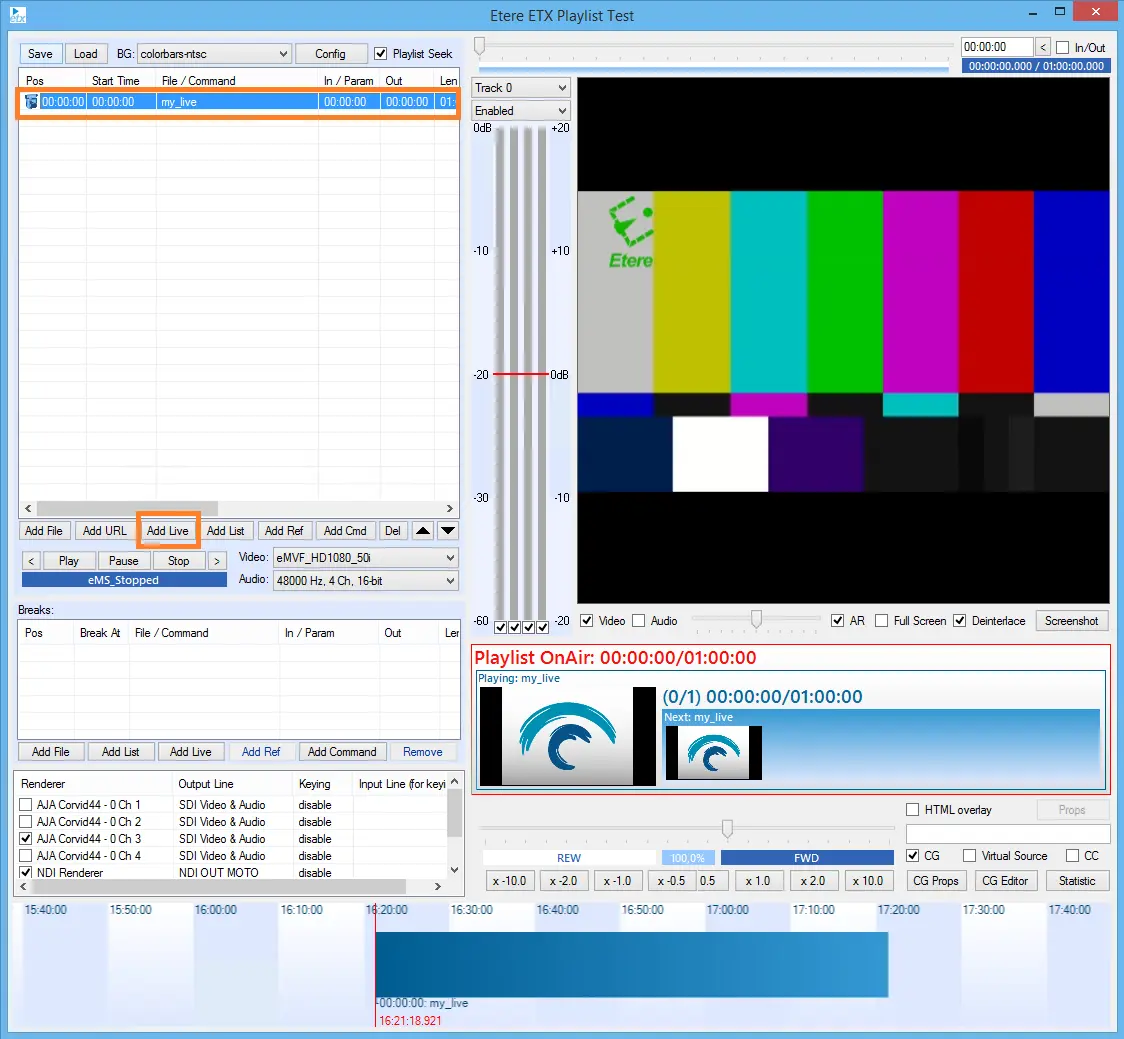 5341_etere_toolbox_add_live_btn
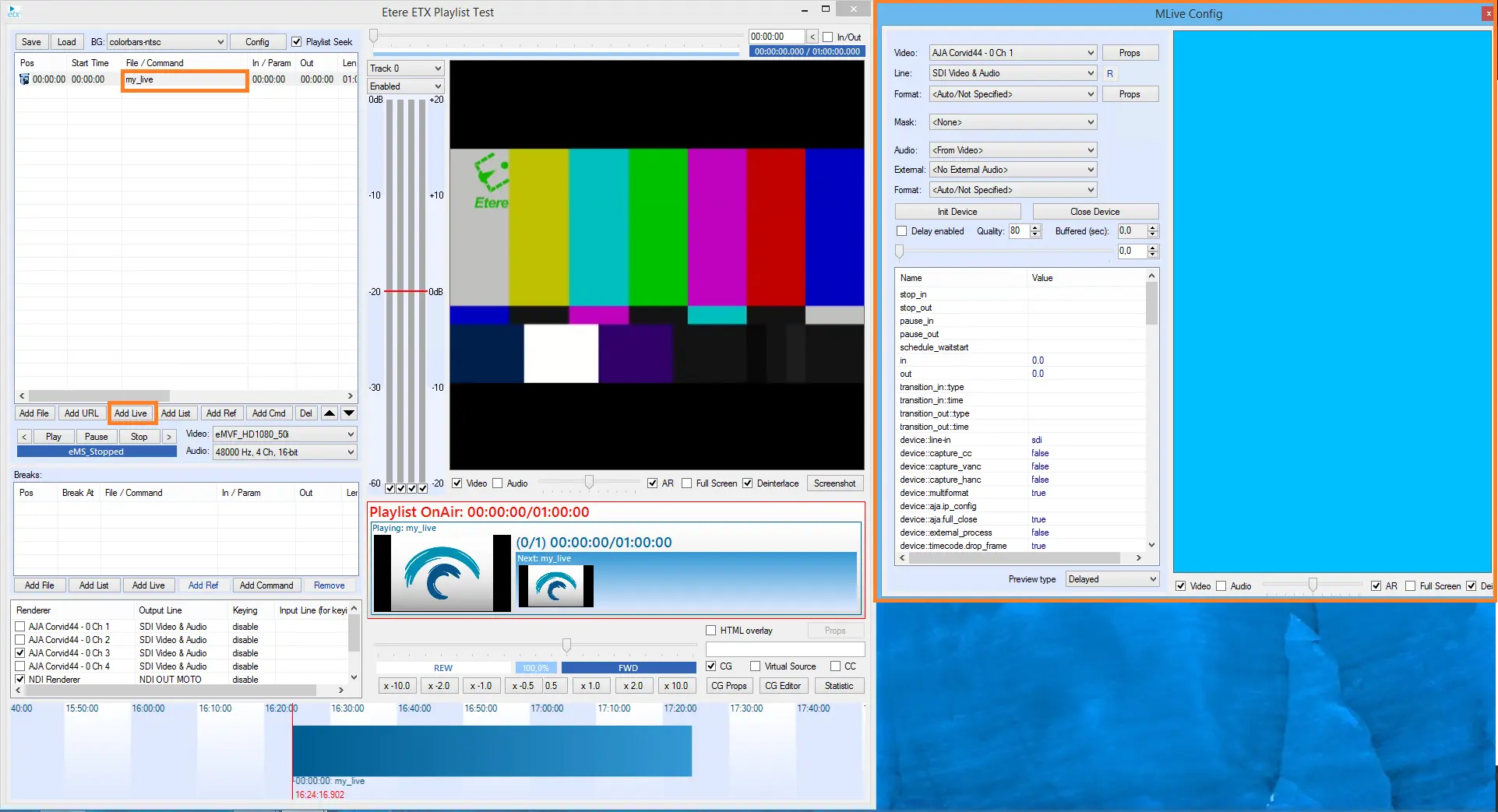 5342_etere_toolbox_add_live_form
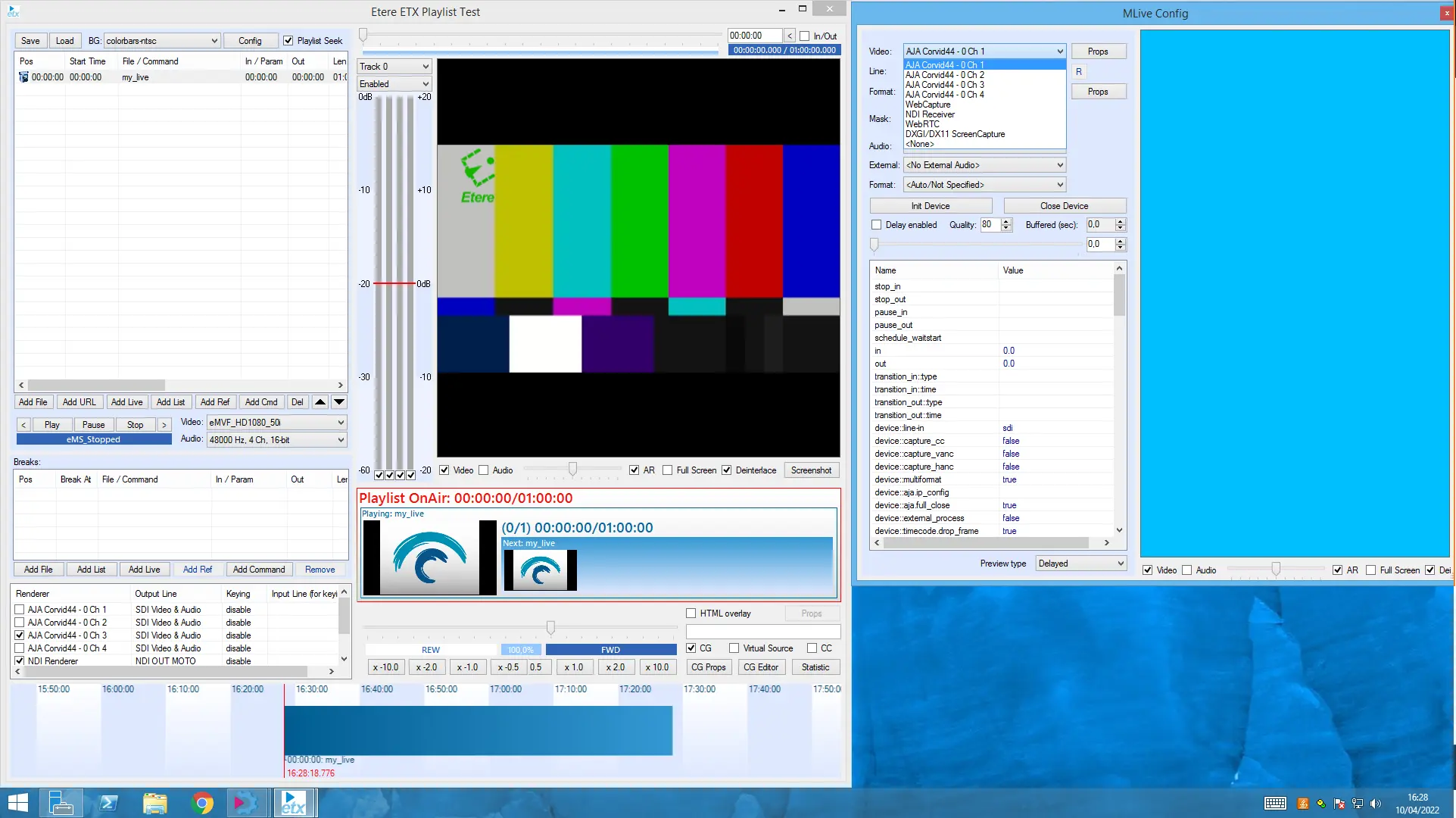 5343_etere_toolbox_add_live_form_sources
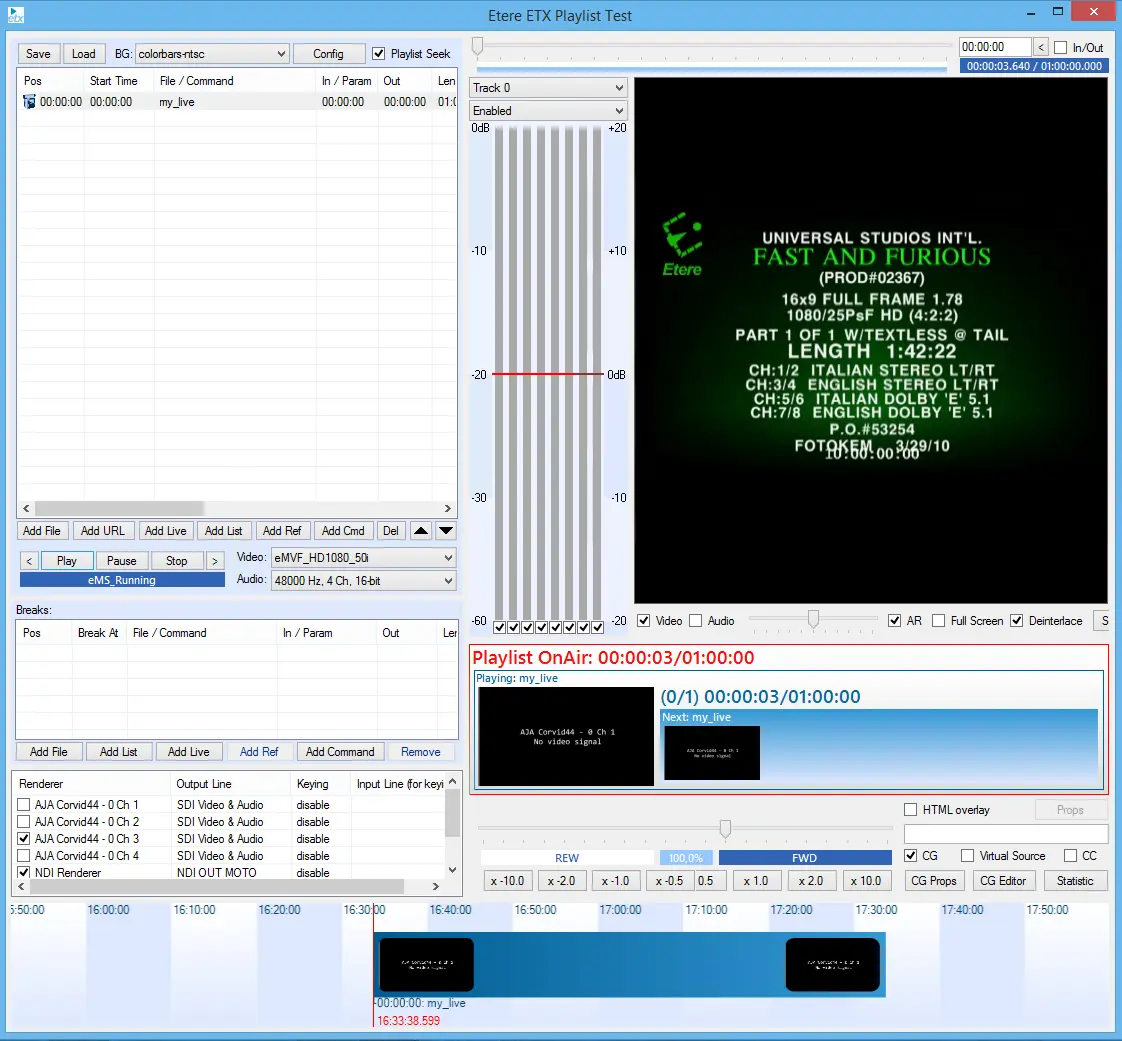 5345_etere_toolbox_add_live_play
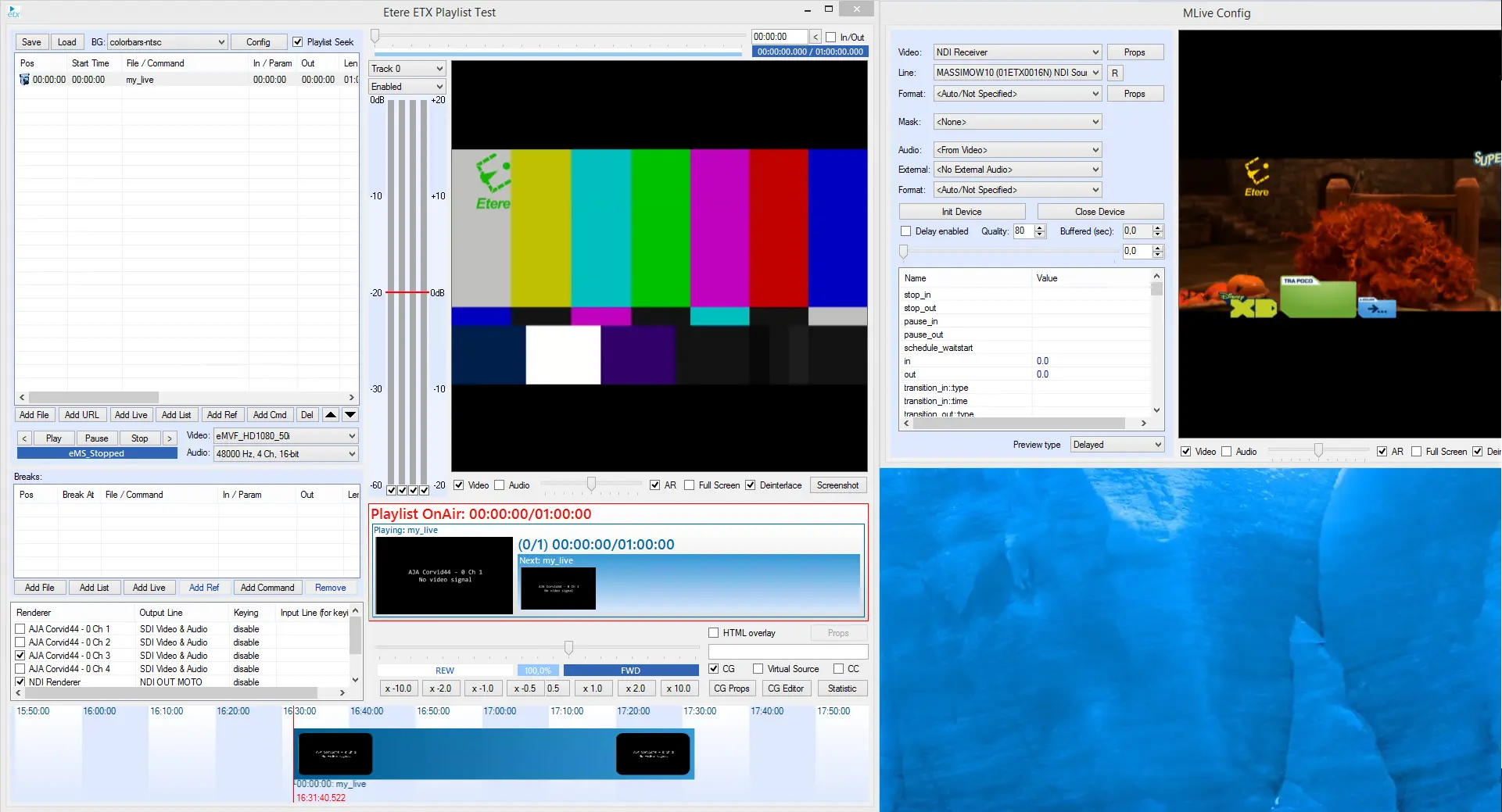 5344_etere_toolbox_add_live_ndi