Standard
69.2.1.8 LOUTH BINARY
Import Scope
The F90 Import Standard Imagine Binary import a binary file containing the schedules of a specific date.
Import Parameters
Provide the required parameters to fulfill the import process:
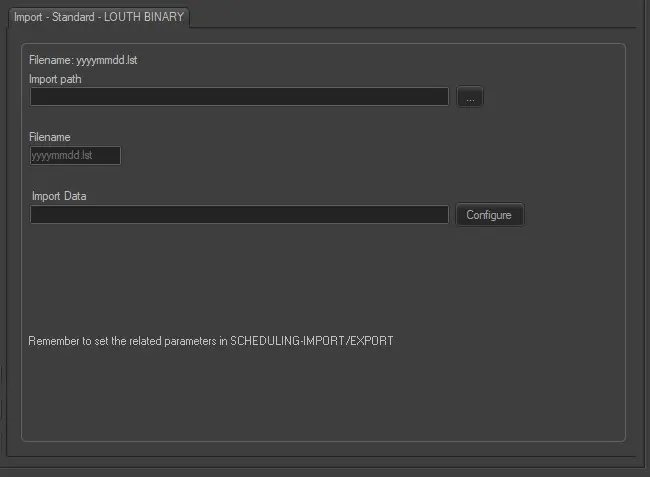
Import - Standard - Louth Binary
Import path: Specify the path location of the binary file. You can use the browse button to locate the path in the network drive.
Filename: The name of the file to import must comply with the format yyyymmdd.lst.
Import data: Opens the Configure Import window to specify the days and the frequency to be imported.
Scheduling related import
Set the same parameters in the Etere Scheduling > Import/Export > IMPORT\STANDARD\LOUTH\BINARY and click <SAVE> to confirm the changes.
 Import_-_Standard_-_Louth_Binary