Parental Guidance
85.2.12.1 Configuration
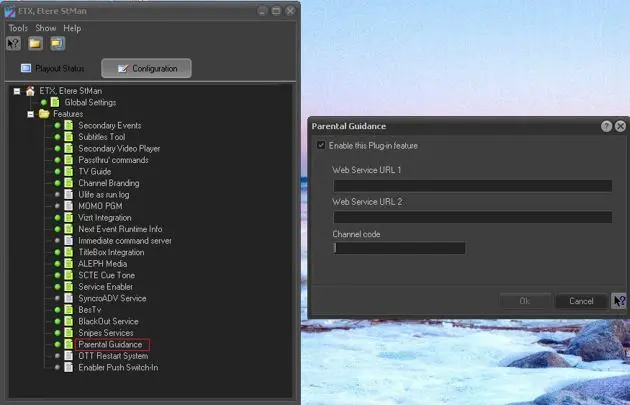
Double-click the Parental Guidance feature under the Configuration tab to launch the configuration wizard.
Parental Guidance
Parameter - Enable this plug-in feature
Description : Enable this option use the plug-in feature and launch the parameters.
Parameter - Web Service URL 1
Description : Enter the first URL address receiving the Parental Guidance information.
Parameter - Web Service URL 2
Description : Enter the second URL address receiving the Parental Guidance information.
Parameter - Channel code
Description : Enter the 2 character channel code (e.g. C4) used by the Web server to identify the station.
 Parental_Guidance