59.2.33.1 Changing default applications on Windows
A default application is a program that Windows uses when you open a particular file, such as a music file, an image, or a webpage. To change the application used by Windows to open a specific file extension, follow the procedures below:
1. Click on the Start button and open the "Default Programs" tool:
Default_Programs
2. Select the "Associate a file type with a program" option to fine-tune default programs based on the file type or protocol.
3. For instance, select the.MXF extension and press the "Change program..." button, set open using the VLC application:
VLC_application
NB: Detailed information on how to change the default programs per extension can be found at: http://windows.microsoft.com/en-us/windows/change-default-programs#1TC=windows-7.
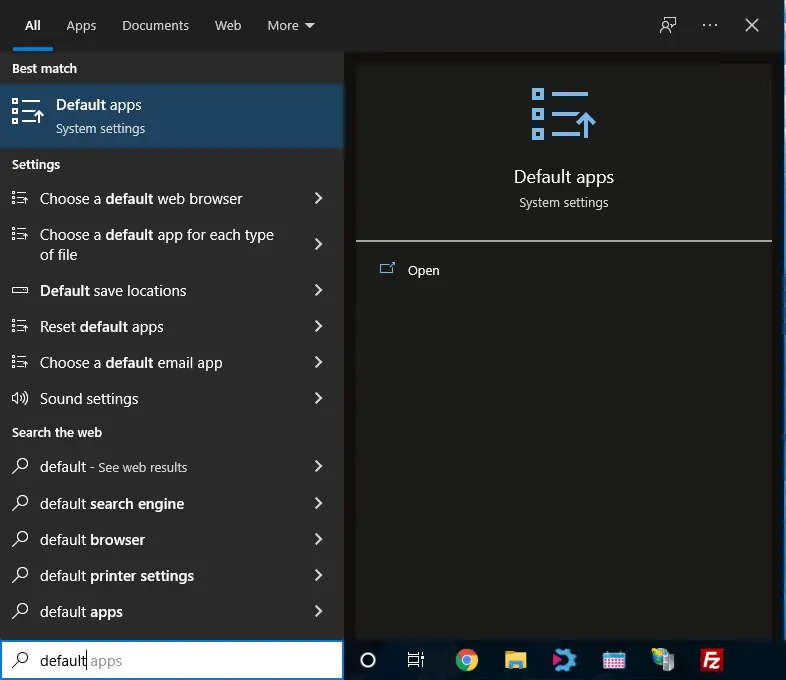 Default_Programs
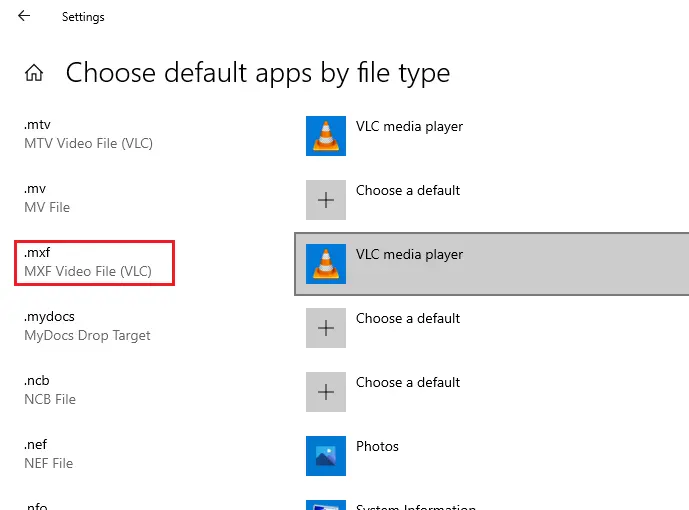 VLC_application