Resource Configuration
59.6.2.123 Setting the control mode
The Remote Control feature available from AppCenter provides extended features that allow local and remote control at the same time. You can select a remote protocol to use with individual channels, to do this follow the next procedure:
1. Click on the channel whose protocol you want to specify,
2. Select Control > Options. The Options dialog box displays:
Options_dialog_box_displays
3. Set up under the Control tab the Remote Only (for remote control from either locally or through a network-connected PC), and to AMP (to record channels using the Advanced Media Protocol) options.
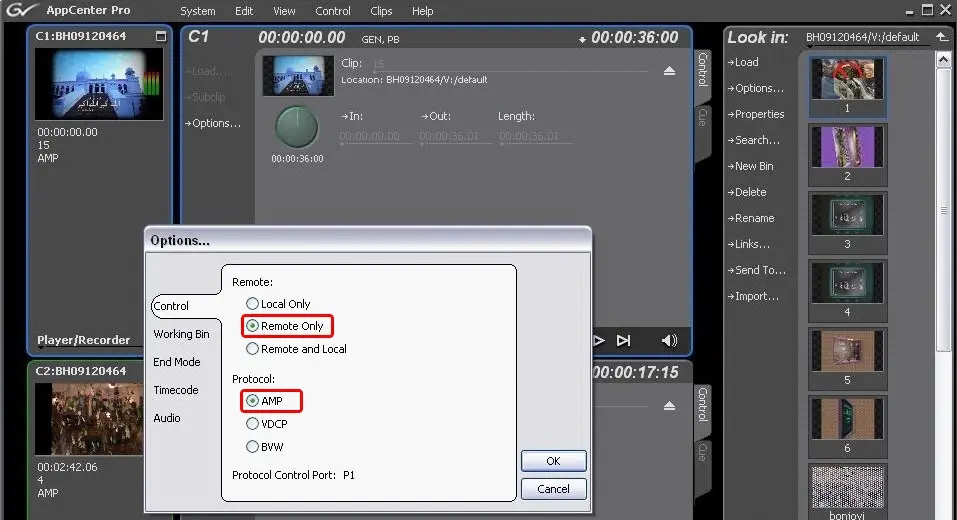 Options_dialog_box_displays