59.2.16.4 Tape Codes (barcodes)
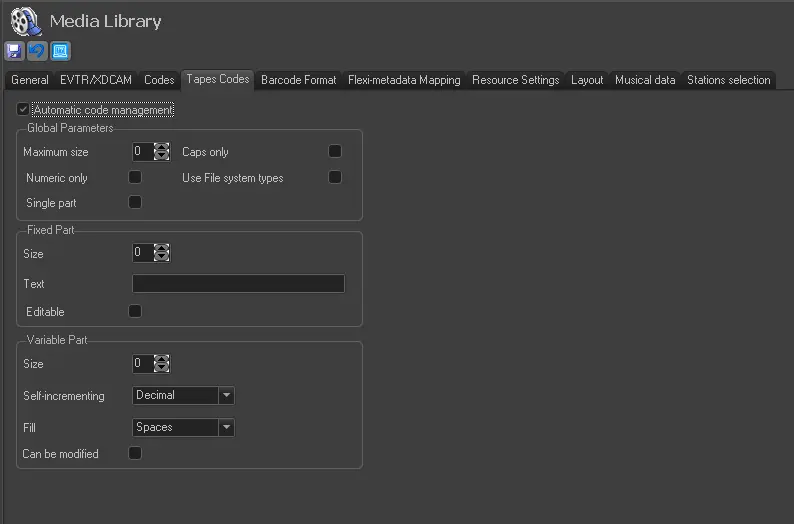
You can define the tape code creation parameters by activating the 'Automatic Codes Management' option.
tapes_codes
Global Parameters
Set the general parameters for the tape codes:
•Maximum size: indicate the maximum number of characters the code can have.
•Numeric only: If enabled, the code can only contains numbers.
•Single part: Specify if the code should be a single part or consist of fixed and variable parts. If enabled, the "Fixed part" section would be disabled.
•Caps only: The code should contain upper case letters.
•Use File System types: Enable this option to use File System characters.
Fixed Part
•Size: specify the number of characters in the fixed part of the code.
•Text: specify the text that should feature in the fixed part. NB: if the text is made up of 10 characters and the size has been selected as 8 characters, only the first 8 characters will be used.
•Editable: select this parameter if the fixed part is editable when required.
Variable Part
•Size: specify the number of characters in the variable part of the code.
•Self-incrementing: select whether the code should be in decimal, hexadecimal, alphabet, ID or date increments.
•Fill: specify whether gaps should be filled with zeros or spaces.
•Can be modified: select this parameter if the variable part of the code can be modified when required.
 tapes_codes