59.2.2.1 Assets Themes
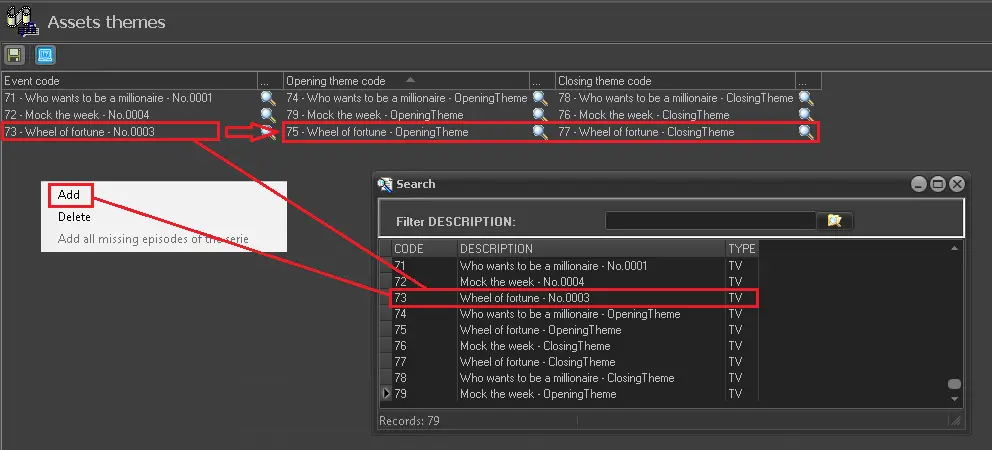
The Asset Themes section allows assigning the themes to a program to be transmitted at the program's opening and closing. This section consists of a list containing the codes of all the assets for which opening and closing themes have been assigned:
config_asset_themes
To start assigning themes to programs, follow the simple procedure:
1. Right-click on the list and select the 'Add' option.
2. A new entry will allow the operator to search for the event for which the theme codes will be assigned.
3. Search and select the assets for the program's opening and closing themes.
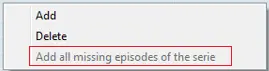
4. If the "Opening theme code" and "Closing theme code" for multiple episodes are identical to a single season, you can select the option "Add all missing episodes of a season" to apply the same "Opening theme code" and "Closing theme code" to all the episodes in the season.
Add_all_missing_episode
When more episodes are created, you can repeatedly use this option to apply the same opening and closing theme code; it would only be applied to the newly created episodes.
5. Press [Save] to apply all previously performed actions.
Note:
Please note that in the case of using the Lite version of Etere, this section won't be available due to the capabilities and limitations of Lite channels.
Using Assets Themes
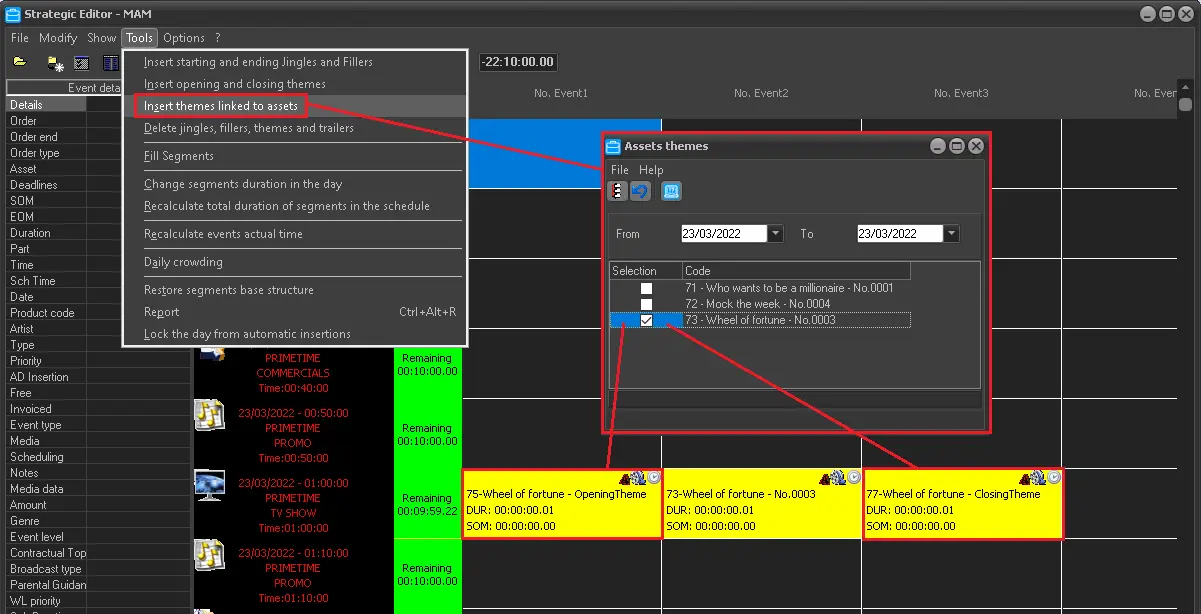
Once assigned, themes can be inserted into the broadcast playlist from the Air Sales > Strategic Editor module through the 'insert themes linked to assets' function:
sched_asset_themes
 Add_all_missing_episodes
 config_asset_themes
 sched_asset_themes