56.3.2 Change the preroll on-the-fly
Etere Automation supports configuring multiple preroll times, allowing users to change between the preroll times according to their needs.
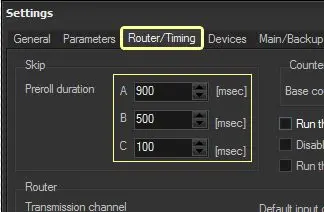
1. Under the "Automation > Settings > Router/Timing" tab, set the primary and secondary preroll times to be used:
router_timing
Preroll duration
A - Mandatory, set the first preroll to be automatically activated at every startup.
B - Optional, set a second preroll to be available for manual activation.
C - Optional, set the third preroll to be available for manual activation.
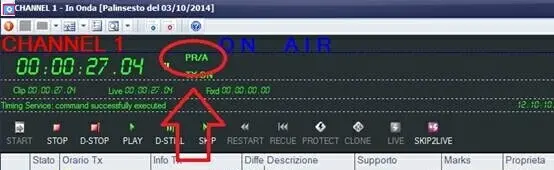
2. Under "Automation > On-Air", the preroll that is currently active is shown in the top bar:
preroll
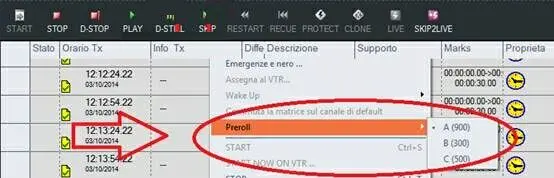
3. A different preroll time can be manually activated at any time by making right-click on the playlist and selecting the "Preroll > A / B / C" menu:
Preroll__-__A_,B_,C
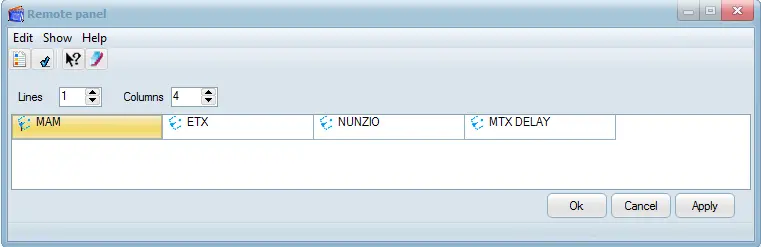
It's worth mentioning that the preroll time can be viewed and changed from the Remote Panel:
Remote_Panel
 router_timing
 preroll
 Preroll__-__A_,B_,C
 Remote_Panel