Resource Configuration
59.6.2.421 Brothers
Etere supports all of Brothers's major barcode printer models. For instance, to configure a Brother PT-9500PC to print on 3/4" (18mm) tapes, just follow the procedure below:
1. Go to the "Control Panel > Device and Printers" section and set the printer as the default printer:
2. Go to the "Etere Configuration > Settings > Basic > Barcode" module and set the following parameters:
barcode_printers_settings
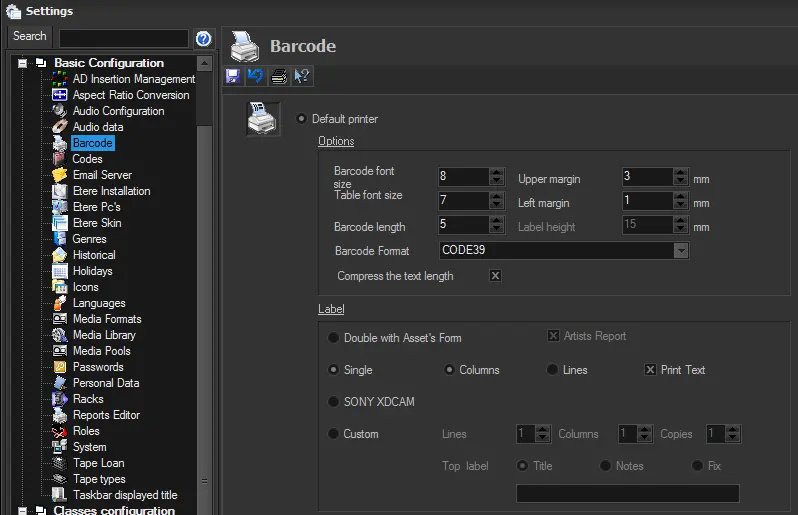 barcode_printers_settings