59.2.7.2 Etere PCs tab
The "Etere PC's" tab allows you to check the up-to-date status of an Etere PC; this section is divided into the following two areas:
etere_pcs
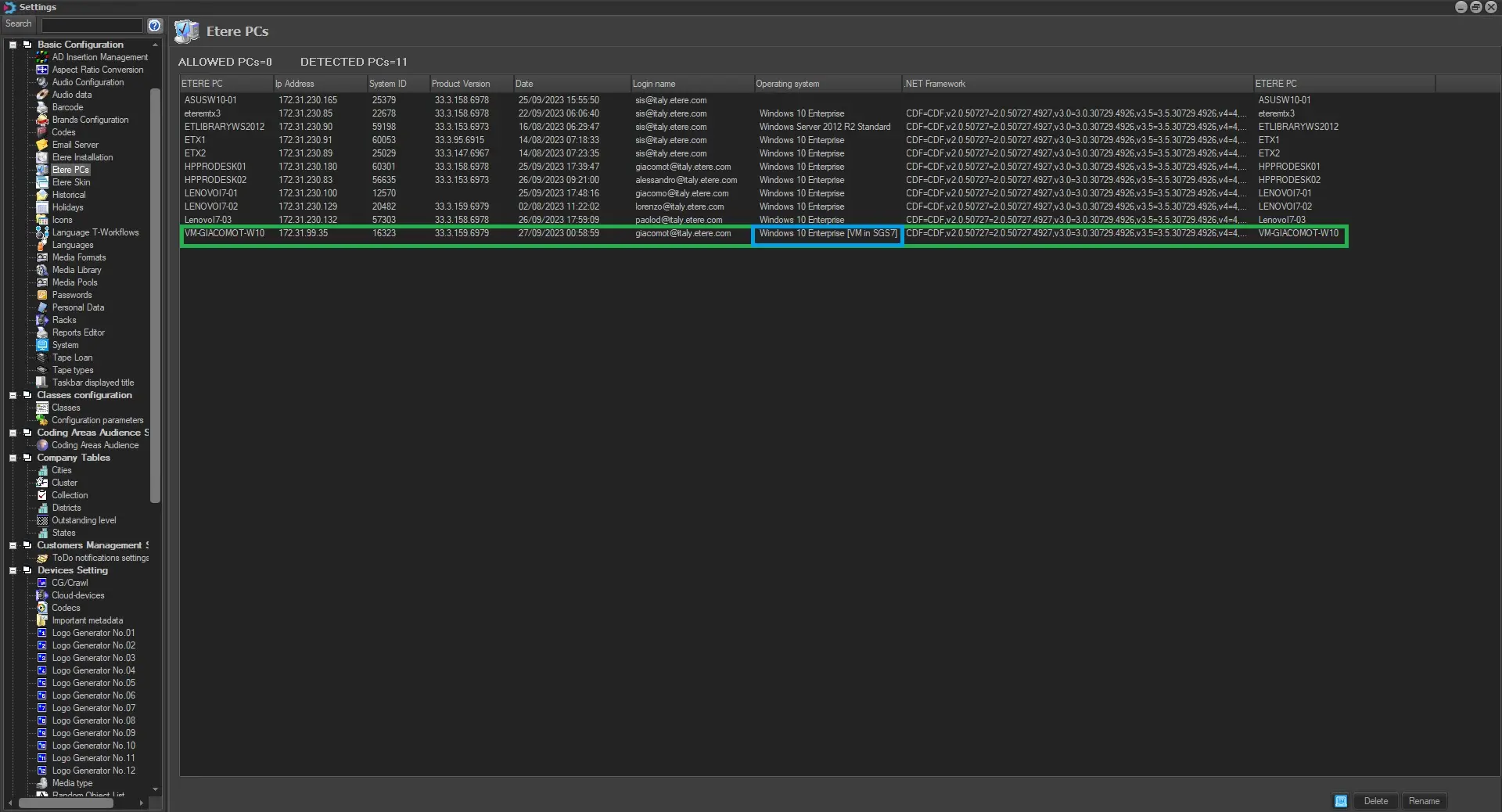
List of PCs: The computers in the network with at least one Etere module installed. The "Etere Installation" PC would display the up-to-date Etere version installed in the local workstation.
Etere PCs list will provide an informational resume of all the clients connected to the Etere Database, displaying some informations such as:
. IP Address: Ip addresses of the clients connected to the Etere Database;
. SYstemID: Installation System ID;
. Product Version: the version of Etere installed in the given client;
. Login Name: the related login name;
. Operating System: it worth mention that if the given client is a Virtual Machine, Etere would display the Hostname, along with the Guest Name in order to provide a neat information about the given client.
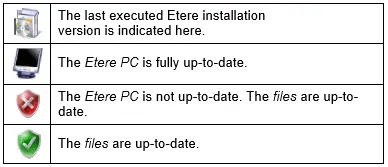
List of files: It displays the files installed on the selected PC, indicating their up-to-date status (by comparing them against the files in the "source" directory) with the following icons:
icons
The Toolbar provides some functions for the management of Etere's PC:
View the "up-to-date status": Press the [Refresh] button to update the information displayed in both lists automatically.
View the "source dir": Press the [Parameters] button to view the "source dir" from the current computer.
Upgrading a PC: Press the [Upgrade version] button to upgrade the Etere files in the current computer.
 eterepc_icons
 etere_pcs