54.3.3.1 Connected Commercials
The Connected Commercials function allows connecting a commercial to another commercial already in the schedule. Connected commercials will be inserted on the same date and time as the source commercial.
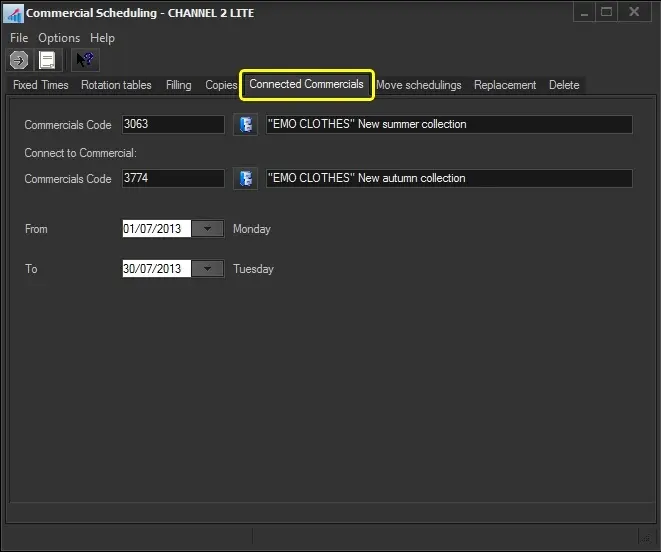
To start connecting commercials, search for them using the [Commercial Code] button and then compile the following parameters:
Connected_Commercials
Parameter - Commercial Code 1
Description: Search for the first of the commercial assets to be connected.
Parameter - Commercial Code 2
Description: Search for the second commercial asset to be connected.
Parameter - From - To
Description: Set the date range on which the connected asset will be inserted.
Once all parameters have been set, press the [RUN] button to link the commercial assets.
NB: Please note that if a connected commercial is already scheduled on the date and time of the source commercial, that performance will be skipped, and the related insertion won't be performed.
 Connected_Commercials