59.3.9.106 Subtitles capture via OCR
This action allows to search for subtitles embedded on a video linked to an asset. To execute the action, Etere Service Media Manager will launch the dedicated executable, specified in the command line.
Note: Both the source and destination languages must be enabled in Etere Configuration > Settings in both Languages and Subtitles tab.
subtitles_translation_action
Name: Give the action a brief, self-descriptive name.
Language: Languages available here must be enabled in Etere Configuration > Settings in both Languages and Subtitles tab.
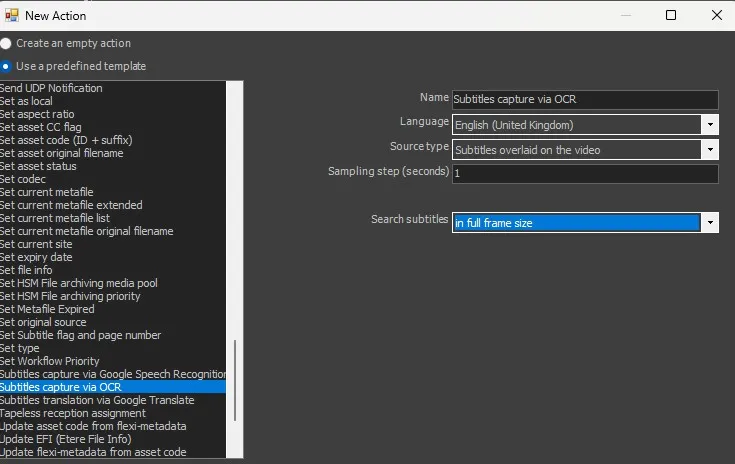
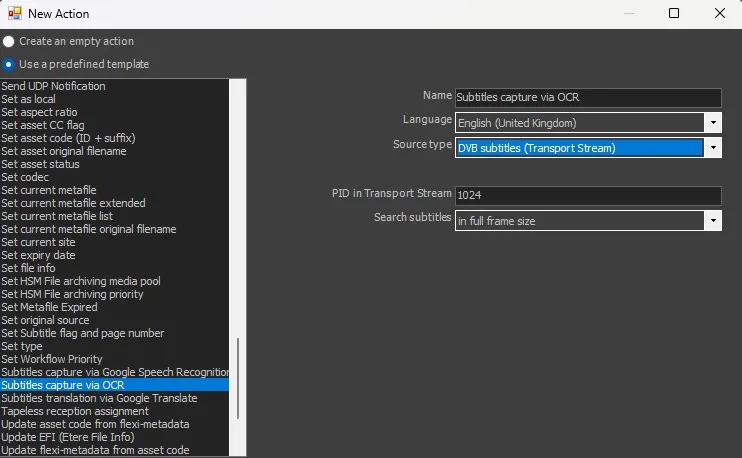
Source type: there are 2 options available here: Subtitles overlaid on the video or DVB subtitles (Transport Stream). Next option will change depending on the chosen option
For Subtitles overlaid on the video:
[subtitles overlaid on the video]
Sampling step (seconds): indicate here the step between one check and the next for the precence of any subtitles.
For DVB subtitles (Transport Stream):
[DVB subtitles]
PID in Transport Stream: indicate the PID value needed to search for the subtitles on a *.ts file.
Last option is for both situations.
Search Subtitles: define the zone of the screen where the system must check for the subtitles. Four options available:
in full frame size: all the screen
from Vertical Position of subtitles settings: referring to default settings of subtitles in Etere.
from Vertical Position: fields to define Screen lines number, Vertical Position and Rows number will be shown to the user.
in a specific area (pixel): fields to define Left, Top, Width, Height pixels will be shown to the user.
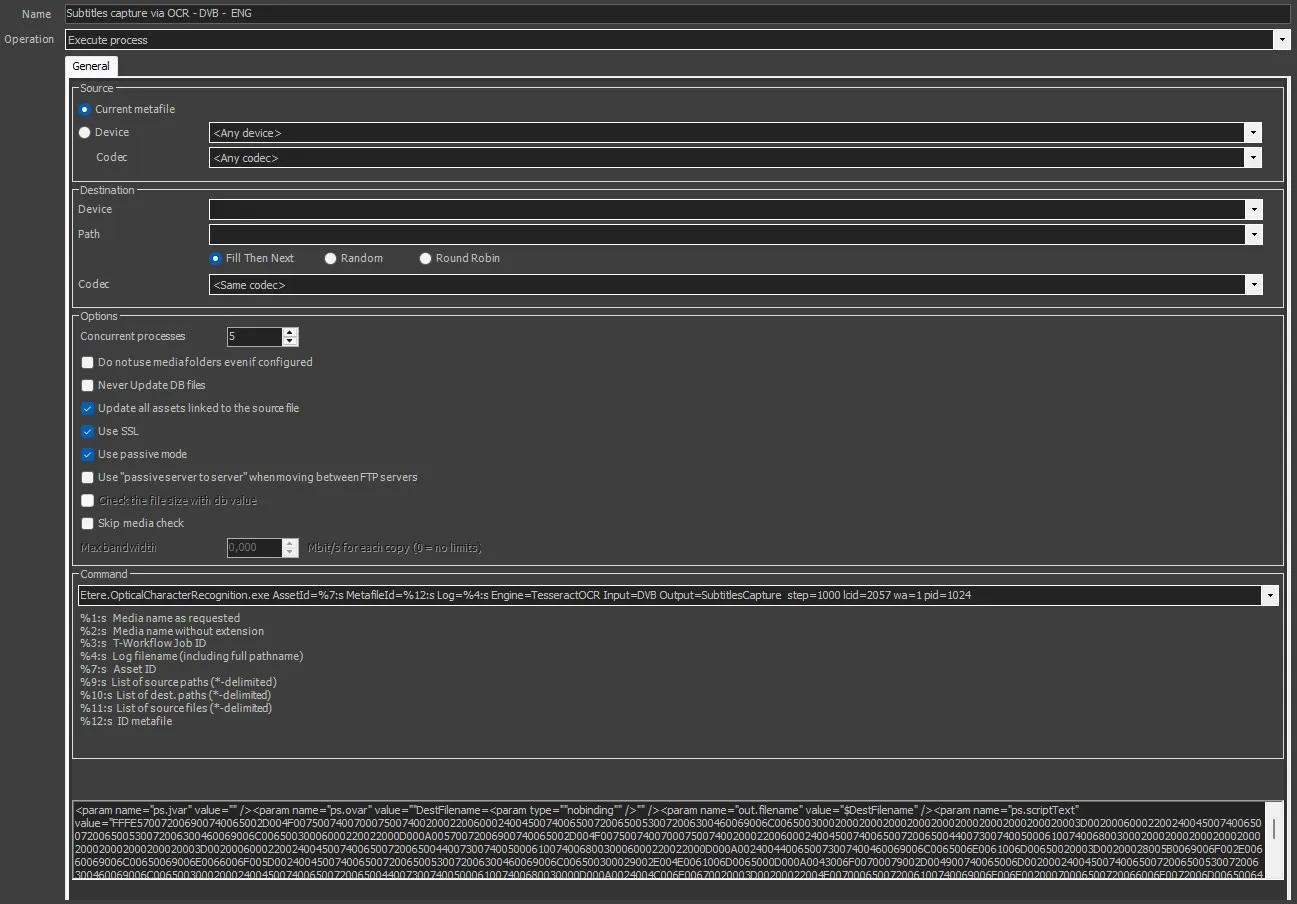
Once created, the command line can be seen on the form. For example:
[Subtitles capture created action]
Etere.OpticalCharacterRecognition.exe AssetId=%7:s MetafileId=%12:s Log=%4:s Engine=TesseractOCR Input=DVB Output=SubtitlesCapture step=1000 lcid=2057 wa=1 pid=1024
The command line contains other attributes as well, and the user can add any of the wildcards specyfied at the bottom, according to the needs, or change the parameters selected on creation.
 subtitles_overlaid_on_the_video
 DVB_subtitles
 Subtitles_capture_created_action