Monitoring tools
59.8.2.9 Configure Rack
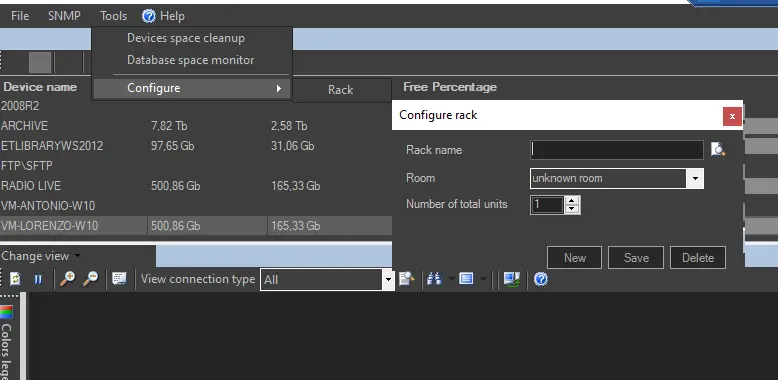
The Rack tools open a configuration dialogue and allow users with System Admin rights to define a rack by location. You can use the search button to locate the rack from the rack list or add a new rack.
Configure_rack
• Rack name: Enter the name of the existing rack or the name assigned to the new rack.
• Room: Enter the physical location where the rack is.
• Number of total units: The total units mounted on the rack.
After which, click <New> to create a new rack, or <Save> to confirm changes made to the existing rack. The <Delete> button removes the rack from the rack list.
 Configure_rack