84.2.4.26 Inserting Secondary Events - Macro Secondary Events
A Macro Secondary Event is simply a group of secondary events created to permit operators to have predefined groups of secondary events to facilitate their batch insertion. For example, a Macro Secondary Event can group in a sequence of various secondary events including a switch channel, a fade, a logo and a crawl:
Macro_Secondary_Events
It is possible to insert same macro to same secondary event twice in the program, for example, you can create 2 macros to display graphic in the program with different start time, when inserting the macros into event the first inserted macro will not be replaced by second macro as they are different in SOM.
Note: Macro secondary events can be created and modified only under the Etere Configuration > Settings > Executive Editor > Macro Secondary Events section.
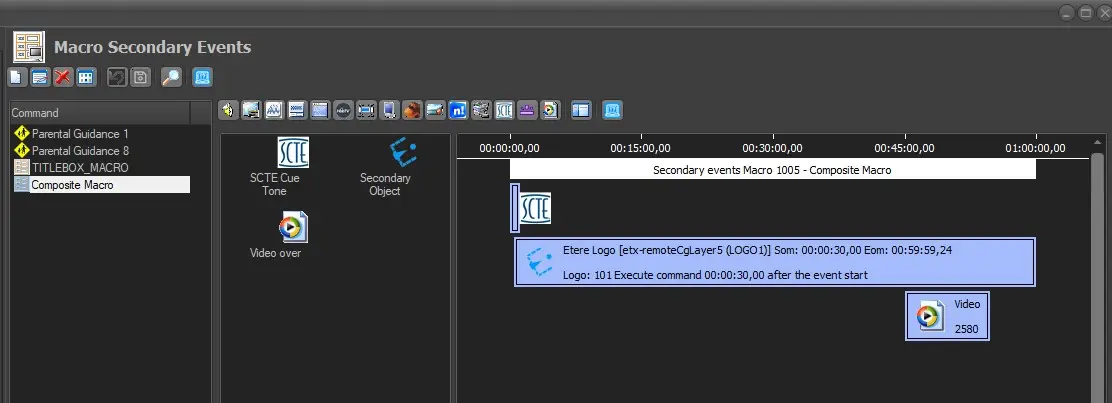 macro_secondary_events