72.2.2.82 Proposals
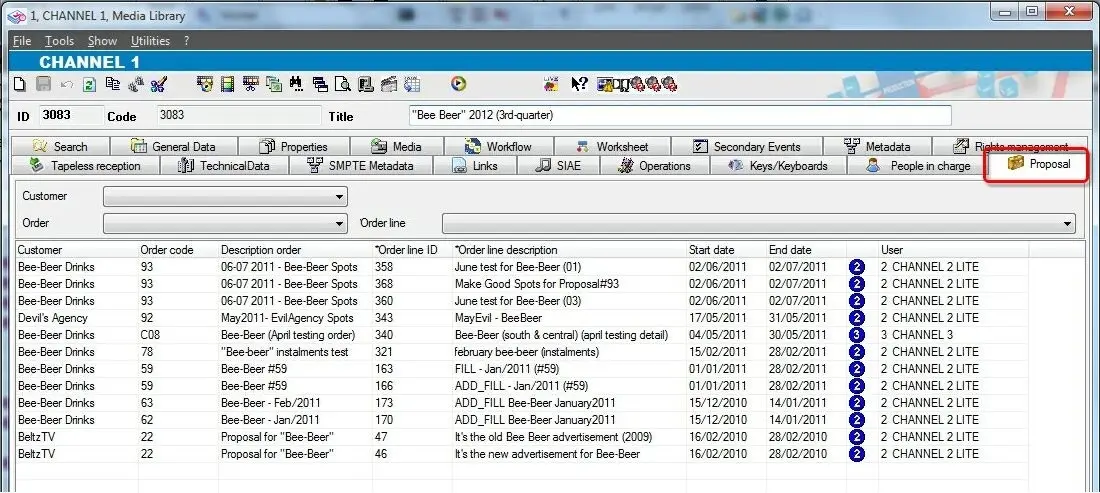
The "Proposals" tab provides a scheduling history of all order lines linked to the current asset. In this section there will be detailed, for each order line, information related to the customer (name), the order (code and description), the order line (ID, description, dates, and stations):
The information displayed in this tab is useful to, for example, quickly check if an asset is linked to a wrong customer. As shown above, order lines displayed in this section can be narrowed by using the following filters:
Proposals
Customer - Select the customer to which displayed orders belongs to.
Order - Indicate the order to be displayed.
Order line - Specify the exact order line to be displayed.
NB: Please note that information related to commercial assets is also available for specific persons under the Personal Data module.
 Proposals